Get Started with the iOS Reference App
The iOS Reference App demonstrates a modern Swift architecture with modularized business logic, CI-aware scripts, and a meeting experience built on the Vonage Video API. It is designed so iOS engineers can validate UX decisions, test coverage, and automation.
What it includes
The iOS Reference App provides a complete meeting flow and common conferencing building blocks:
- A landing page where users can create and join meeting rooms.
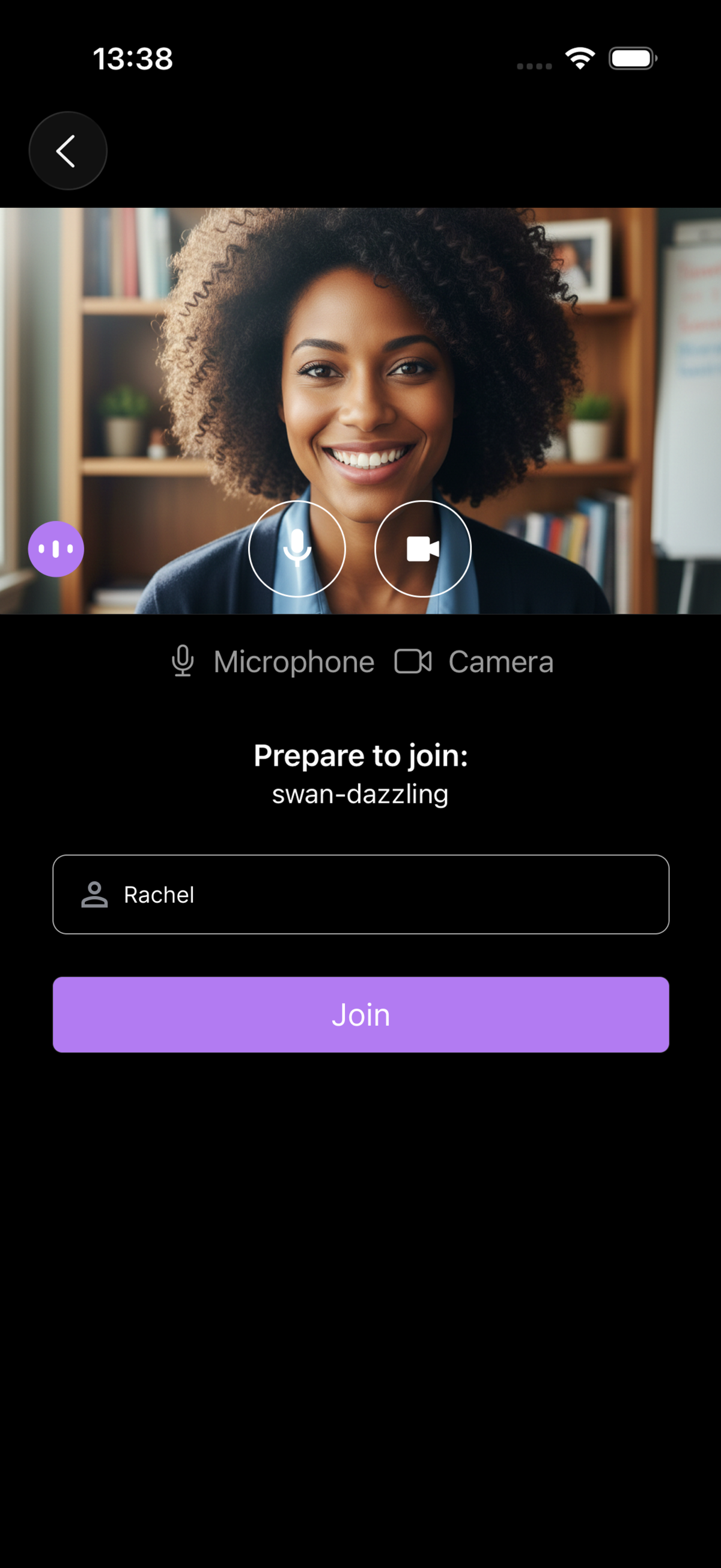
- A waiting room to preview audio and video devices and set a display name before joining.
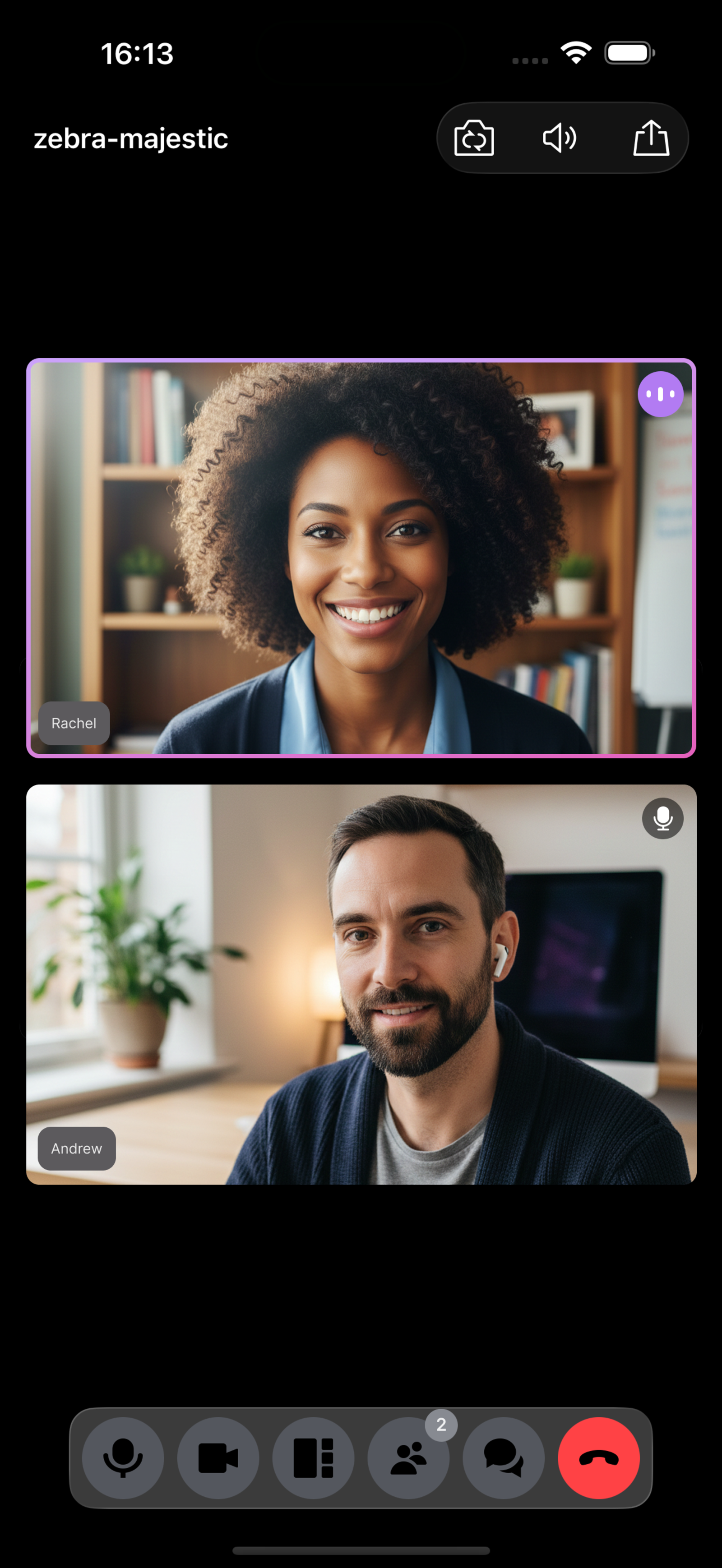
- A video room that supports up to 25 participants.
- A post-call page to navigate back to the landing page, re-enter the room, and display available archives.
- Configurable theme driven by an
semantics.jsonfile that generates the corresponding color semanticxcassetsin theVERACommonUIwhen running the generate-app-theme.py python script.
Architecture
The iOS Reference App is implemented as a set of Swift frameworks:
- VERAApp – Main app target and composition root. Wires dependencies, navigation, and configuration.
- VERACore – UI and business logic for the main views.
- VERAChat – In-meeting chat functionality.
- VERAVonageChatPlugin – Adapter that connects chat to the plugin interfaces.
- VERAVonageCallKitPlugin – CallKit integration plugin so calls are coordinated with the iOS system.
- VERADomain – Shared domain models and entities.
- VERAConfiguration – App configuration specification, including generated flags from
app-config.json. - VERACommonUI – Shared UI components, assets, and theme resources.
- VERAVonage – Vonage Video SDK integration.
The app relies on a lightweight backend to generate session IDs and tokens. The backend URL is configured in the DependencyContainer.swift file in the VERAApp module.
Some frameworks are universal, which enables fast testing on macOS targets and improves reuse across Apple platforms.
Main features
The meeting experience in the iOS Reference App includes:
- Landing and waiting rooms so users can join with the right devices and identity.
- Active speaker detection.
- Layout manager with options for grid and active-speaker views.
- Dynamic video layout that reacts to new joiners, hides tiles to conserve bandwidth, and promotes the next active participant when someone leaves.
- Participant list with audio on/off indicators.
- ShareLink integration to share meeting links using the iOS share sheet.
- CallKit integration so calls are coordinated with system-level calling UI and behaviors.
- Configurable features based on the app-config.json file that declares the xcworkspace modules and active features.
- Theme customization using
semantics.jsonand a script that generates color assets intoVERACommonUI. - Testing support using the Swift Testing framework for unit, integration, and snapshot tests.
These features are implemented using best practices for scalability, security, and iOS-specific UX.
Customization
The iOS Reference App supports feature and UI customization using configuration files and scripts.
Feature configuration
Configuration is handled through an app-config.json file that can be moved to the VERA/Config folder.
When you run the generate-app-config.py Python script in the VERA/Scripts folder, the parameters specified in app-config.json regenerate the AppConfig.swift file of the VERAConfiguration module.
Some of the features declared in the JSON file are not yet implemented.
Once the app-config.json file is configured, the tuist generate command reads the JSON file and configures the project by only adding the required modules.
Theme and UI customization
You can customize the app colors by editing the semantics.json file light and dark color scheme values and then by running the generate-app-theme.py script in the VERA/Scripts folder.
This generates the xcasset resources with the specified RGB values in the VERACommonUI module.
Next steps
To install, configure, and run the iOS Reference App, follow the instructions in the repository README: