Place a call
Finally, lets setup the ability to place call from this application.
In the onCreate function, add the RTC Hangup listener:
client.setOnCallHangupListener { callId, callQuality, isRemote ->
  onGoingCall = null
  hideUI()
  startCallButton.visibility = View.VISIBLE
  waitingForIncomingCallTextView.visibility = View.VISIBLE
}
This call listener will handle when the other person on the call hangs up. When this happens we reset the app to its original state.
Add the start call click listener code in onCreate too:
startCallButton.setOnClickListener { startCall() }
To start the call after pressing start call button add the startCall method inside Mainctivity class:
@SuppressLint("MissingPermission")
fun startCall() {
  client.serverCall(mapOf("to" to otherUser)) {
      err, outboundCall ->
    when {
      err != null -> {
        connectionStatusTextView.text = err.localizedMessage
      }
      else -> {
        onGoingCall = outboundCall
        hideUI()
        endCallButton.visibility = View.VISIBLE
      }
    }
  }
}
The above method starts the call.
Webhooks
As you proceed with placing the call, please switch to the terminal and notice the /voice/answer endpoint being called to retrieve the NCCO:
NCCO request:
  - callee: 447700900000
Also, as the call progresses through various stages, /voice/event is being sent events:
...
---
VOICE EVENT:
{
  from: null,
  to: 'Alice',
  uuid: '2da93da3-bcac-47ee-b48e-4a18fae7db08',
  conversation_uuid: 'CON-1a28b1f8-0831-44e6-8d58-42739e7d4c77',
  status: 'started',
  direction: 'inbound',
  timestamp: '2021-03-10T10:36:21.285Z'
}
---
VOICE EVENT:
{
  headers: {},
  from: 'Alice',
  to: '447700900000',
  uuid: '8aa86e22-8d45-4201-b8d8-3dcd76e76429',
  conversation_uuid: 'CON-1a28b1f8-0831-44e6-8d58-42739e7d4c77',
  status: 'started',
  direction: 'outbound',
  timestamp: '2021-03-10T10:36:27.080Z'
}
---
...
---
VOICE EVENT:
{
  start_time: null,
  headers: {},
  rate: null,
  from: 'Alice',
  to: '447700900000',
  uuid: '8aa86e22-8d45-4201-b8d8-3dcd76e76429',
  conversation_uuid: 'CON-1a28b1f8-0831-44e6-8d58-42739e7d4c77',
  status: 'answered',
  direction: 'outbound',
  network: null,
  timestamp: '2021-03-10T10:36:31.604Z'
}
---
VOICE EVENT:
{
  headers: {},
  end_time: '2021-03-10T10:36:36.000Z',
  uuid: '8aa86e22-8d45-4201-b8d8-3dcd76e76429',
  network: '23433',
  duration: '5',
  start_time: '2021-03-10T10:36:31.000Z',
  rate: '0.10000000',
  price: '0.00833333',
  from: 'Unknown',
  to: '447700900000',
  conversation_uuid: 'CON-1a28b1f8-0831-44e6-8d58-42739e7d4c77',
  status: 'completed',
  direction: 'outbound',
  timestamp: '2021-03-10T10:36:35.585Z'
}
---
VOICE EVENT:
{
  headers: {},
  end_time: '2021-03-10T10:36:35.000Z',
  uuid: '2da93da3-bcac-47ee-b48e-4a18fae7db08',
  network: null,
  duration: '15',
  start_time: '2021-03-10T10:36:20.000Z',
  rate: '0.00',
  price: '0',
  from: null,
  to: 'Alice',
  conversation_uuid: 'CON-1a28b1f8-0831-44e6-8d58-42739e7d4c77',
  status: 'completed',
  direction: 'inbound',
  timestamp: '2021-03-10T10:36:36.187Z'
}
NOTE: As the call is completed, events will also contain duration and pricing information.
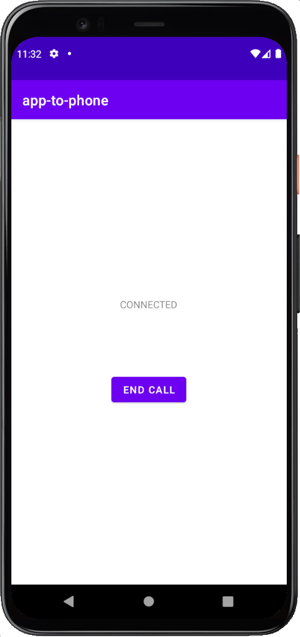
The end call button was shown to reflect the current state of the call:
Making an app to app voice call
Make a voice call from an Android app to the same Android app installed on other device using the Android Client SDK.