Swift
Building the interface
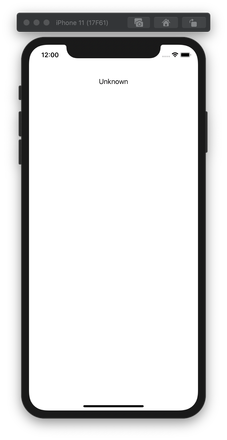
To be able view the connection status of the app you will need to add a UILabel element to the screen. Open ViewController.swift and add the label programmatically by replacing the entire file content with the following:
import UIKit
import NexmoClient

class ViewController: UIViewController {

    let connectionStatusLabel = UILabel()

    override func viewDidLoad() {
        super.viewDidLoad()
        // Do any additional setup after loading the view.

        connectionStatusLabel.text = "Unknown"
        connectionStatusLabel.textAlignment = .center
        connectionStatusLabel.translatesAutoresizingMaskIntoConstraints = false

        view.addSubview(connectionStatusLabel)
        view.addConstraints(NSLayoutConstraint.constraints(withVisualFormat: "H:|-20-[label]-20-|",
                                                           options: [], metrics: nil, views: ["label" : connectionStatusLabel]))
        view.addConstraints(NSLayoutConstraint.constraints(withVisualFormat: "V:|-80-[label(20)]",
                                                           options: [], metrics: nil, views: ["label" : connectionStatusLabel]))
    }
}
Build and Run
Run the project again (Cmd + R) to launch it in the simulator.
Receiving a phone call in-app
You receive a call from a phone to your app
Steps
1
Introduction to this task2
Prerequisites3
Create a webhook server4
Create a Vonage Application5
Buy a Vonage number6
Link a Vonage number7
Create a User8
Generate a JWT9
Xcode Project and Workspace10
Project permissions11
Building the interface12
NXMClient13
Receive a call14
What's next?