Share:
)
A trained actor with a dissertation on standup comedy, I came into PHP development via the meetup scene. You can find me speaking and writing on tech, or playing/buying odd records from my vinyl collection.
Weird Science: Building Android Apps with NativePHP
I seem to be stuck in a loop at the moment, that loop being talking about innovations within PHP. One of my bugbears is that I can’t quite keep up with new things appearing in PHP because of the pace of evolution.
I’m catching up, though. Watching the launch of NativePHP at Laracon US 2023 was enough to raise an eyebrow, but I think at that point, I wasn’t quite sure in those early stages how much it would catch on.
Fast forward to 2026, and at the start of the year, NativePHP creators Simon Hamp and Shane Rosenthal previewed the year ahead. It knocks my socks off to learn that NativePHP is to be announced as free at Laracon India in a month’s time. Then I get to see the new build process using their Jump app. The demo of Jump and then the Bifrost PaaS has so many features that I can’t keep up. Then comes Mimi, an AI IDE for NativePHP.
We’re going to go through a tutorial in this article; we’re going to code a classic To-Do app, with a nice little feature that sends an SMS to a chosen device via the Vonage Messages API. Then, NativePHP is going to build it and pull in the package through its tooling and run the app on Android.
NativePHP is designed to take Laravel applications and build them to natively run on target devices: Windows, Linux, MacOS, Android, iOS. It’s seen a gradual evolution of features, so I thought it would probably be best to pop its creators a few questions so we can hear more in their own words.
 Shane and Simon, NativePHP's creators
NativePHP originally started as a wrapper around Electron for desktop apps. We’ve been building that for over 3 years (Mac, Linux, Windows). In 2024, Simon cracked the code and compiled PHP for iOS so we can use PHP code on the device, natively. Soon after, Shane did the same on Android, and we have been pushing the boundaries ever since.
On Desktop, we use statically-compiled PHP binaries and (for now) PHP’s built-in web server to enable communication with the Electron shell. But that doesn’t work on mobile, especially on iOS. You can’t have apps with multiple background processes running or spinning up web servers whenever you like.
In a normal web server setup, PHP is usually compiled dynamically, which allows extensions to be loaded and unloaded at run time, but while this is highly configurable, it’s more complex, which makes distributing the PHP engine harder.
Static binaries mean you don’t need to ‘install’ or ‘configure’ PHP; you can just distribute a single executable for the given platform and have it work the way it was compiled to. Any extensions you need have to be compiled in, so it’s not as easy to change, but once you’ve compiled it for the relevant platform, everything just works. PHP even gets a little bit of a performance boost from this because it doesn’t need to do some checks that can be slower when loading dynamic libraries.
But the big unlock came from realizing that - in its simplest form - PHP (the engine) is just a parser. It’s purpose-built for - and really good at - parsing PHP code. Who knew!? It’s just a very good, very fast interpreter that can read and process PHP files very rapidly.
We typically make web frameworks out of this, but there’s nothing in PHP that forces it to be used only in that context. In fact, for many years, PHP has been a perfectly good CLI tool, and many applications rely on its robust CLI support.
A little-known feature of PHP, though, is that it can also be compiled as an embeddable C library, which means that you can include the PHP engine inside any other application. With this technical detail figured out, we were able to compile PHP into our Swift and Java/Kotlin shell applications and have them run an embedded Laravel app.
Thanks to a very lightweight custom PHP extension that adds a couple of new global PHP functions, when running on iOS and Android, your PHP scripts have full access to device features.
That means you can now build fully distributable, offline-first, cross-platform native mobile applications using PHP and Laravel and all the other tools you’re used to from the world of web development.
And that’s just the beginning!
We announced a ton of things! The most important one is that the core of NativePHP for Mobile is now completely free and open source, so anyone can use it to build mobile apps for iOS and Android. We’re calling it NativePHP Air.
The other big piece of this is Plugins. We’ve opened up the architecture to enable anyone to build anything. And you really can tap into any native features of the device. We’ve got some premium first-party plugins which we hope will help fund the project (but they’re by no means required). Most plugins are also free and open source, and we have plans to build many, many more.
We’ve also got a Plugin Marketplace to allow third-party developers to share their own plugins, and in the coming weeks, we’ll be enabling the ability for third-party developers to sell their own premium plugins through our marketplace too.
Right from the beginning, we wanted to make NativePHP free, but we only had the core product at the time, so there would have been no way to fund its development. Thanks to making it a premium product early on, we were able to raise enough capital to build out other offerings, specifically Bifrost.
With the success of Bifrost subscriptions, coupled with our premium plugins, we were able to make the jump to making the core free much sooner than we had originally dreamed. We hope the community will continue to support us with these other products to help offset the cost of developing and maintaining the free tools.
NativePHP is the framework, like Laravel; Bifrost is the SaaS, more like Laravel Forge or Laravel Cloud. Bifrost is a cloud-based platform that smooths the process of compiling your apps for multiple platforms in parallel and then publishing the builds to the app stores.
Part of our India announcements were also Bifrost features: Jump and Mimi.
Jump is a free native app you install on your phone (works for iOS and Android) that lets you deploy your NativePHP apps directly onto your phone right from your development machine (or from your Bifrost projects) without the need of compiling or provisioning. You don’t need Xcode or Android Studio at all. With Jump running on your device and NativePHP Air installed in your Laravel app, it’s just one command to get your app running on your phone.
Mimi is the final piece of the puzzle, letting you build apps without any local development environment at all. Using state-of-the-art agentic AI models that we’ve configured specifically to work with NativePHP, we enable you to build your applications more rapidly than ever. And because it’s a part of Bifrost, you can get them app store-ready in minutes.
We’re putting a lot of effort into Bifrost and have loads more features planned for later this year.
(Shane) At the top of my list is rendering a full native UI. We’ve looked at our competitors (Meta and Google), and some of the strategies they implemented, and we are fully convinced we can offer at least as good a solution (if not slightly better), catered to the Laravel/PHP developer.
(Simon) I’m really excited to dive into NativePHP performance. It’s already a solid choice for building amazing mobile apps, but we want to make it the best choice. We’ve already got some working PoCs for things like multithreading, background tasks, and parallelization. We just want to keep on pushing the boundaries and doing things people say can’t or shouldn’t be done.
I’m also excited to bring all of the advancements we’ve made on the Mobile side back over to the Desktop side and potentially get rid of Electron altogether. Then we might end up with a truly cross-platform tool for web and native applications.
I have an Android device, and it’s going to be a ToDo app. However, to add a little sprinkle of extra functionality, I want it first to be styled with MaterialUI, and also to send an SMS via the Vonage Messages API whenever an item is ticked off.
I did it in Claude & Cursor using Laravel Boost - for the most part (it really struggled with the Service container using dependency injection for the Vonage PHP Client), it went fairly smoothly. Nothing too fancy - all auth was removed, I scaffolded out a ToDo entity in Eloquent, and Livewire handled the ToDo state in the frontend.
You can find the app source code here
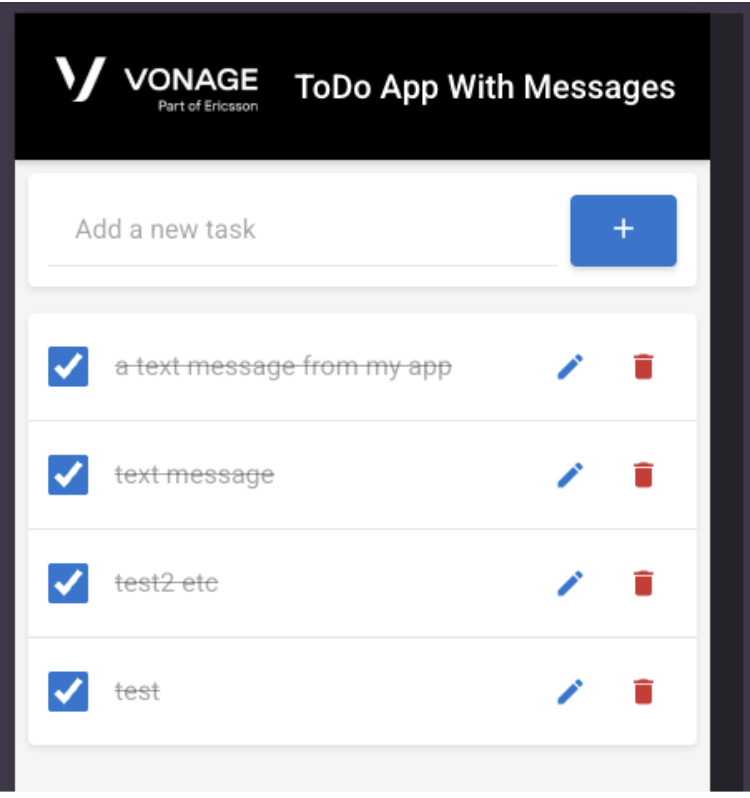 Quick and dirty UI for a classic mobile appGreat. Check it out yourself.
git
PHP 8.3+
Node 23+ & npm
Composer
A Vonage account
Fetch the repository to your machine: https://github.com/Vonage-Community/blog-messages_native_php
Install dependencies:
composer installRun migrations:
php artisan migrateRun npm:
npm iIn the command line, get Vite running with
npm run devCopy the example
envto make it a liveenv: cp .env.example .envAdd your Vonage credentials to the
.envfile.
To do your final step, you’ll need to create a new application in the Vonage Dashboard, add Messages API capability to the application (you can place dummy data in the webhooks section, as this feature isn’t used), and move the downloaded private.key to the root of your project’s code. Make a note of the Application ID that is created.
To create an application, go to the Create an Application page on the Vonage Dashboard, and define a Name for your Application.
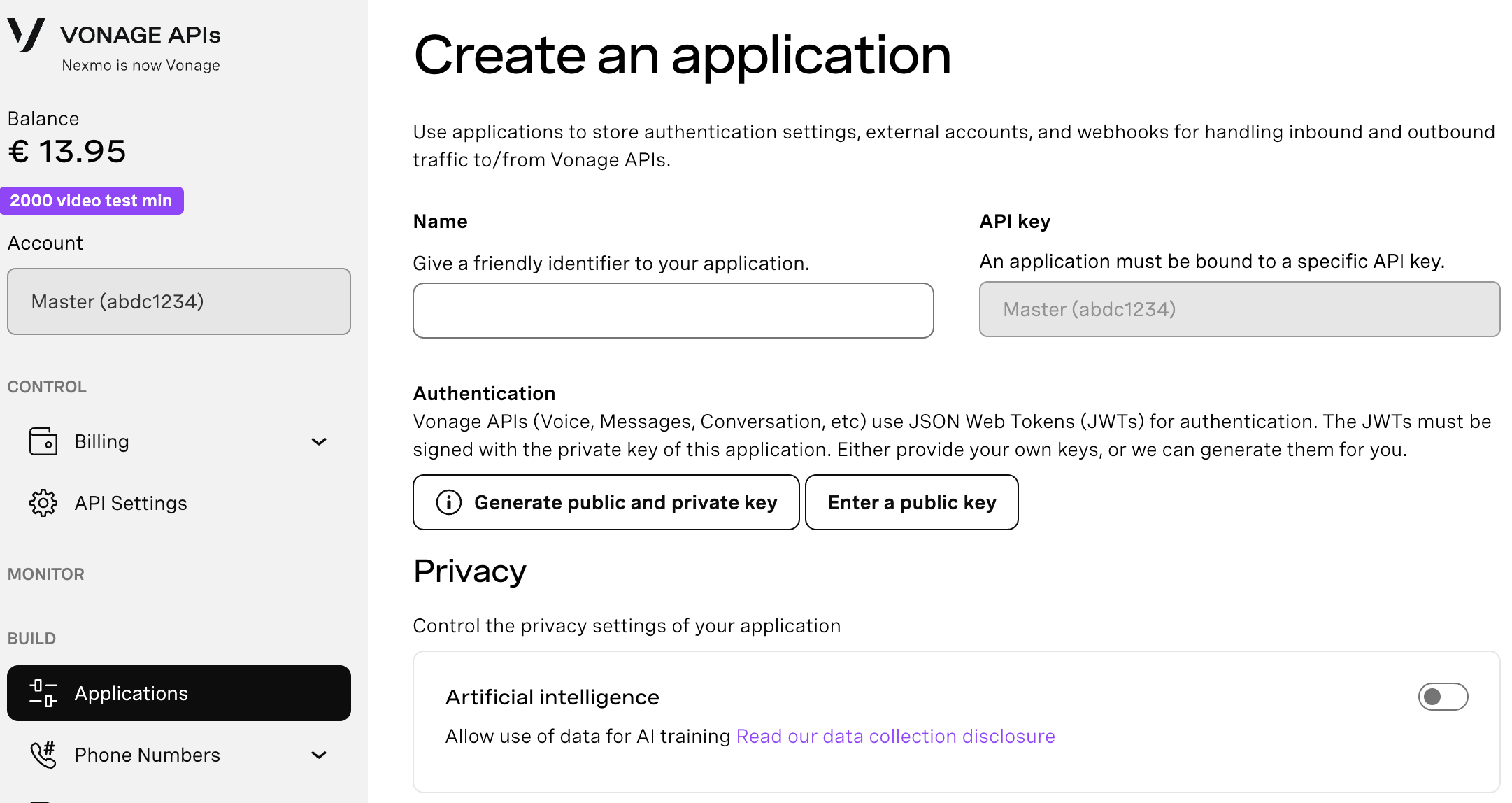
If you intend to use an API that uses Webhooks, you will need a private key. Click “Generate public and private key”, your download should start automatically. Store it securely; this key cannot be re-downloaded if lost. It will follow the naming convention private_<your app id>.key. This key can now be used to authenticate API calls. Note: Your key will not work until your application is saved.
Choose the capabilities you need (e.g., Voice, Messages, RTC, etc.) and provide the required webhooks (e.g., event URLs, answer URLs, or inbound message URLs). These will be described in the tutorial.
To save and deploy, click "Generate new application" to finalize the setup. Your application is now ready to use with Vonage APIs.
You can then plug these values into the .env file, for instance:
VONAGE_APPLICATION_ID="<YOUR_APPLICATION_ID_HERE>"
VONAGE_PRIVATE_KEY_PATH="./private.key"
VONAGE_TO="<YOUR-NUMBER-HERE>"You’ll need to be serving your app. I recommend using Laravel Herd. You can find the installation instructions here. Alternatively, you can run the built-in PHP server from the command line: php artisan serve
You should now have your basic app up and running. Now it’s time for…
There are only four steps to get this running on Android. Four steps! That’s it. Let’s go:
On your Android device, download the Bifrost Jump app. This acts as a wrapper that can pull in a NativePHP built application from a QR code.
Install NativePHP with Composer:
composer require nativephp/mobileBuild your app for the Jump app:
php artisan native:jumpYou are automatically presented with a browser booted up with a QR code. Open your Jump app on your phone and scan the QR code.
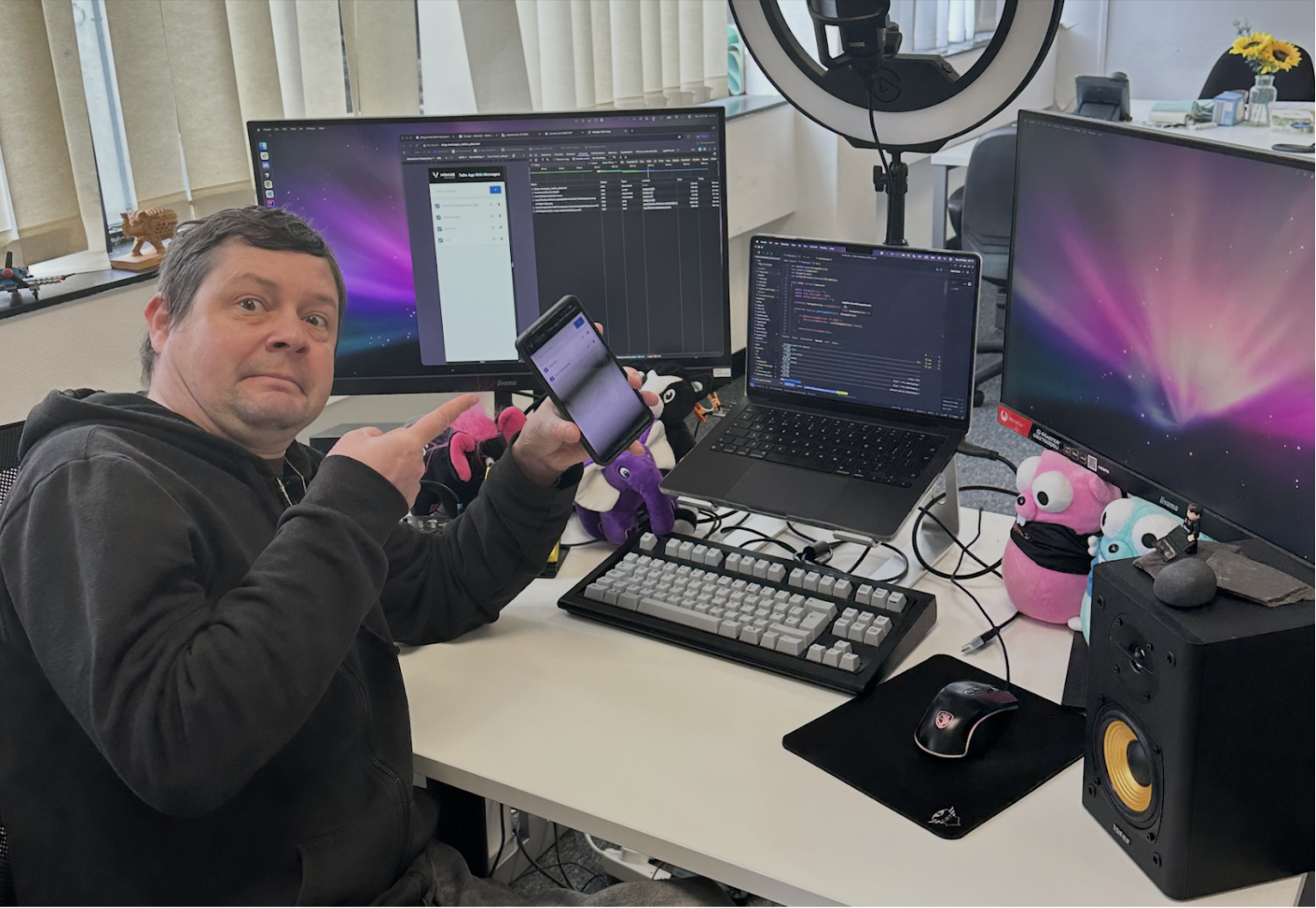 R U Being Serious Right Now?Now the ToDo mobile application is ready to be used. Time to tick off a ToDo item, and let’s see what happens…
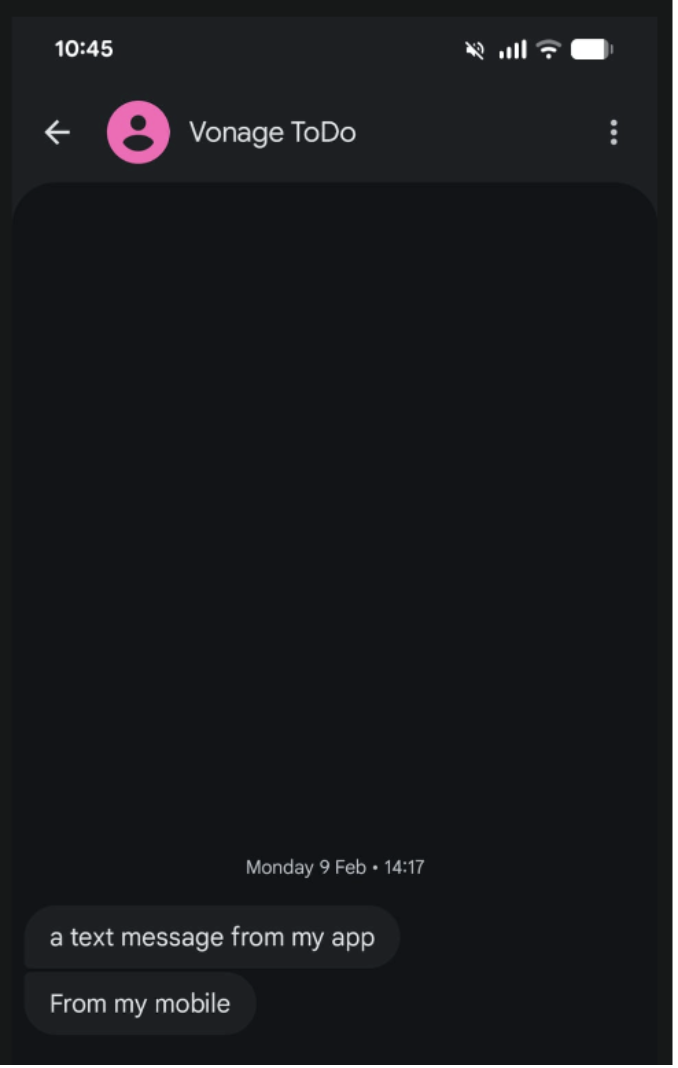 SMS delivered Natively from Android via. VonageWe’ve got an SMS when ticking off a ToDo on the app, to our phone! I’m not normally a proponent of “it just works”, especially when writing about Developer Experience, where there tends to be a ton of assumed knowledge or missing pieces. But this just… did just work.
Now you’ve seen how easy it is to build real mobile apps with PHP, what are you going to build yourself? I’ve been thinking of implementing our Network-Powered Solutions, such as using the Identity Insights API as a demo, but I am also looking forward to checking out the NativePHP plugin marketplace to see what capabilities Mobile developers can use. And yes, “mobile developers” is the phrase I use here, not “PHP developers”. Because: this is a game-changer.
Have a question or want to share what you're building?
Subscribe to the Developer Newsletter
Follow us on X (formerly Twitter) for updates
Prefer video? Watch tutorials on our YouTube channel
Connect with us on the Vonage Developer page on LinkedIn
Help us improve our developer experience by filling out our Voice of the Developer Feedback
Stay connected and keep up with the latest developer news, tips, and events.