Swift
Construir la interfaz
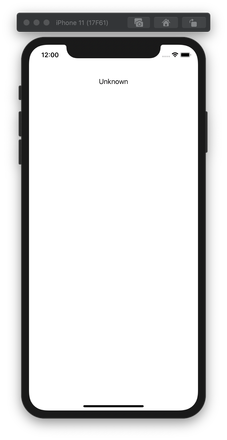
Para poder ver el estado de conexión de la aplicación tendrá que añadir un icono UILabel a la pantalla. Abrir ViewController.swift y añadir la etiqueta mediante programación sustituyendo todo el contenido del archivo por lo siguiente:
import UIKit
import NexmoClient

class ViewController: UIViewController {

    let connectionStatusLabel = UILabel()

    override func viewDidLoad() {
        super.viewDidLoad()
        // Do any additional setup after loading the view.

        connectionStatusLabel.text = "Unknown"
        connectionStatusLabel.textAlignment = .center
        connectionStatusLabel.translatesAutoresizingMaskIntoConstraints = false

        view.addSubview(connectionStatusLabel)
        view.addConstraints(NSLayoutConstraint.constraints(withVisualFormat: "H:|-20-[label]-20-|",
                                                           options: [], metrics: nil, views: ["label" : connectionStatusLabel]))
        view.addConstraints(NSLayoutConstraint.constraints(withVisualFormat: "V:|-80-[label(20)]",
                                                           options: [], metrics: nil, views: ["label" : connectionStatusLabel]))
    }
}
Construir y ejecutar
Vuelva a ejecutar el proyecto (Cmd + R) para lanzarlo en el simulador.
Recibir una llamada telefónica in-app
Recibes una llamada de un teléfono a tu aplicación
Pasos
1
Introducción a esta tarea2
Prerequisites3
Crear un servidor webhook4
Crear una aplicación de Vonage5
Comprar un número de Vonage6
Vincular un número de Vonage7
Crear un usuario8
Generar un JWT9
Proyecto y espacio de trabajo de Xcode10
Permisos para proyectos11
Construir la interfaz12
NXMClient13
Recibir una llamada14
¿Y ahora qué?