Compartir:
Autores
)
)
Presentamos la autenticación mediante clave de acceso de Vonage
Tiempo de lectura: 5 minutos
Nos complace anunciar que Vonage ya admite la autenticación mediante clave de acceso (sin contraseña). Las contraseñas han sido la columna vertebral de la seguridad en línea durante décadas, pero también han constituido uno de sus mayores puntos débiles. El robo de credenciales, los ataques de phishing y el «credential stuffing» se encuentran entre las causas más comunes de la violación de cuentas en la actualidad.
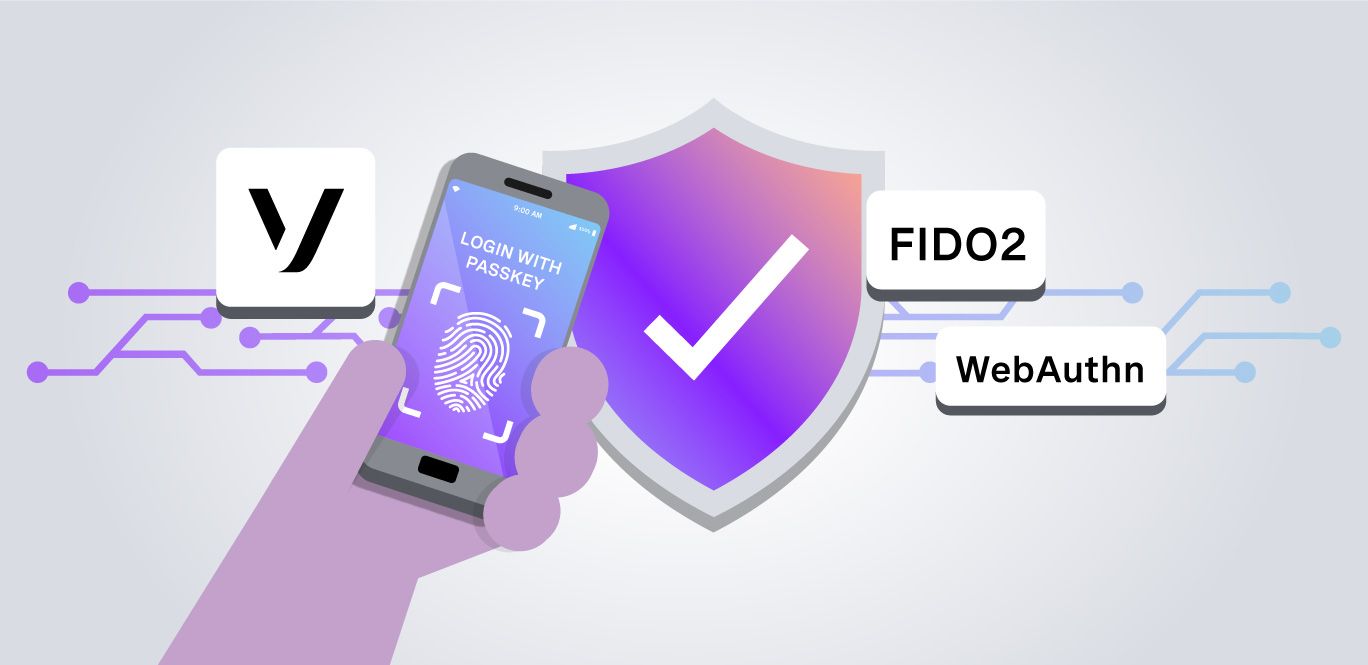
Una clave de acceso es una credencial de autenticación moderna que no requiere contraseña y que se basa en el estándar FIDO2/WebAuthn, la misma tecnología adoptada por Apple, Google y Microsoft como el futuro de la autenticación.
En lugar de una contraseña, una clave de acceso utiliza un par de claves criptográficas:
La clave privada se almacena de forma segura en tu dispositivo (o en tu gestor de contraseñas). Nunca sale de tu dispositivo.
Se utiliza una clave pública registrada en Vonage para verificar tu identidad sin necesidad de transmitir nunca una clave secreta a través de la red.
Al iniciar sesión, tu dispositivo firma un desafío criptográfico utilizando la clave privada tras verificar tu identidad mediante datos biométricos (Face ID, Touch ID, Windows Hello) o el PIN del dispositivo. Vonage verifica la firma utilizando la clave pública almacenada. En ningún momento se envía ni se almacena ninguna contraseña.
Las claves de acceso se pueden sincronizar entre tus dispositivos a través de iCloud Keychain, Google Password Manager o gestores de terceros como 1Password y Keeper.
Las claves de acceso son una alternativa segura para la autenticación, ya que no es necesario recordar una contraseña ni guardarla en un gestor de contraseñas, pues se almacenan de forma segura en tu dispositivo de confianza y son resistentes al phishing.
Resistente al phishing: la clave privada está vinculada criptográficamente al dominio registrado. Es imposible utilizarla en una página web falsa.
No exportable: La clave privada no se puede extraer de la mayoría de los dispositivos, lo que hace imposible su robo a través de filtraciones de datos.
Sin secreto compartido: a diferencia de las contraseñas o los códigos TOTP, durante la autenticación no se transmite ninguna información confidencial.
No se requiere una autenticación multifactorial (MFA) independiente: una clave de acceso por sí sola cumple tanto con el criterio de «algo que tienes» como con el de «algo que eres o sabes», por lo que no es necesario un segundo factor independiente.
En varios dispositivos: si no tienes tu clave de acceso en el dispositivo actual, puedes autenticarte escaneando un código QR desde otro dispositivo o utilizando una llave de seguridad de hardware FIDO2.
Al crear una clave de acceso, tu dispositivo genera un par de claves pública y privada. La clave pública se almacena en los servidores de Vonage; la clave privada nunca sale de tu dispositivo ni de tu gestor de contraseñas.
Al iniciar sesión, Vonage envía un desafío criptográfico. Tu dispositivo lo firma con la clave privada (tras verificar tu identidad mediante datos biométricos o un PIN) y devuelve la firma. Vonage verifica la firma utilizando la clave pública almacenada, sin que sea necesario introducir ninguna contraseña.
Si tu clave de acceso no está guardada en el dispositivo actual, puedes:
Escanea un código QR con la cámara del dispositivo en el que tengas guardada tu clave de acceso.
Utiliza una llave de seguridad física; inserta y toca un token FIDO2 USB o NFC.
Las claves de acceso son compatibles de forma nativa con todas las principales plataformas y navegadores (Apple, Google, Microsoft). Se pueden sincronizar entre dispositivos a través de iCloud Keychain, Google Password Manager o gestores de terceros como 1Password y Keeper. Para obtener información detallada sobre cómo empezar a utilizar una clave de acceso, consulta la página de documentación.
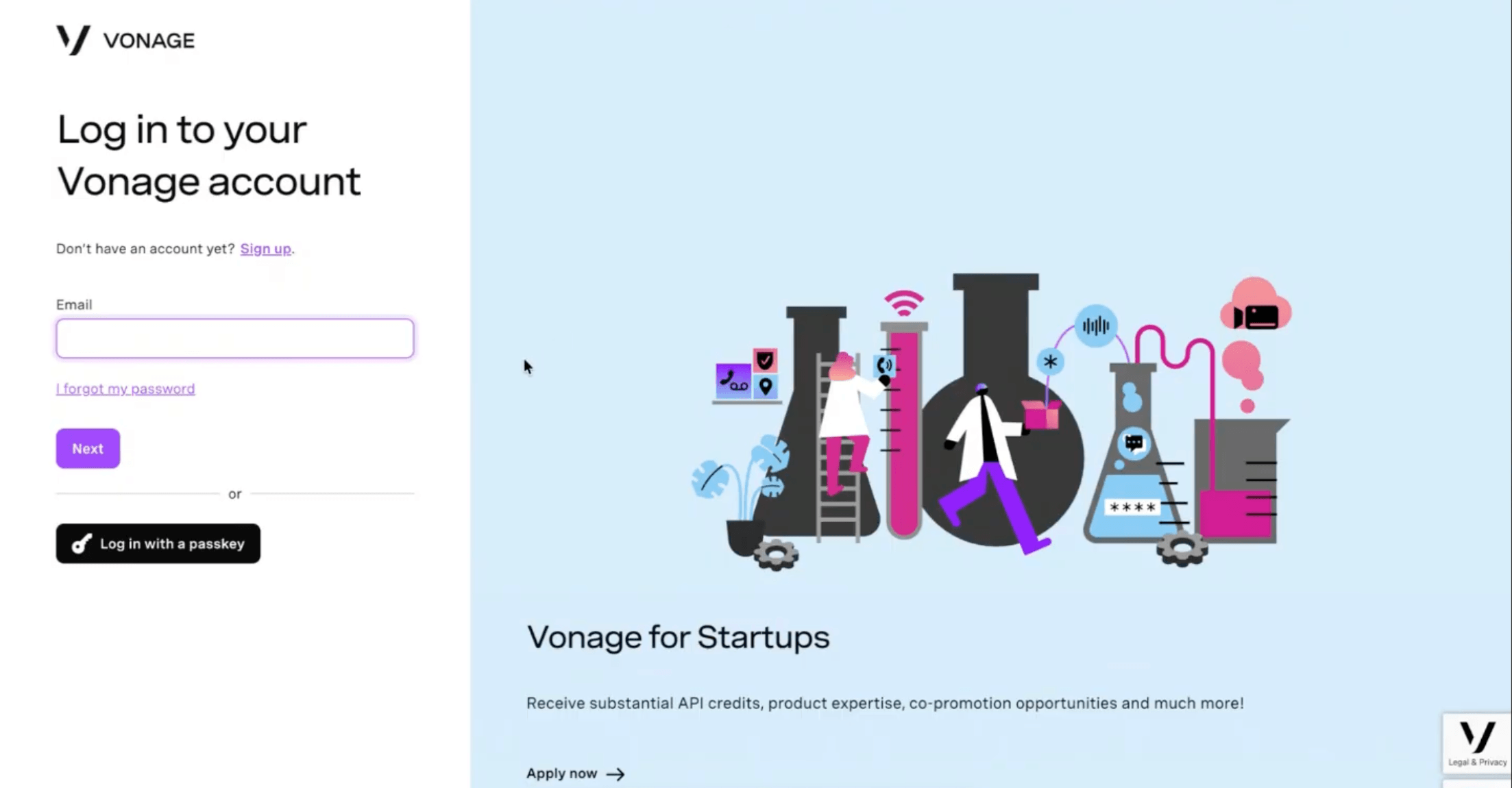
La página de inicio de sesión de Vonage incluye ahora un botón «Iniciar sesión con una clave de acceso» situado debajo del formulario habitual de correo electrónico y contraseña. Si ya has registrado una clave de acceso, solo tienes que hacer clic en él para autenticarte sin necesidad de introducir tu correo electrónico ni tu contraseña.
 Login with a passkey
Una vez que hayas iniciado sesión, aparecerá una pantalla titulada «Empezar a utilizar claves de acceso» que te guiará a lo largo del proceso de configuración. También puedes:
Si lo deseas, selecciona «Eliminar también mi contraseña»: esto borrará tu contraseña y obligará a iniciar sesión únicamente con la clave de acceso para garantizar la máxima seguridad.
Ignora el mensaje y crea una clave de acceso más tarde desde la configuración de «Seguridad de la cuenta».
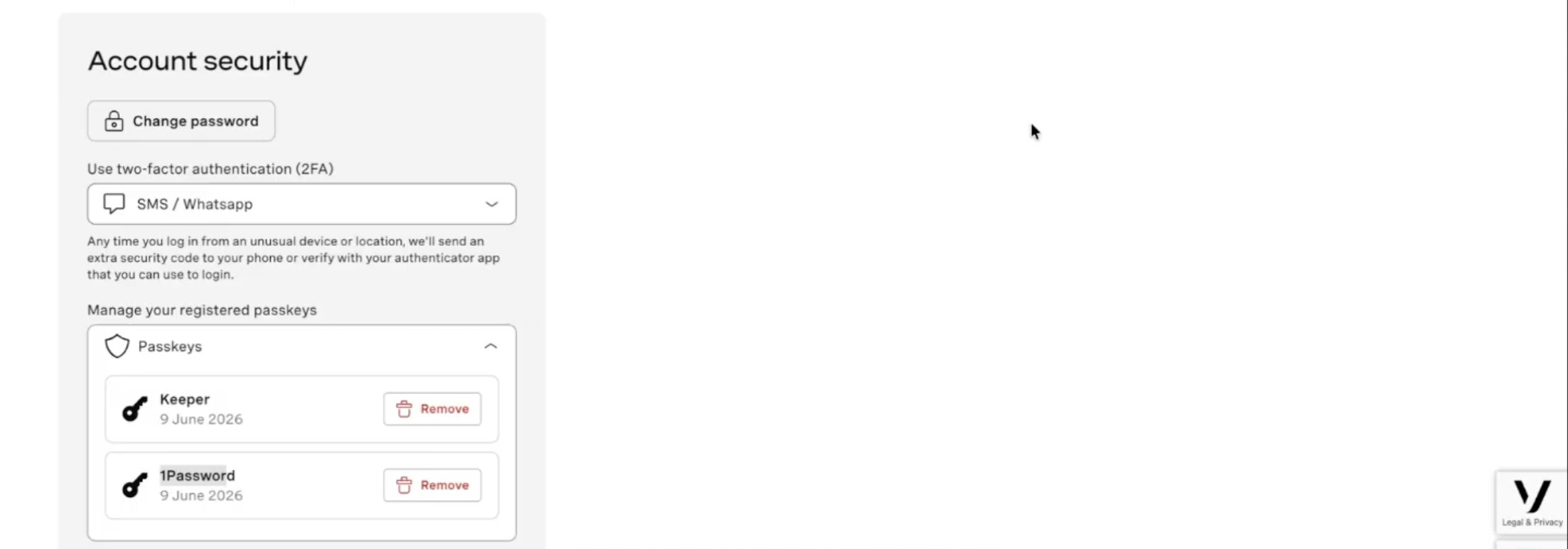
Ya está disponible una nueva sección titulada «Gestionar tus claves de acceso registradas» en la página «Seguridad de la cuenta».
 Passkey management
Desde allí, puedes:
Ver todas las claves de acceso registradas con el nombre de su credencial (por ejemplo, Keeper, 1Password) y la fecha de registro.
Elimina claves de acceso individuales en cualquier momento.
Tus métodos actuales de autenticación de dos factores (SMS / WhatsApp, aplicación de autenticación) seguirán estando disponibles junto con la gestión de claves de acceso.
Si pierdes el acceso a tu clave de acceso (por ejemplo, porque has perdido el dispositivo o has borrado la credencial), puedes recuperarlo mediante el proceso estándar de restablecimiento de contraseña, que incluye una verificación de dos factores. Una vez que hayas iniciado sesión, podrás crear una nueva clave de acceso desde la página «Seguridad de la cuenta».
Las claves de acceso suponen un cambio fundamental en el funcionamiento de la autenticación, ya que pasan de basarse en secretos compartidos a utilizar una prueba criptográfica de identidad. Al admitir las claves de acceso, Vonage se une a Apple, Google y Microsoft en la adopción del estándar del sector para una autenticación segura y sin complicaciones.
Tanto si eres un desarrollador que trabaja con la plataforma de Vonage como si eres un usuario final que gestiona su Account, las claves de acceso hacen que tu experiencia sea más sencilla y segura.
¿Tiene alguna pregunta o quiere compartir lo que está construyendo?
Suscríbase al Boletín para desarrolladores
Síguenos en X (antes Twitter) para estar al día
Ver tutoriales en nuestro canal de YouTube
Conéctese con nosotros en la página Vonage Developer en LinkedIn
Ayúdanos a mejorar nuestra experiencia como desarrolladores rellenando nuestro cuestionario «La voz del desarrollador»
Mantente conectado y entérate de las últimas noticias, consejos y eventos para desarrolladores.