Managing Projects
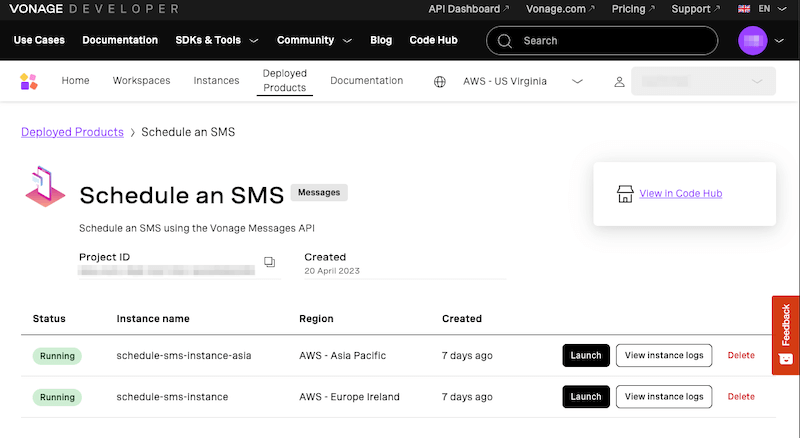
When you're signed into the Code Hub, you can find a list of your Instances and Deployed Products. From these pages you can find and share links to your projects, view logs, and delete instances that are no longer needed.
Instances
Selecting 'Instances' will bring you to the Instances overview page. Similar to the Workspaces overview page, you can find a list of all the instances you have created, grouped by Project or Deployment Region, and can search/filter to find a specific instance. Each instance shows the region it is deployed in, when it was created, and whether or not it is currently running:
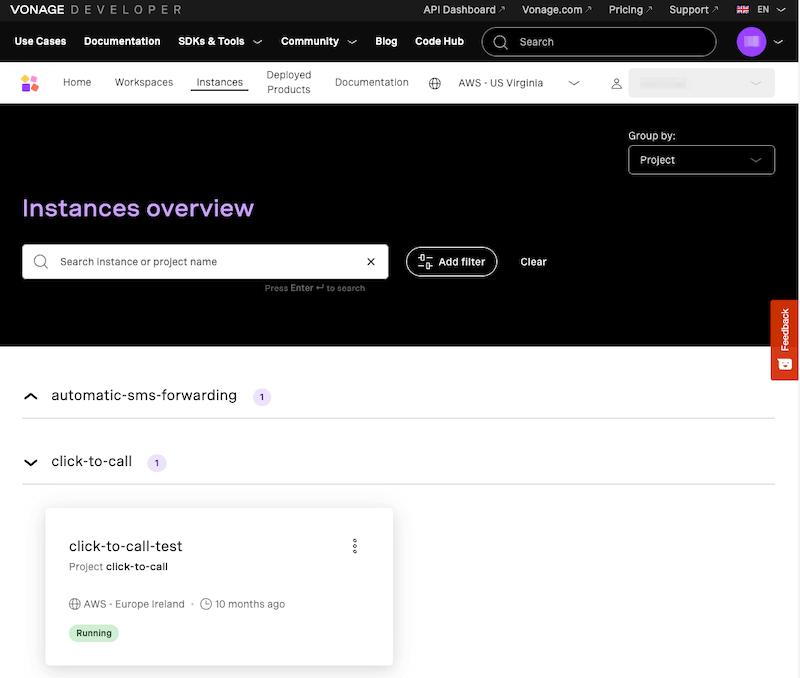
Selecting the three dots will allow you to copy the URL of that instance, open the UI, or delete the instance. Clicking on the card for an instance will take you into the details for that instance, including Logs, Events such as callbacks, Config information such as environment variables, and the deployment history of that instance:

Deployed Products
The final page is the Deployed Products section, where you can see all of the instances of products that have been installed/deployed:
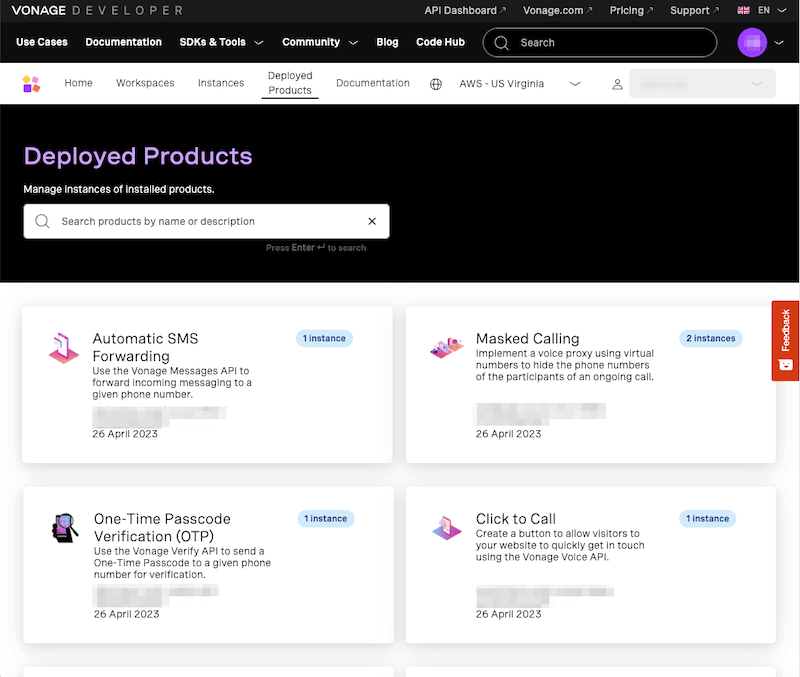
Each product shows the project ID, how many instances of that product are running, and the date that it was installed. Clicking into a product will take you to the details for that product, where you can see and manage each instance: