Volumetric Changes Alerts
Important: It is not possible to influence when a Volumetric Changes fraud alert is raised; the methodology defines when to raise an alert based on your current and historical traffic. What you can influence is what happens in case of an alert.
A Volumetric Changes Fraud Alert is generated when an abnormal traffic volume increase is detected; this happens if the observed traffic volume in the past 12 hours is abnormally high from the historical traffic mean over the past 90 days for the API key and country.
The algorithm is fine-tuned to trigger a Volumetric Alert only when current traffic volume and traffic patterns indicate an abnormal traffic increase. These criteria are applied on a per-country basis.
You can review Volumetric Fraud Alerts in the Alerts page.
Minimum Requirements
- Country traffic in the last 12 hours must be greater than 1000 Calls/SMS. Countries showing lower traffic won’t generate Volumetric Changes alerts.
- At least 48 hours of historical traffic.
Alert Actions
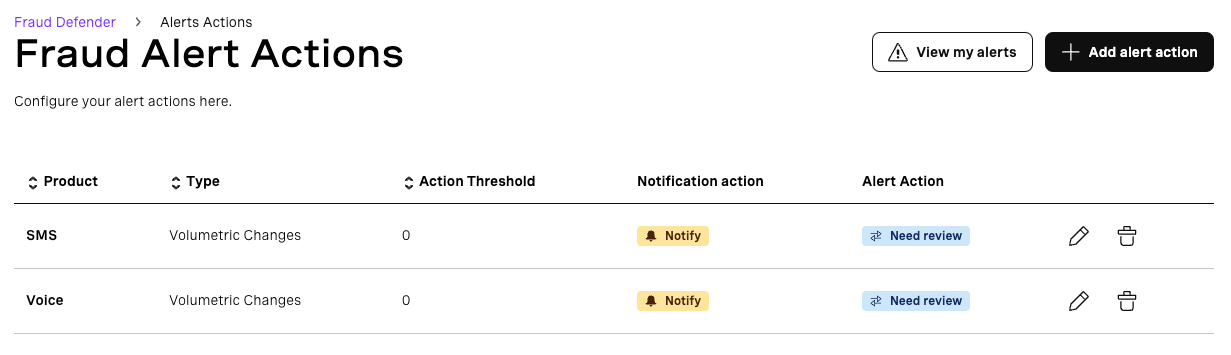
Alert Actions can be triggered once a Volumetric Change fraud alert is raised. They allow you to receive email notifications and to automatically apply a country block for the country generating the alert.
Visit the Alert Actions page to review and update them.
Alert Action Threshold
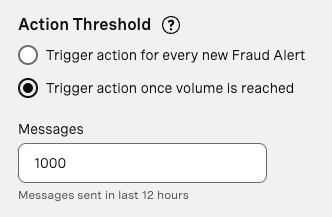
You can choose to trigger an Alert Action:
- As soon as a new Volumetric Changes alert is generated.
- Or when the Volumetric Changes alert reaches a certain traffic volume (calls/SMS) in the last 12 hours.
This value must be at least 1000 to be in line with how alerts are generated.
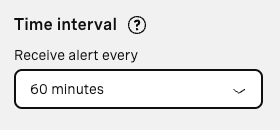
Alert Action Time Interval
The time interval allows you to define how often you want to trigger an alert action for a repeated Volumetric Changes fraud alert. A Volumetric Changes fraud alert is considered repeated when it is for the same country and product. For example: with a time interval of 60 min, if Fraud Defender generates 2 consecutive Volumetric Changes Fraud Alerts for SMS and country “Spain” within the same 60-minute period, only the first alert will trigger an alert action; the second won’t trigger again as the 60-minute interval hasn’t passed. If the alert is for a different country or product, the time interval doesn’t apply.
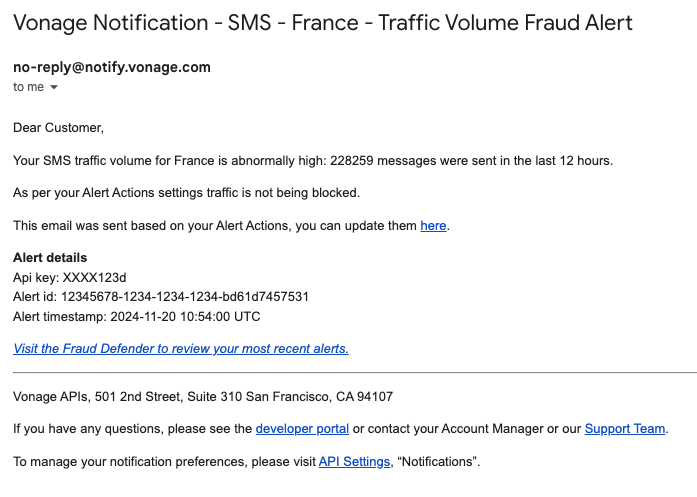
Email Notifications
To receive email notifications once a Volumetric Alert is raised:
-
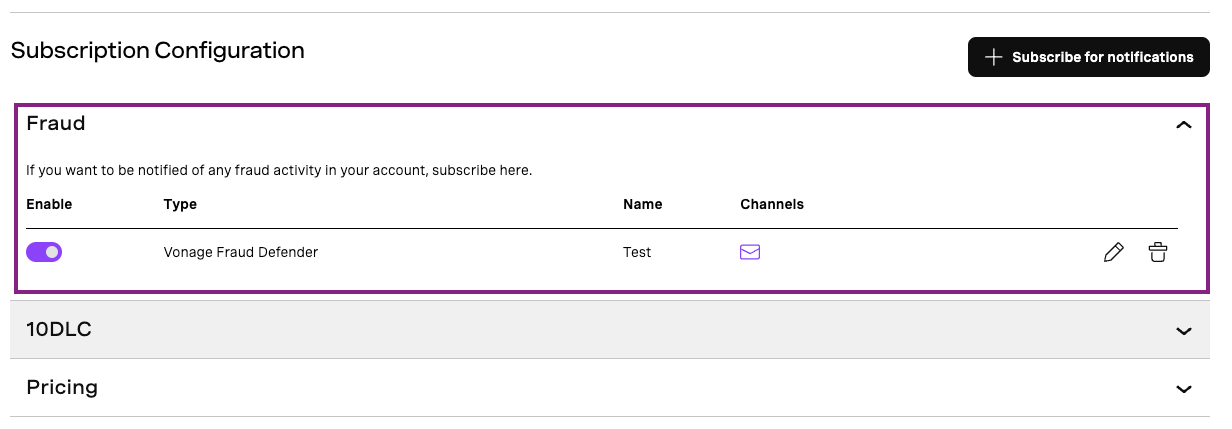
Ensure you are subscribed to Fraud notifications — go to the API Settings page and click on the “Notifications” tab. Note: this can only be performed by the primary user.
-
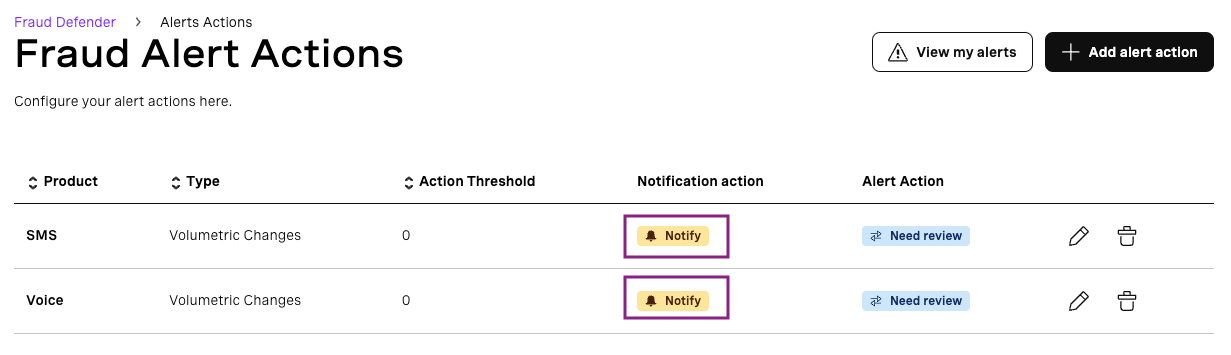
Ensure you have an Alert Action with the “Notify me” option selected.
-
If all previous steps are correct, you will receive an email notification as soon as there is a Volumetric Changes fraud alert. Here is an example email: