Messaging Analytics
Track traffic and usage data for all Messages API channels including WhatsApp, RCS, SMS, MMS, Viber, and Facebook Messenger.
Early Version Note: Currently shows data from the past 2 days only. Extended history view is coming soon.
Access Messaging Analytics
- Log in to your Vonage Dashboard
- Navigate to Analytics → Messaging in the left sidebar.
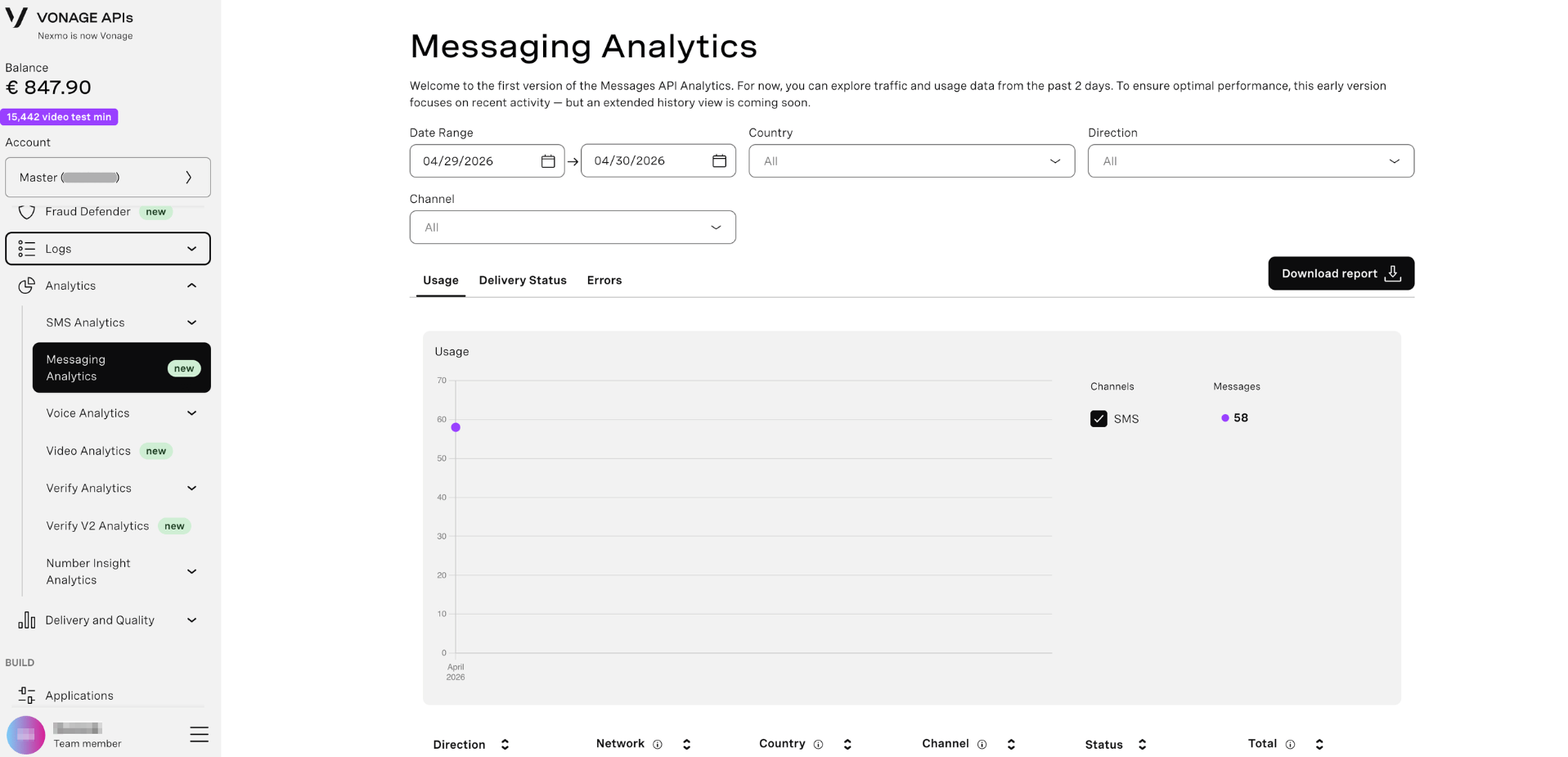
Filter Your Data
Use the filter controls at the top to narrow your analytics:
Date Range
Select the time period (currently limited to past 2 days)
- Click the date picker to choose start and end dates
- Default: Last 2 days
Country
Filter by destination country:
- Select "All" to view all countries
- Choose a specific country to drill down
Direction
Filter by message direction:
- All - Both inbound and outbound
- Inbound - Messages received from users
- Outbound - Messages sent to users
Channel
Filter by messaging channel:
- All - All channels combined
- WhatsApp - WhatsApp Business messages only
- SMS - SMS messages only
- RCS - Rich Communication Services
- MMS - Multimedia messages
- Viber - Viber messages
- Facebook Messenger - Messenger messages
View Analytics Tabs
Switch between three analytics views using the tabs:
Usage Tab
View message volume and traffic patterns:
- Total messages sent/received
- Message volume over time
- Traffic trends by channel
Delivery Status Tab
Monitor delivery success rates:
- Delivered vs. failed messages
- Delivery rates by country
- Channel-specific performance
Errors Tab
Identify and troubleshoot issues:
- Error codes and frequencies
- Failed message reasons
- Problem areas by country or channel
Export Analytics Data
Click the Download report button to export your filtered analytics as a CSV file for further analysis.