Video Add-Ons
Video add-ons let you extend the capabilities of your Vonage Video API applications with extra security, connectivity, analytics, and enterprise compliance features. Add-ons are enabled at the account level and apply to all your Video-capable applications.
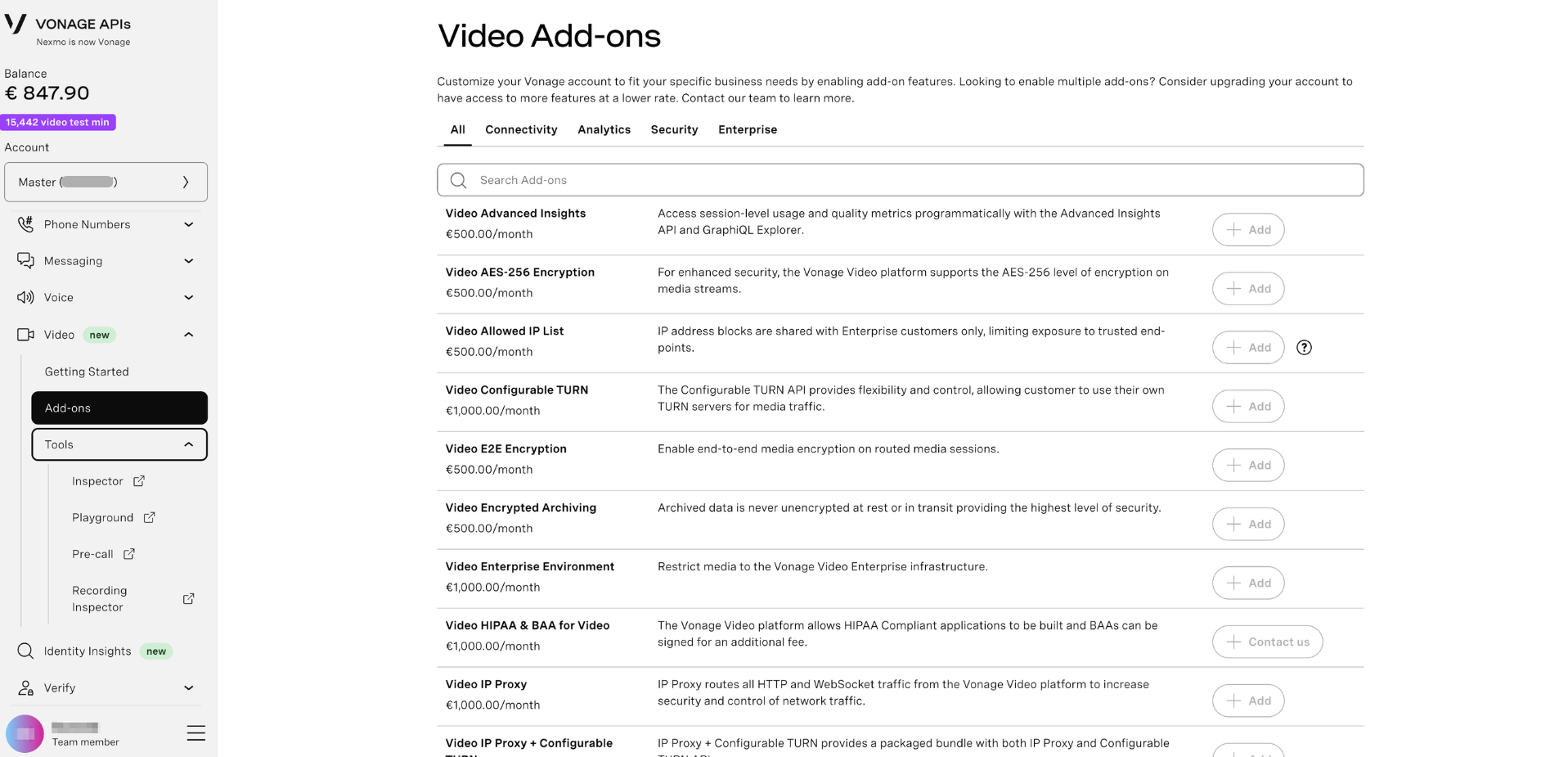
Looking to enable multiple add-ons? Consider upgrading your account to access more features at a lower rate. Contact our team to learn more.
Prerequisites
Before purchasing an add-on:
- You must have a Vonage API account with at least one Video-capable application
- Add-ons can be purchased by customers on Prepaid or Postpaid billing
- For Prepaid accounts, ensure you have sufficient balance before purchasing
Available Add-Ons
Add-ons are grouped into four categories: Connectivity, Analytics, Security, and Enterprise.
Enable an Add-On
- Log in to the Vonage API Dashboard
- Navigate to Video > Add-ons in the left sidebar
- Browse or search for the add-on you want to enable
- Click + Add next to the add-on
- Review and accept the Terms & Conditions
- The add-on will be active on your account once provisioning is complete
Note: There is an intermediate cache of up to 30 minutes after purchase while the add-on is being provisioned. Avoid clicking Add multiple times during this period.
HIPAA & BAA for Video requires contacting the Vonage team — click Contact us on the add-on listing to start the process.
Disable an Add-On
Self-service customers can disable add-ons directly from the Dashboard:
- Log in to the Vonage API Dashboard
- Navigate to Video > Add-ons
- Find the enabled add-on you want to remove
- Click Remove add-on and confirm
Managed customers cannot disable add-ons through self-service. Please contact your Account Manager to request removal.
What's Next?
- Get started with the Video API — set up your first video session
- Manage Video Applications — configure applications that use add-ons
- Advanced Insights API — programmatic access to session quality and usage data
- Video API Reference — full API documentation