Integrations
The Integrations section of the Dashboard lets you securely connect your Vonage account to external services by storing third-party credentials. These credentials are used across Vonage products — for example, to store Video API recordings in your own cloud storage or to connect an AI Studio agent to OpenAI.
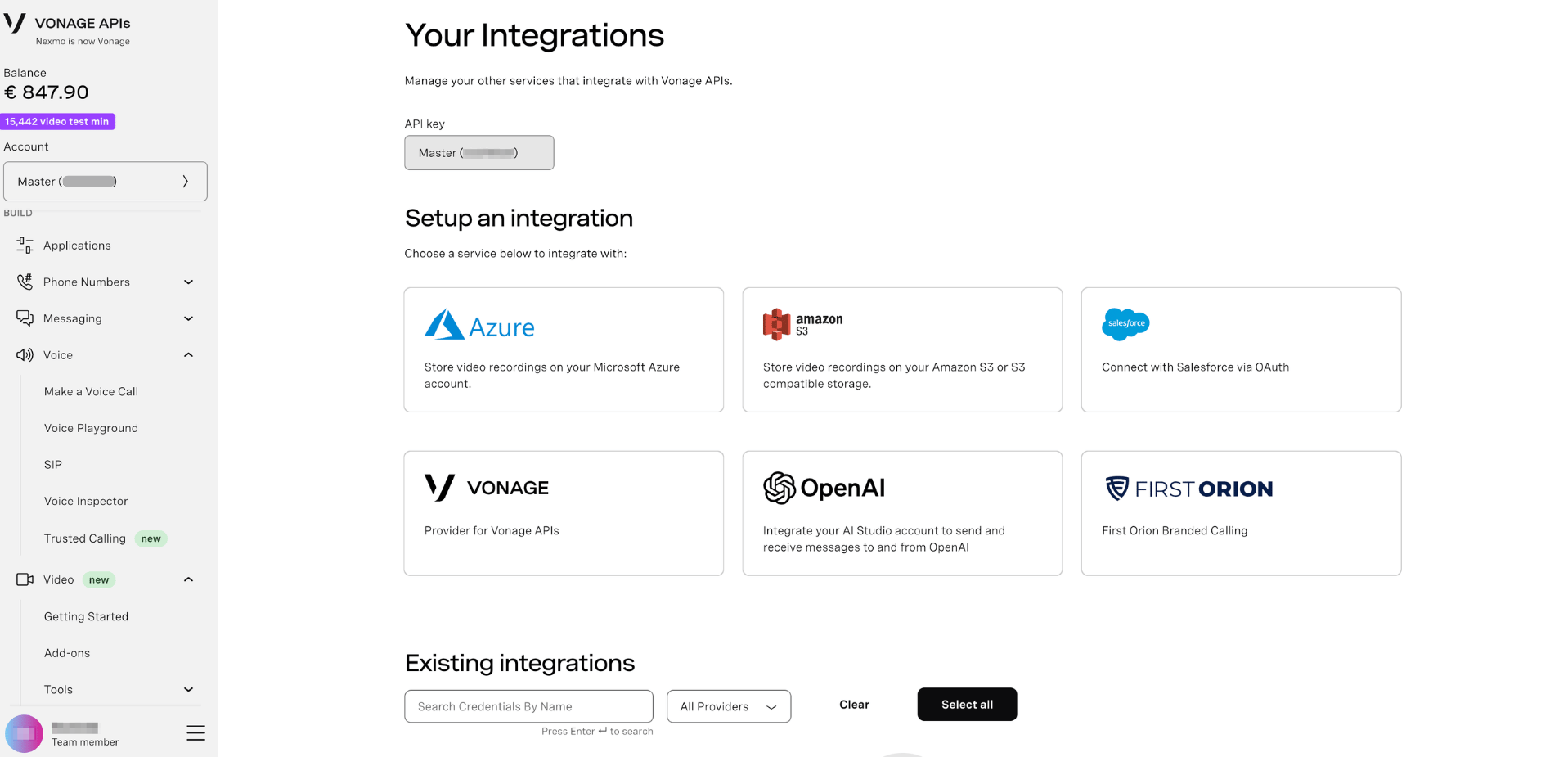
The Dashboard page is split into two sections:
- Setup an integration — choose a service to connect to your account
- Existing integrations — view, search, and manage credentials you have already configured
Available Integrations
The following integrations are available:
- Azure - Store video recordings on your Microsoft Azure account.
- Amazon S3 - Store video recordings on your Amazon S3 or S3-compatible storage.
- Salesforce - Connect with Salesforce via OAuth.
- Vonage - Provider for Vonage APIs.
- OpenAI - Integrate your AI Studio account to send and receive messages to and from OpenAI.
- First Orion - First Orion Branded Calling.
Set Up an Integration
- Log in to the Vonage API Dashboard
- Navigate to Build > Tools / Solutions > Integrations in the left sidebar
- Under Setup an integration, click the service you want to connect
- Follow the prompts to enter your credentials for that service
- Save your integration — it will appear in the Existing integrations list once provisioned
Note: During scheduled maintenance, the Integrations service may enter read-only mode. New integrations cannot be created during this period.
Manage Existing Integrations
The Existing integrations section displays all credentials stored against your API key. From here you can:
- Search credentials by name using the search bar
- Filter by provider using the All Providers dropdown
- Select all credentials for bulk actions
- Delete individual integrations you no longer need
If no integrations have been set up yet, the panel will show: "This API key has no integrations."
Integrations are scoped to your API key. Each API key on your account maintains its own set of stored credentials.
What's Next?
- Video Add-ons — use Azure or Amazon S3 integrations with Video archiving
- AI Studio — connect your AI Studio agents to OpenAI via integrations
- API Settings — manage your API keys and account credentials
- Applications — manage applications that use stored credentials