AI Studio
The AI Studio section of the Dashboard is the entry point to Vonage AI Studio — a no-code conversation designer that empowers developers and non-developers alike to build, test, and deploy virtual assistants for customer engagement.
What Is Vonage AI Studio?
Vonage AI Studio is a conversational AI platform built to handle complex interactions between businesses and customers. It lowers operational costs and improves service levels by enabling you to design and deploy virtual assistants that operate in natural language — without writing code.
AI Studio uses your Vonage API account to power customer engagements across the following channels:
- Voice — inbound and outbound phone call agents
- SMS — text-based conversational agents
- WhatsApp — messaging-based virtual assistants
- HTTP — custom integrations via webhook
Getting Started
- Go to AI Studio — opens the AI Studio platform directly, where you can start building agents
- Documentation and Tutorial — opens the AI Studio documentation with guides, tutorials, and reference material
How It Works
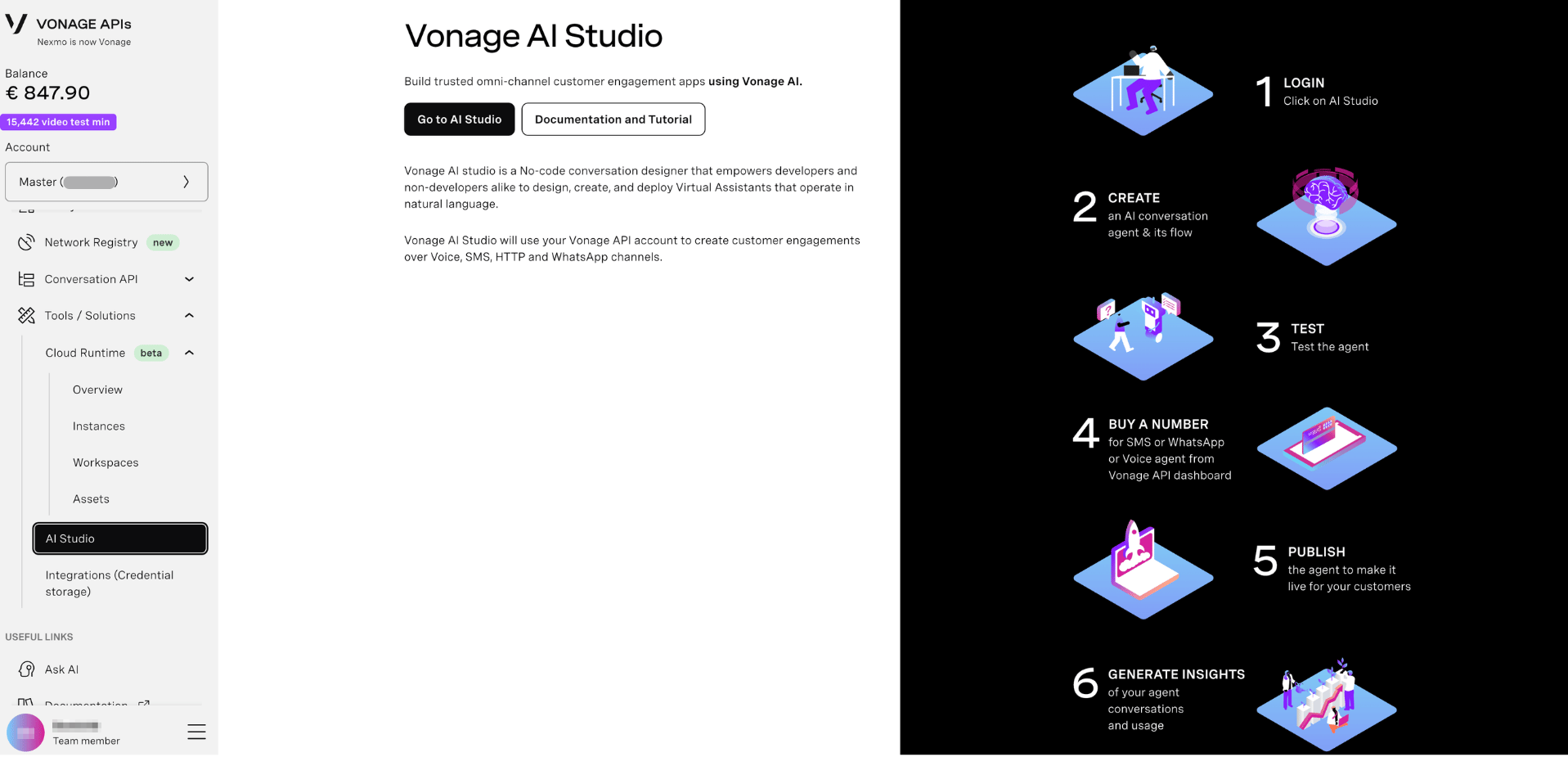
The Dashboard illustrates the end-to-end workflow for getting an AI agent live in six steps:
- Login — click Go to AI Studio from the Dashboard to access the platform
- Create — design an AI conversation agent and define its flow using the drag-and-drop editor
- Test — use the built-in Tester to validate your agent's behaviour before going live
- Buy a number — purchase an SMS, WhatsApp, or Voice-capable number from the Vonage API Dashboard to connect to your agent
- Publish — publish the agent to make it live for your customers
- Generate insights — monitor your agent's conversations and usage through the Reports section in AI Studio
What's Next?
- Go to AI Studio — start building your first agent
- AI Studio Documentation — full guides, tutorials, and reference
- Vonage AI Studio Overview — product overview on the developer portal
- Integrations (Credential Storage) — connect your agents to external services