Port Your Numbers
The Port your Numbers page allows you to transfer your existing US or Canadian numbers to Vonage from other providers. Other countries might be supported. For more details, see the porting support page.
Before You Begin
The porting process will guide you through the following steps:
- Provide contact information for anyone else who should receive number transfer updates
- List the numbers you'd like to port and their current providers
- Download and submit your completed Letter of Authorization (LoA)
Port a Number
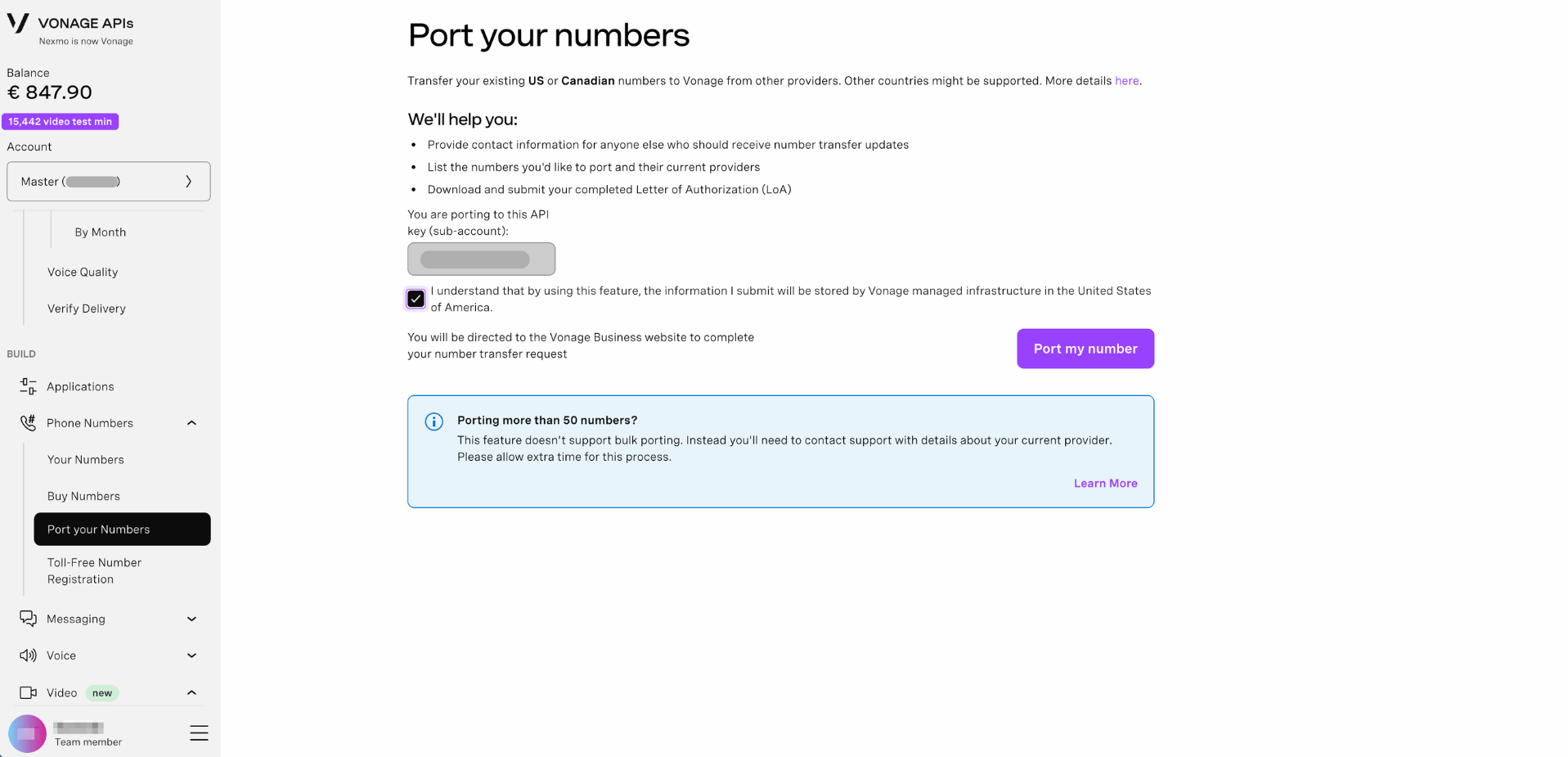
To port a number to Vonage:
- Sign in to the Dashboard.
- Navigate to Phone Numbers → Port your Numbers.
- Confirm the API key shown in the You are porting to this API key (sub-account) field. This is the account the ported numbers will be assigned to.
- Check the consent box to acknowledge that the information you submit will be stored by Vonage managed infrastructure in the United States of America.
- Click Port my number.
You will be directed to the Vonage Business website to complete your number transfer request.
Note: Your API key is pre-filled based on your current account. If you need to port numbers to a different sub-account, switch accounts before starting the process.
Porting More than 50 Numbers
The Dashboard porting tool does not support bulk porting. If you need to port more than 50 numbers, contact Vonage Support directly with details about your current provider. Please allow extra time for this process.