Buy Numbers
The Buy Numbers page allows you to purchase virtual phone numbers to send or receive messages and phone calls.
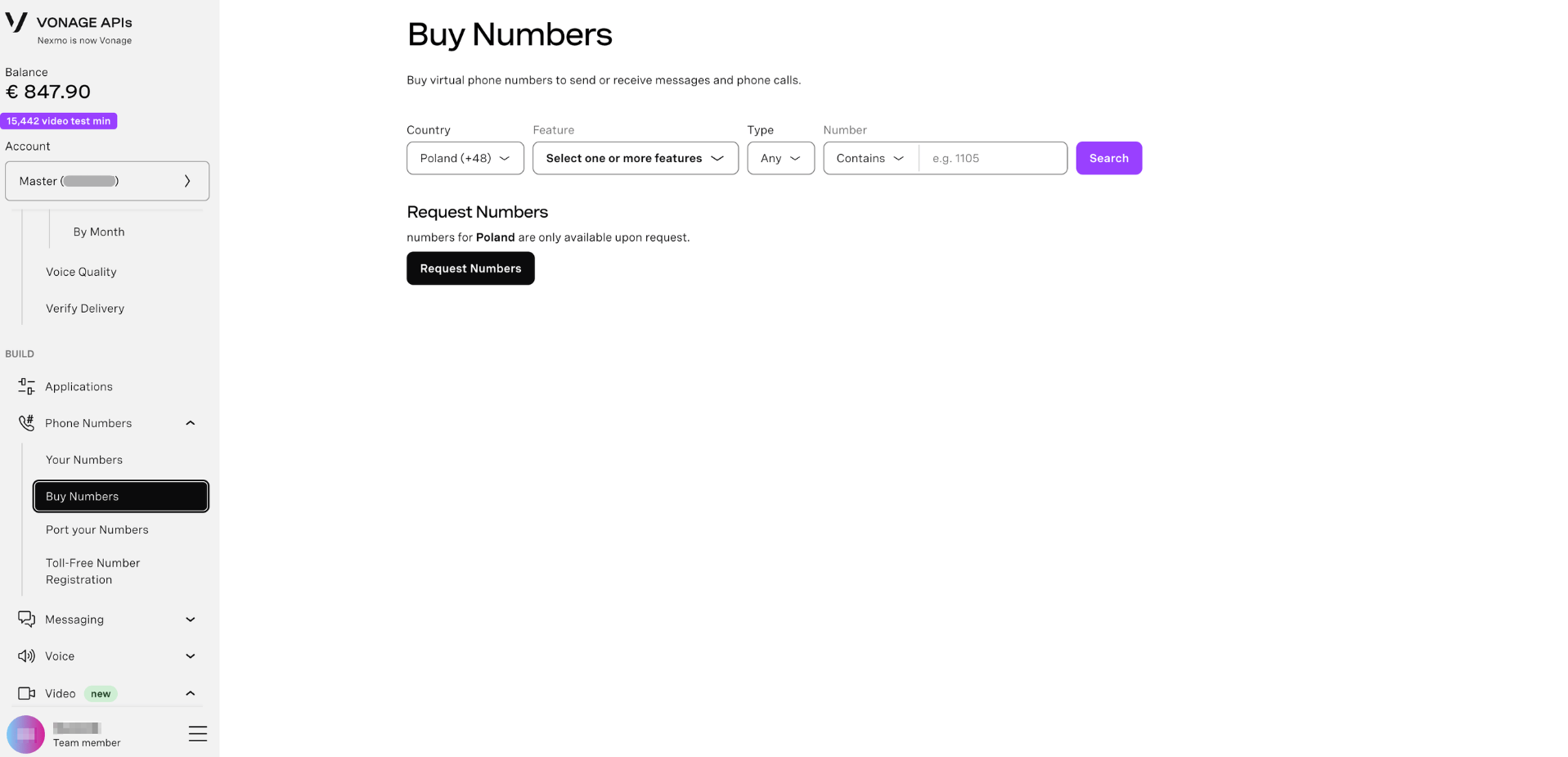
Search for a Number
To search for an available virtual phone number:
- Sign in to the Dashboard.
- Navigate to Buy Numbers.
- Use the search filters to find a number that meets your needs:
- Country - The country where the number is based. Determines the country code prefix (e.g. Poland +48).
- Feature - The capabilities you need. Select one or more features: SMS, Voice, or MMS.
- Type - The type of number: Any, Landline, Mobile, or Toll-Free.
- Number - Search by a specific digit pattern. Use the Contains dropdown to match numbers that start with, contain, or end with the pattern you enter.
- Click Search to see available numbers matching your criteria.
Buy a Number
To purchase a number from the search results:
- Find a number in the search results that meets your needs.
- Click the Buy button next to the number.
- Confirm the purchase when prompted.
Your number is now listed under Phone Numbers → Your Numbers and is ready to use with Vonage APIs.
Note: Numbers are billed monthly. The rental cost is automatically deducted from your account balance on the same day each month. If your account has insufficient credit, your numbers may be released for resale.
Request a Number
For some countries, numbers are not available to purchase directly and must be requested. When this applies, a Request Numbers section is shown on the page with the message: numbers for [country] are only available upon request.
To request a number:
- Click Request Numbers.
- In the Request new numbers dialog, complete the following fields:
| Field | Description |
|---|---|
| API key | The API key to associate with the requested numbers. Pre-filled with your current account API key. |
| Quantity of Numbers | The number of virtual numbers you want to request. Use the + and − buttons to set the quantity. |
| Use case | A brief description of how your business intends to use these numbers. Max 250 characters. Providing a use case helps speed up your request. |
- Click Next to proceed to the confirmation step.
- In the Submit request dialog, review your request summary:
- Country
- Quantity
- API key
- Use case
- Click Confirm to submit your request, or Back to make changes.
After submission, you will receive an email from the team to confirm the status of your request. You will not be charged for the numbers until your request has been approved.