Send an SMS
The Send an SMS page lets you try out the Vonage Messages API by sending an SMS directly to your phone. Sending SMS uses your account credit.
Note: Different countries have different standards and restrictions. Check the SMS restrictions for your country before sending.
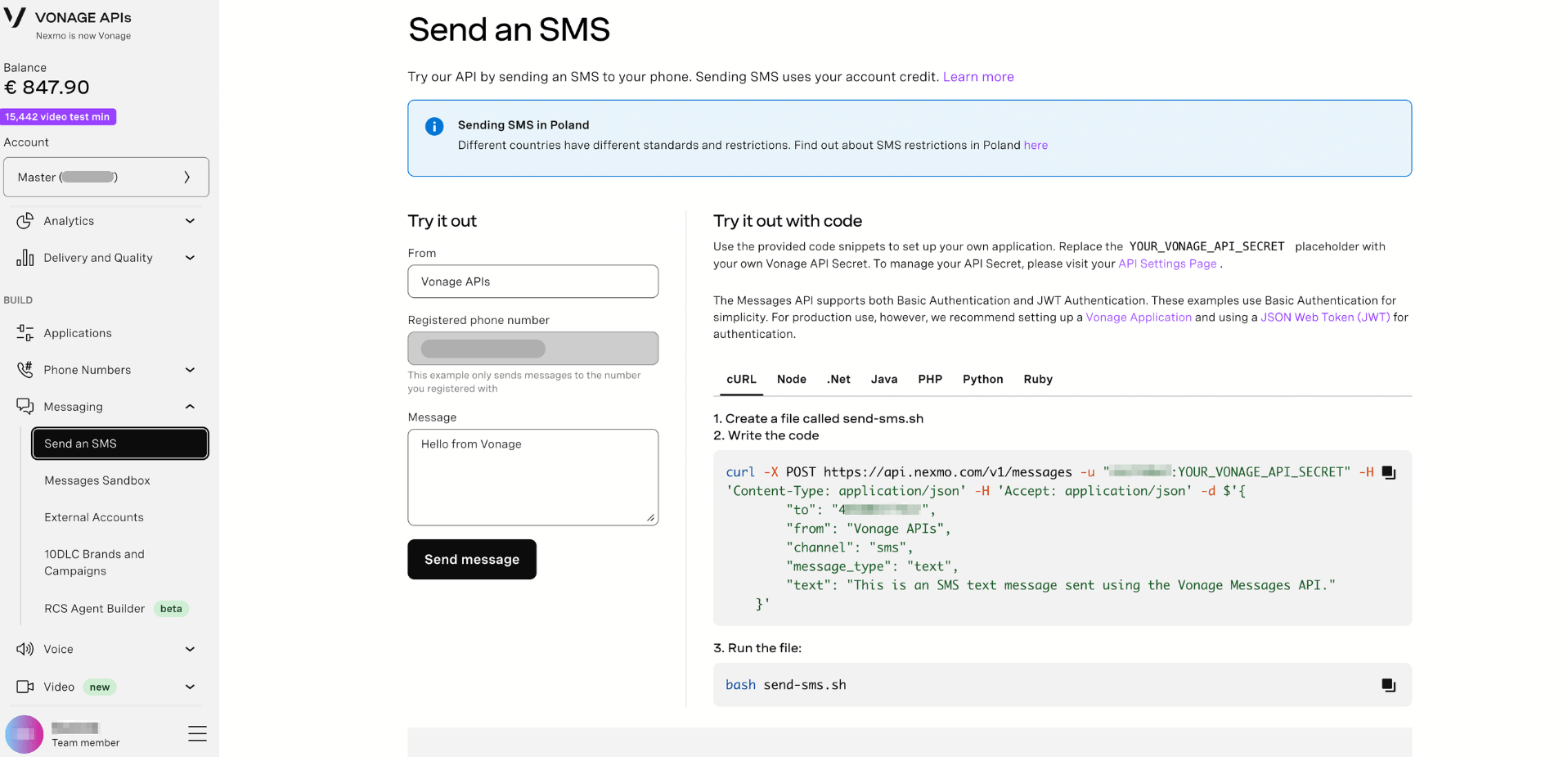
Try It Out
You can send a test SMS directly from the Dashboard without writing any code:
- Sign in to the Dashboard.
- In the left-hand navigation, click Messaging → Send an SMS.
- Complete the following fields:
| Field | Description |
|---|---|
| From | The sender name or number that will appear on the recipient's device. Defaults to Vonage APIs. |
| Registered phone number | The destination number to send the test SMS to. Pre-filled with the phone number registered to your account. This example only sends messages to the number you registered with. |
| Message | The text content of the SMS. Defaults to Hello from Vonage. |
- Click Send message.
The SMS will be sent to your registered phone number and your account credit will be deducted accordingly.
Try It Out with Code
The Dashboard provides ready-to-use code snippets to help you integrate SMS sending into your own application. Available in cURL, Node, .Net, Java, PHP, Python, and Ruby, select the language of your choice and follow the instructions to send an SMS.