Brands and Campaigns (10DLC)
To send SMS and MMS messages from a 10DLC number in the United States, you'll need to follow the 10DLC regulations. This means registering and verifying your brand(s), then registering campaigns for each of your messaging use cases (alerts, 2FA, notifications, marketing messages, etc).
Note: The 10DLC on-boarding process involves several steps and requires manual reviews by Vonage and its partners, including vetting providers and carriers. Please allow several days or even weeks for the whole process to complete when planning to send SMS or MMS to the United States.
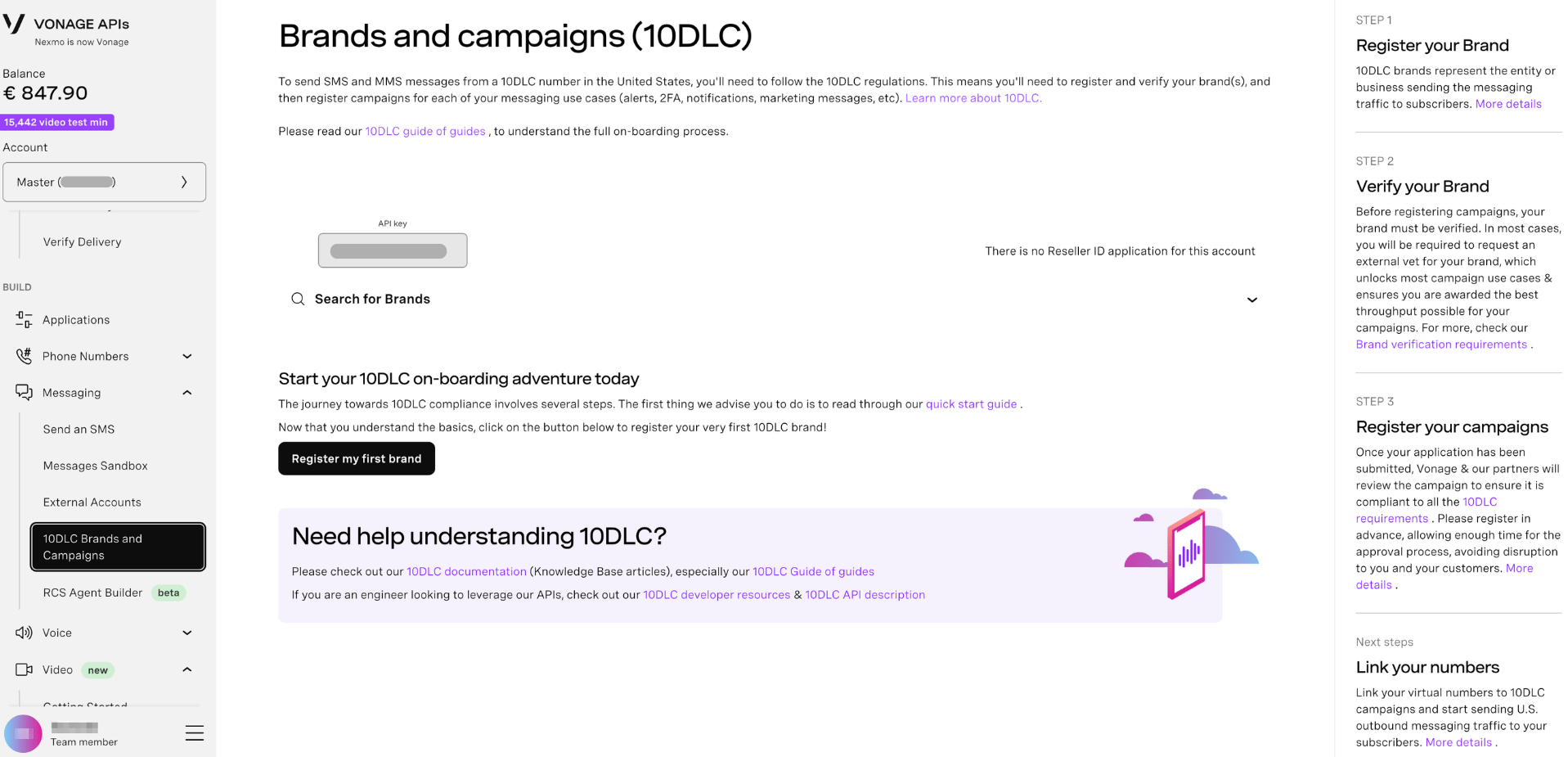
The right-hand panel on the page outlines the four stages of the process:
| Step | Description |
|---|---|
| Step 1 → Register your Brand | 10DLC brands represent the entity or business sending the messaging traffic to subscribers. |
| Step 2 → Verify your Brand | Before registering campaigns, your brand must be verified. In most cases, an external vet is required, which unlocks most campaign use cases and ensures the best throughput possible. |
| Step 3 → Register your Campaigns | Once submitted, Vonage and its partners review the campaign to ensure it is compliant with all 10DLC requirements. |
| Next steps → Link your numbers | Link your virtual numbers to 10DLC campaigns and start sending US outbound messaging traffic to your subscribers. |
Register a Brand
A brand is the company that your end user believes they're receiving messages from. Brand details are a key element that network operators use to determine campaign class eligibility, influencing the types of campaigns you can send and their allowed throughput.
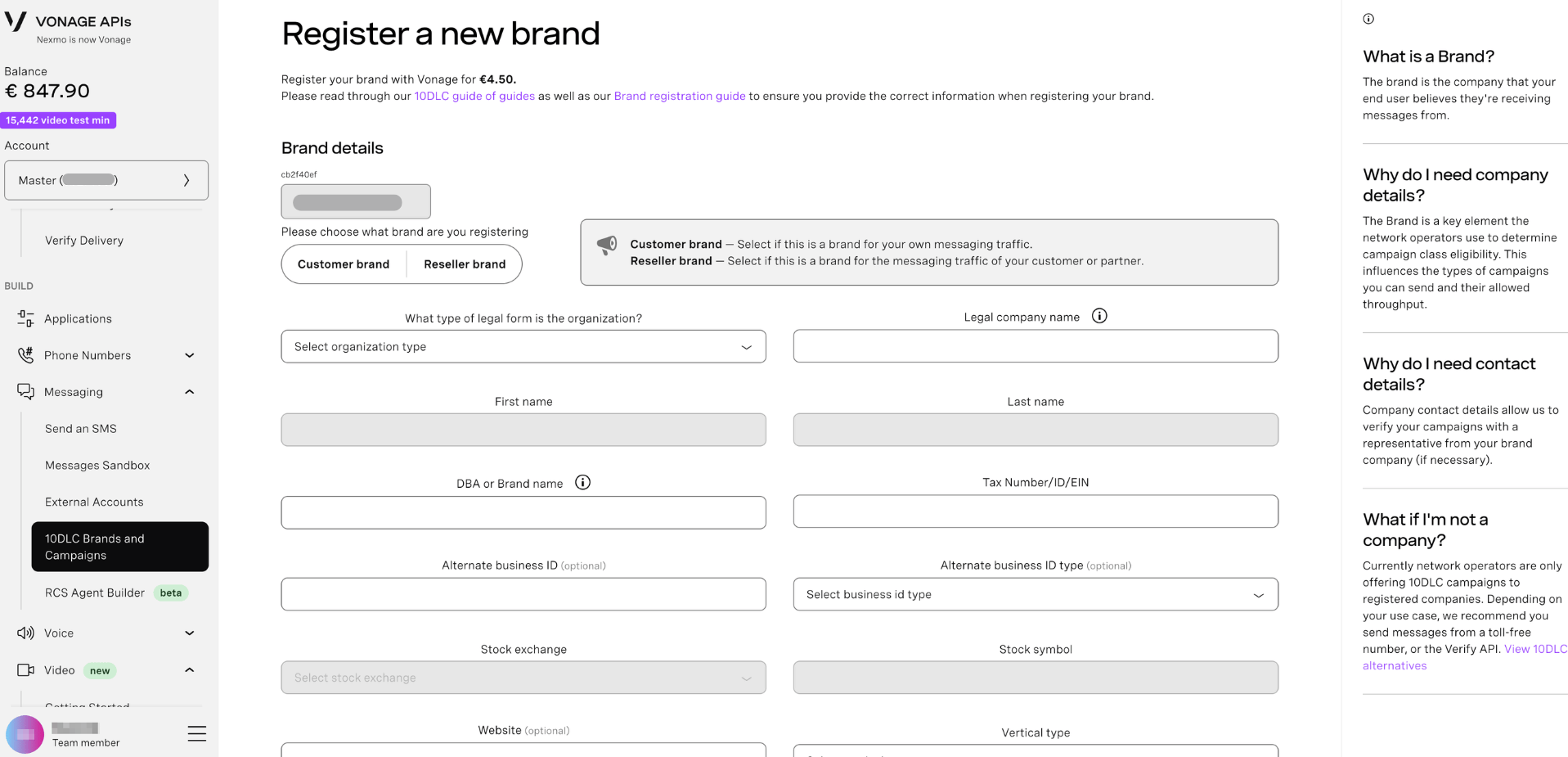
Brand registration costs €4.50.
To register a brand:
- Sign in to the Dashboard.
- In the left-hand navigation, click Messaging → Brands and Campaigns (10DLC).
- Click Register my first brand.
- On the Register a new brand page, select your API key and choose the brand type:
- Customer brand - select if this is a brand for your own messaging traffic.
- Reseller brand - select if this is a brand for the messaging traffic of your customer or partner.
- Complete the Brand details form.
- Complete the Contact details section.
- Click Review details to proceed, then confirm and submit your brand registration.
Verify Your Brand
Once your brand is created, The Campaign Registry (TCR) will perform a basic verification. A successfully verified brand allows you to create a 10DLC campaign with the Low Volume Mixed use case.
To register campaigns with a different use case, an external vetting is required. There are three types of external vets available:
- Standard vetting
- Enhanced vetting
- Political vetting
For more information on vetting requirements, see the Brand verification requirements.
Note: Sole Proprietor brands must complete an OTP verification to verify the brand.
Search for Existing Brands
To view or manage brands already registered on your account:
- In the left-hand navigation, click Messaging → Brands and Campaigns (10DLC).
- Use the API key dropdown to select the account.
- Click Search for Brands to expand the search panel and find existing brands.
Further Reading
- 10DLC overview — Learn what 10DLC is, why it is required, and how it applies to sending SMS and MMS to the United States.
- 10DLC Guide of guides — A full end-to-end walkthrough of the 10DLC on-boarding process, from brand registration to linking numbers.
- US 10DLC Knowledge Base — Browse all 10DLC support articles including campaign registration, number linking, and troubleshooting.