
Share:
)
Julia is committed to empowering fellow developers by creating tutorials, guides, and practical resources. With a background in outreach and education, she aims to make technology more accessible and enhance the overall developer experience. You can often find her at local community events.
Introducing the Vonage Video API Native Reference Apps 1.0 GA
Time to read: 5 minutes
We are excited to announce the General Availability (GA) release of the Vonage Video API Reference Apps for iOS and Android—collectively known as Native VERA. First introduced as a beta in December 2025, both apps now reach their first production-ready milestone, bringing a rich set of new in-call features, a more polished user experience, and significant improvements for developers seeking a starting point for native real-time video applications.
|
|
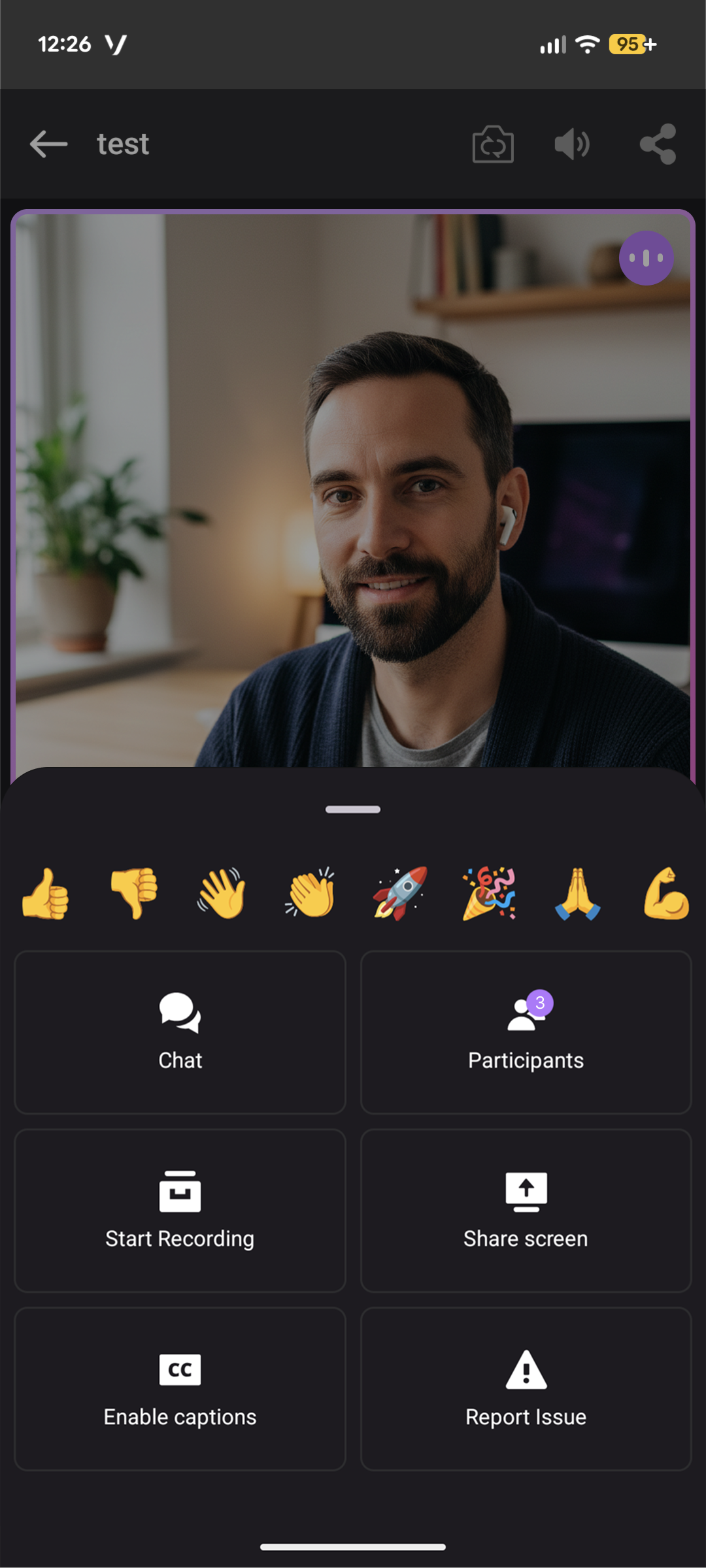
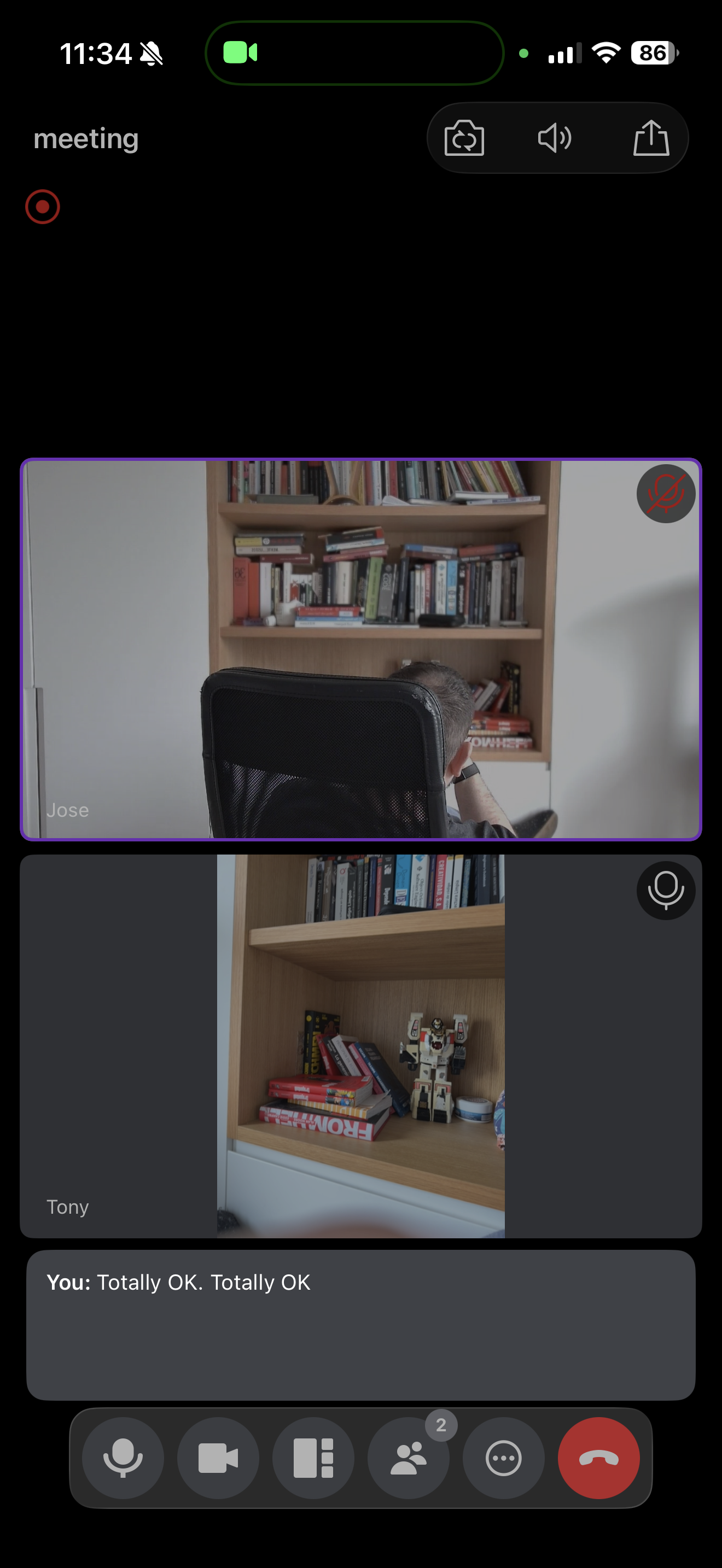
The Vonage Video API Reference Apps are open-source, multiparty video conferencing applications that demonstrate best practices for integrating the Vonage Video API on native mobile platforms. The iOS app is built with Swift and SwiftUI, while the Android app uses Kotlin and Jetpack Compose. Both share a common Node.js Express backend for session management and are licensed under Apache 2.0.
Here is an overview of what is new and improved in the GA release. As always, we recommend checking out the full release notes for iOS and Android for all changes.
The GA release brings both apps to feature parity on all major conferencing capabilities, while adding platform-specific refinements.
These reference apps are modular, allowing you to build highly customized projects and application binaries that include only the features you need. The desired features and theme can be configured by editing the config.json and theme.json files, respectively.
Let's dive into the highlights.
Both apps now support call recording via the Vonage Video API archiving feature. Hosts can start and stop an archive directly from the in-call toolbar, and recorded sessions are surfaced on the post-call goodbye page so participants can review them immediately after hanging up.
Archiving is controlled by the allowArchiving flag in each app's app-config.json, which means you can enable or disable it without touching any native code.
Participants can now blur their background before or during a call. The effect is powered by the Vonage Video SDK’s built-in media processing pipeline and is available directly from the waiting room’s device preview, so users can set their preferred look before joining.
Like all configurable features, background blur can be toggled with the allowBackgroundEffects flag in the config file.
Live captions are now enabled in both apps. Once a host activates captions, a real-time transcription overlay appears for all participants, making sessions more accessible and useful in noisy environments. The feature integrates directly with the Vonage Video API captions service and can be enabled or disabled independently via the allowCaptions flag.
Participants can express themselves with emoji reactions during a call. Reactions are delivered via the Signaling API and rendered as animated overlays on each participant's tile, providing lightweight, expressive feedback without interrupting the conversation flow. Reactions are configurable with the allowEmojis flag.
Both apps now include an audio route picker that lets users switch between available output devices—earpiece, speaker, Bluetooth headset—mid-call without leaving the video room. This is particularly valuable on mobile devices, where the preferred audio route can change throughout a meeting.
The in-call toolbar now supports an expandable bottom bar, giving participants quick access to the full set of meeting controls without cluttering the main video view.
Camera and microphone permissions management has been significantly improved. The app now guides users through the iOS system permission dialogs, recovers cleanly when permissions are denied mid-session, and provides clear in-app prompts to help users resolve permission issues.
This release also ships a set of targeted bug fixes:
Improved error handling with better recovery from unexpected API and network failures
More resilient reconnection logic for unstable connections
Active speaker stream loss fix, when switching layouts from active participant to secondary
For Android, the GA release ships the Android Studio plugin for configuration, one of the most developer-friendly additions in this release. The plugin integrates directly with the IDE and watches the config/app-config.json file. Whenever you edit and save the configuration, a Gradle sync automatically triggers the code-generation pipeline without requiring a manual ./gradlew generateVonageConfig invocation. The workflow is as simple as editing the config file and saving—AppConfig.kt is regenerated instantly.
Additional Android-specific improvements in this release include:
Simplified landing screen: cleaned up and streamlined the welcome screen for a cleaner first impression
Improved participant sorting: participants are now sorted more consistently in the participant list and grid view
Navigation and manifest fix: resolved navigation issues and corrected the parameter host configuration in the Android manifest
Updated recording icon: the in-call recording indicator icon has been refreshed for better visibility
Ready to get started? Here’s what you need to know.
Both apps require a deployed instance of the shared Node.js backend to generate Vonage Video API session tokens. Once you have the backend running, clone the relevant repository, set your BASE_API_URL in the configuration, and build.
Getting started guides with full setup instructions are available for both Android and iOS.
The Native VERA 1.0.0 GA release marks a significant step in making it easier for developers to build production-quality, native video applications on iOS and Android. With a full feature set (archiving, background blur, live captions, emoji reactions, and audio device selection) and a clean, JSON-driven configuration system that eliminates boilerplate setup, Native VERA gives you a solid, extensible foundation to build from.
We hope these reference apps and the underlying patterns they demonstrate help you build more efficient and engaging video applications.
Have a question or want to share what you're building?
Subscribe to the Developer Newsletter
Follow us on X (formerly Twitter) for updates
Prefer video? Watch tutorials on our YouTube channel
Connect with us on the Vonage Developer page on LinkedIn
Help us improve our developer experience by filling out our Voice of the Developer Feedback
Stay connected and keep up with the latest developer news, tips, and events.
Share:
Julia is committed to empowering fellow developers by creating tutorials, guides, and practical resources. With a background in outreach and education, she aims to make technology more accessible and enhance the overall developer experience. You can often find her at local community events.