
)
Apresentando os componentes da web da interface do usuário do Client SDK
Tempo de leitura: 1 minuto
Há algum tempo, tem havido muitos publicações relacionadas a Web Components neste site, desde a criação de um Componente Web até o uso desse mesmo componente em diferentes frameworks e bibliotecas. Tudo isso levou ao anúncio do Componentes da Web da interface do usuário do Vonage Client SDK!
Temos desenvolvido Web Components integrados ao Vonage Client SDK e que podem ser usados com ou sem frameworks ou bibliotecas de JavaScript. A lista crescente de componentes pode ser encontrada no repositório do GitHub.
O objetivo dos Componentes Web da interface do usuário do Vonage Client SDK é abstrair ou, pelo menos, minimizar o trabalho que um desenvolvedor precisa realizar para integrar nosso Client SDK à sua aplicação. Imagine criar um aplicativo de chat totalmente funcional colocando componentes de interface do usuário no layout de sua escolha. Basta passar a instância da “Conversation” e cada componente web cuida de suas responsabilidades. Não consegue imaginar? Não se preocupe, veja aqui uma imagem real:
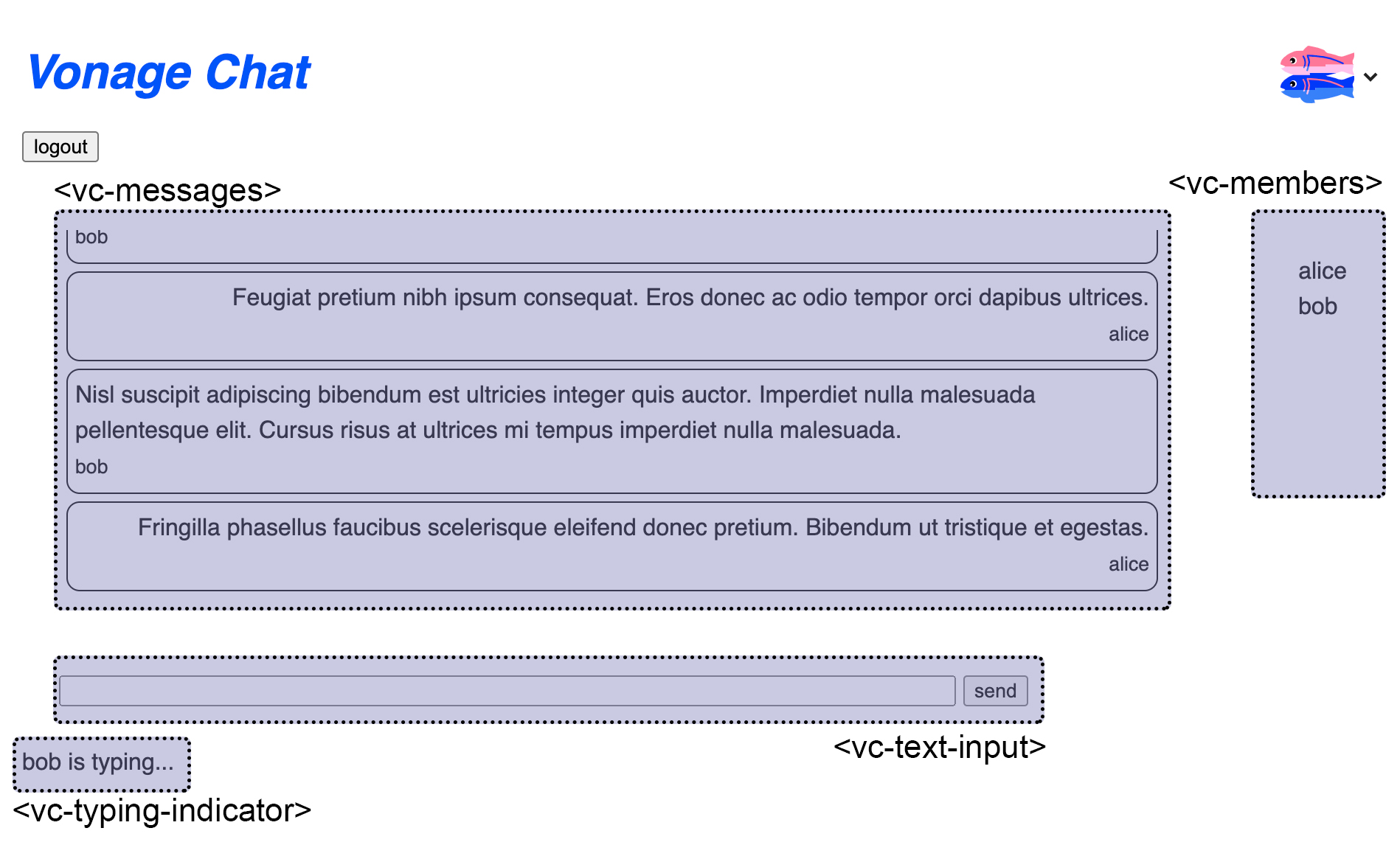 Sample Chat Application built with the Vonage Client SDK UI Web Components
Por exemplo, para criar seu próprio aplicativo de bate-papo de exemplo, use este projeto do Glitch.
Desde que a Voice API da Vonage já está disponível para uso geral, veja a seguir como integrar o componente web Keypad ao nosso tutorial sobre como fazer uma chamada de voz dentro do aplicativo — a única alteração ocorre no etapa “Criar um aplicativo do lado do cliente” .
Substitua o código atual do client_js.html arquivo por este:
<!DOCTYPE html>
<html lang="en">
<head>
  <!-- import Web Components -->
  <script src="https://unpkg.com/@webcomponents/webcomponentsjs@latest/webcomponents-loader.js"></script>
  <script type="module" src="https://unpkg.com/@vonage/vc-keypad@latest/vc-keypad.js?module"></script>

  <script src="./node_modules/nexmo-client/dist/nexmoClient.js"></script>
  <style>
    input, button { font-size: 1rem; }
    #hangup { display:none; }
  </style>
</head>
<body>
  <h1>Call Phone from App</h1>
  <vc-keypad placeholder="i.e. 14155550100" actionText="Call" cancelText="Hang up"></vc-keypad>
  <div id="status"></div>
  <script>
    const USER_JWT = "PASTE YOUR JWT HERE";
    const keypadRef = document.querySelector("vc-keypad");
    const statusElement = document.getElementById("status");

    new NexmoClient({ debug: true })
      .createSession(USER_JWT)
      .then(app => {
        keypadRef.addEventListener("digits-sent", event => {
          console.log(event.detail.digits);
          if (event.detail.digits !== ''){
            app.callServer(event.detail.digits);
            keypadRef.createAction();
          } else {
            statusElement.innerText = 'Please enter your phone number.';
          }
        });

        app.on("member:call", (member, call) => {
          keypadRef.addEventListener("action-ended", event => {
            call.hangUp();
          });
        });

        app.on("call:status:changed",(call) => {
          statusElement.innerText = `Call status: ${call.status}`;
          if (call.status === call.CALL_STATUS.COMPLETED){
            keypadRef.cancelAction();
          }
        });
      })
      .catch(console.error);
    </script>
</body>
</html>
Observação: Não se esqueça de adicionar novamente o JWT do usuário gerado.
A página da web do cliente deve ter uma aparência mais ou menos assim:
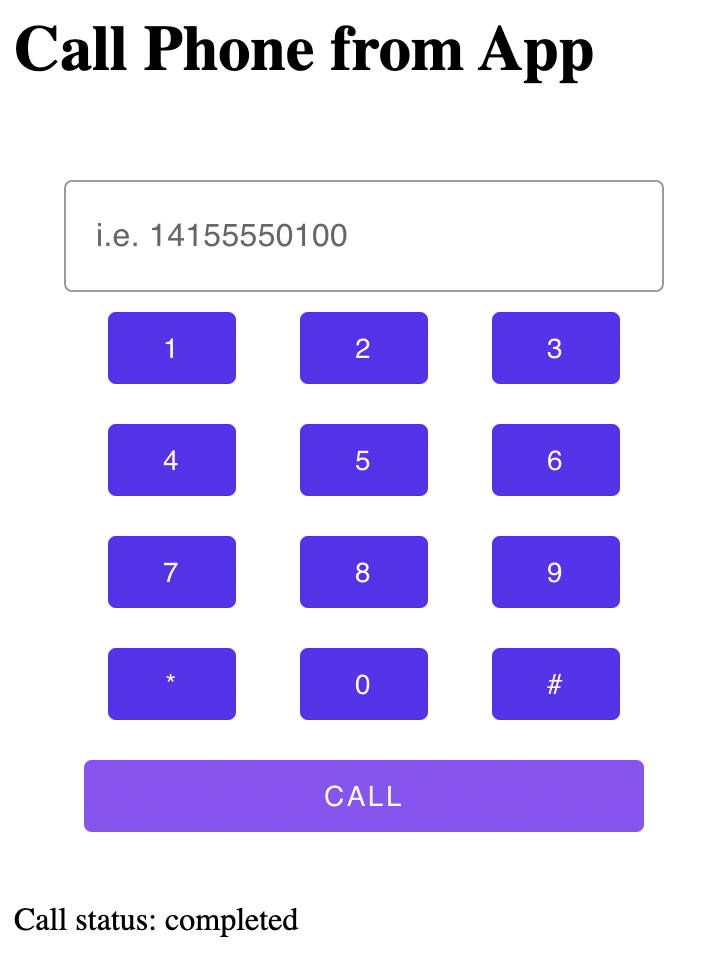 Using the Vonage keypad Web Component in the Making an in-app voice call tutorial
Uma implementação em React do Web Component Keypad é abordada nesta postagem do blog.
Uma versão inicial funcional já está disponível no repositório GitHub da Comunidade Vonage. Agradecemos contribuições, ideias e comentários; por isso, dê uma olhada.