Flaskサーバーの実行
サーバーを起動する前に、設定を .env ファイルを作成します。以下から詳細を記入してください:
コピー
# Do not use this in production:
FLASK_DEBUG=true

# Replace the following with any random value you like:
FLASK_SECRET_KEY=RANDOM-STRING_CHANGE-THIS-Ea359

# Get from ${CUSTOMER_DASHBOARD_URL}/your-numbers
NEXMO_NUMBER=447700900025

# Get the following from ${CUSTOMER_DASHBOARD_URL}/settings
NEXMO_API_KEY=abcd1234
NEXMO_API_SECRET=abcdef12345678
でアプリを開始する:
コピー
# You may need to change the path below if your Flask app is in a different Python file:
$ FLASK_APP=smsweb/server.py flask run
* Serving Flask app "smsweb.server"
* Running on http://127.0.0.1:5000/ (Press CTRL+C to quit)
を読み込むと http://localhost:5000/このように表示されるはずだ:
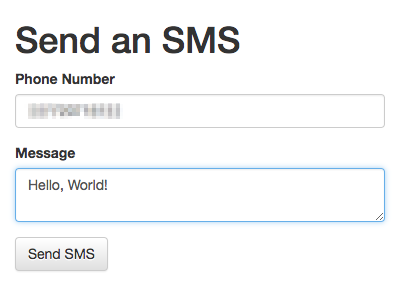
Python、Flask、NexmoでSMSメッセージを送信する方法
このチュートリアルでは、Nexmo Pythonライブラリを利用したPythonによるSMS送信を紹介します。REPLからSMSを送信する方法から始まり、SMS機能を持つシンプルなflaskアプリを構築する方法を紹介します。
手順
1
このチュートリアルの紹介2
Prerequisites3
Vonage Python Server SDKのインストール4
Python REPLからSMSを送信する5
SMS送信Flaskアプリのセットアップ6
SMS送信ビューの追加7
Flaskサーバーの実行8
フォーム投稿の処理9
次はどうする?