WhatsApp Carousel Interactive Messages
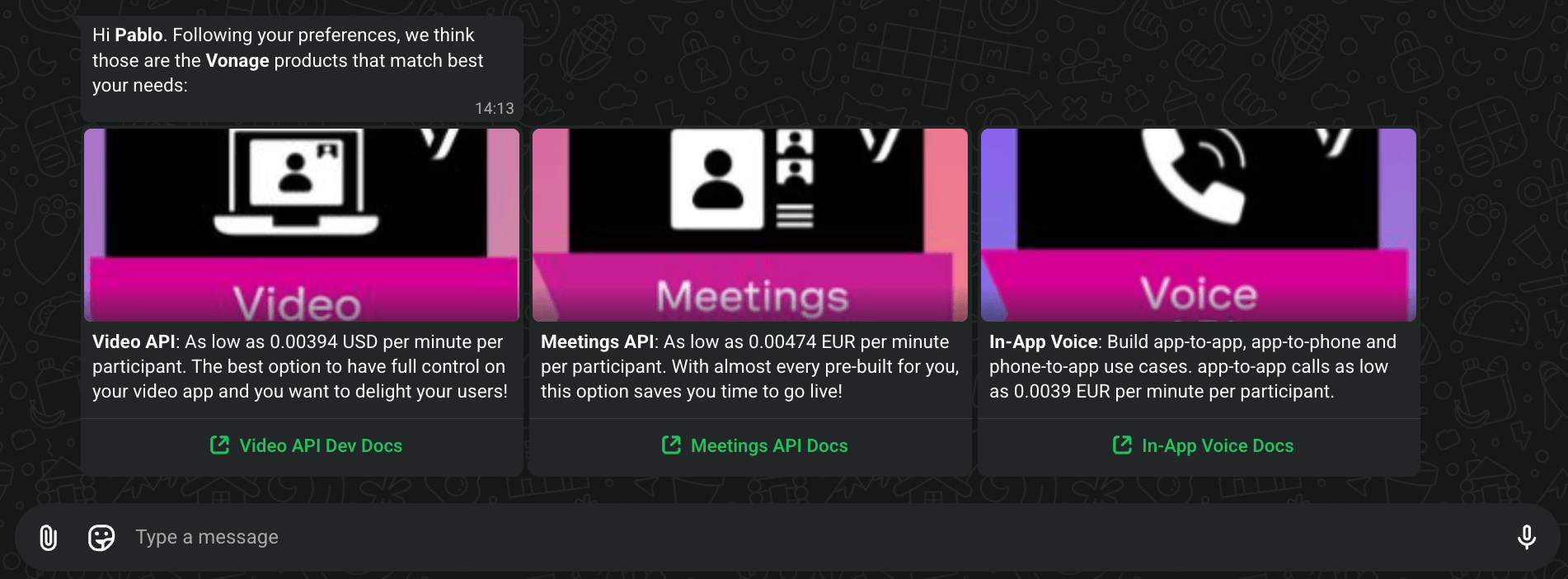
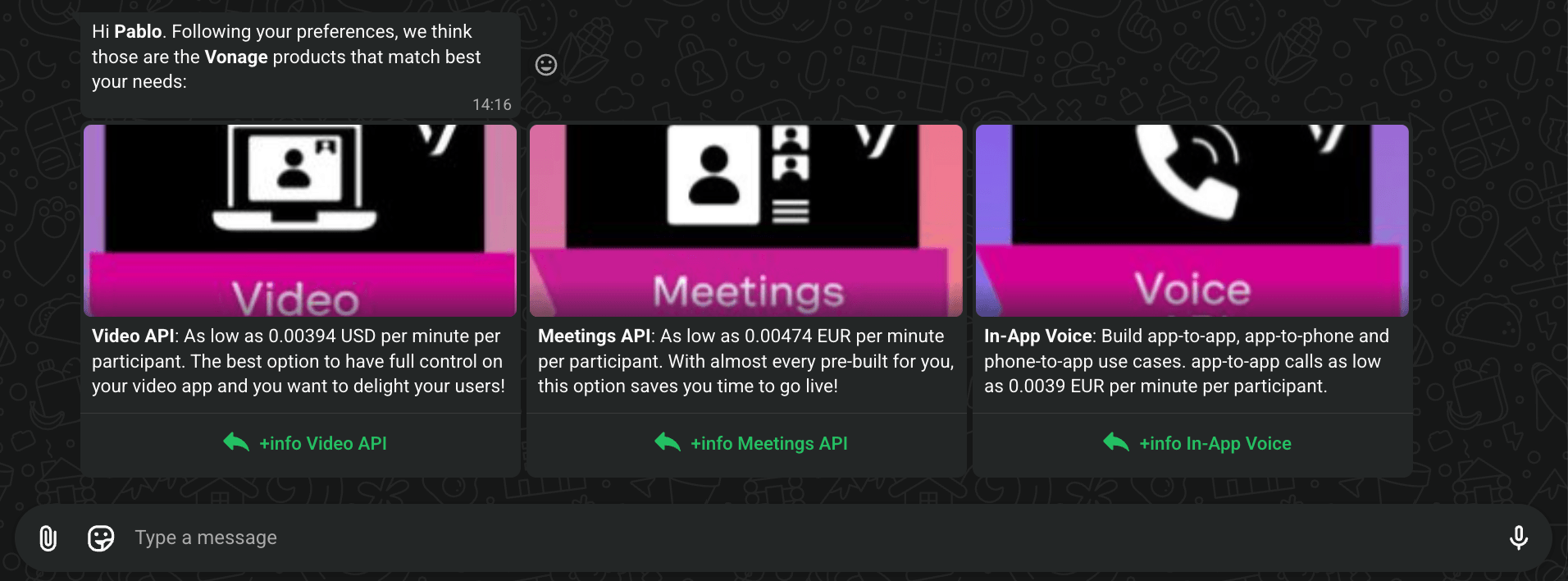
WhatsApp carousel interactive messages let you present multiple cards in a single message. Each card can include an image, body text, and either a call-to-action URL or a quick reply button.
The interactive carousel uses "message_type": "custom" with "custom.type": "interactive" and "interactive.type": "carousel".
Product Recommendation Carousel
Use CTA URL buttons to link each card to a product's documentation or website:
Copy
{
   "from":"{{messages_waba_number}}",
   "to":"{{messages_destination_number}}",
   "channel": "whatsapp",
   "message_type": "custom",
   "custom": {
       "type": "interactive",
       "interactive": {
            "type": "carousel",
            "body": {
                "text": "Hi *Pablo*. Following your preferences, we think those are the *Vonage* products that match best your needs:"
            },
            "action": {
                "cards": [
                    {
                        "card_index": 0,
                        "type": "cta_url",
                        "header": {
                            "type": "image",
                            "image": {
                                "link": "https://quicktests.showcpaas.com/videoapi.png"
                            }
                        },
                        "body": {
                            "text": "*Video API*: As low as 0.00394 USD per minute per participant. The best option to have full control on your video app and you want to delight your users!"
                        },
                        "action": {
                            "name": "cta_url",
                            "parameters": {
                                "display_text": "Video API Dev Docs",
                                "url": "https://tokbox.com/developer/"
                            }
                        }
                    },
                    {
                        "card_index": 1,
                        "type": "cta_url",
                        "header": {
                            "type": "image",
                            "image": {
                                "link": "https://quicktests.showcpaas.com/meetingsapi.png"
                            }
                        },
                        "body": {
                            "text": "*Meetings API*: As low as 0.00474 EUR per minute per participant. With almost every pre-built for you, this option saves you time to go live!"
                        },
                        "action": {
                            "name": "cta_url",
                            "parameters": {
                                "display_text": "Meetings API Docs",
                                "url": "https://developers.vonage.com/en/meetings/overview/"
                            }
                        }
                    },
                     {
                        "card_index": 2,
                        "type": "cta_url",
                        "header": {
                            "type": "image",
                            "image": {
                                "link": "https://quicktests.showcpaas.com/voiceapi.png"
                            }
                        },
                        "body": {
                            "text": "*In-App Voice*: Build app-to-app, app-to-phone and phone-to-app use cases. app-to-app calls as low as 0.0039 EUR per minute per participant."
                        },
                        "action": {
                            "name": "cta_url",
                            "parameters": {
                                "display_text": "In-App Voice Docs",
                                "url": "https://developers.vonage.com/en/vonage-client-sdk/in-app-voice/overview"
                            }
                        }
                    }
                ]
            }
        }
   }
}
Response
Quick Reply Carousel
Use quick reply buttons to let customers choose an option directly from a card:
Copy
{
   "from":"{{messages_waba_number}}",
   "to":"{{messages_destination_number}}",
   "channel": "whatsapp",
   "message_type": "custom",
   "custom": {
       "type": "interactive",
       "interactive": {
            "type": "carousel",
            "body": {
                "text": "Hi *Pablo*. Following your preferences, we think those are the *Vonage* products that match best your needs:"
            },
            "action": {
                "cards": [
                    {
                        "card_index": 0,
                        "type": "cta_url",
                        "header": {
                            "type": "image",
                            "image": {
                                "link": "https://quicktests.showcpaas.com/videoapi.png"
                            }
                        },
                        "body": {
                            "text": "*Video API*: As low as 0.00394 USD per minute per participant. The best option to have full control on your video app and you want to delight your users!"
                        },
                        "action": {
                            "buttons": [
                                {
                                    "type": "quick_reply",
                                    "quick_reply": {
                                        "id": "video",
                                        "title": "+info Video API"
                                    }
                                }
                            ]
                        }
                    },
                    {
                        "card_index": 1,
                        "type": "cta_url",
                        "header": {
                            "type": "image",
                            "image": {
                                "link": "https://quicktests.showcpaas.com/meetingsapi.png"
                            }
                        },
                        "body": {
                            "text": "*Meetings API*: As low as 0.00474 EUR per minute per participant. With almost every pre-built for you, this option saves you time to go live!"
                        },
                        "action": {
                            "buttons": [
                                {
                                    "type": "quick_reply",
                                    "quick_reply": {
                                        "id": "meetings",
                                        "title": "+info Meetings API"
                                    }
                                }
                            ]
                        }
                    },
                     {
                        "card_index": 2,
                        "type": "cta_url",
                        "header": {
                            "type": "image",
                            "image": {
                                "link": "https://quicktests.showcpaas.com/voiceapi.png"
                            }
                        },
                        "body": {
                            "text": "*In-App Voice*: Build app-to-app, app-to-phone and phone-to-app use cases. app-to-app calls as low as 0.0039 EUR per minute per participant."
                        },
                        "action": {
                            "buttons": [
                                {
                                    "type": "quick_reply",
                                    "quick_reply": {
                                        "id": "in-app-voice",
                                        "title": "+info In-App Voice"
                                    }
                                }
                            ]
                        }
                    }
                ]
            }
        }
   }
}
Response
Reminder: Interactive carousels can only be sent within the 24-hour customer service window (that is, after the user has messaged you first). Outside that window, use the template approach.