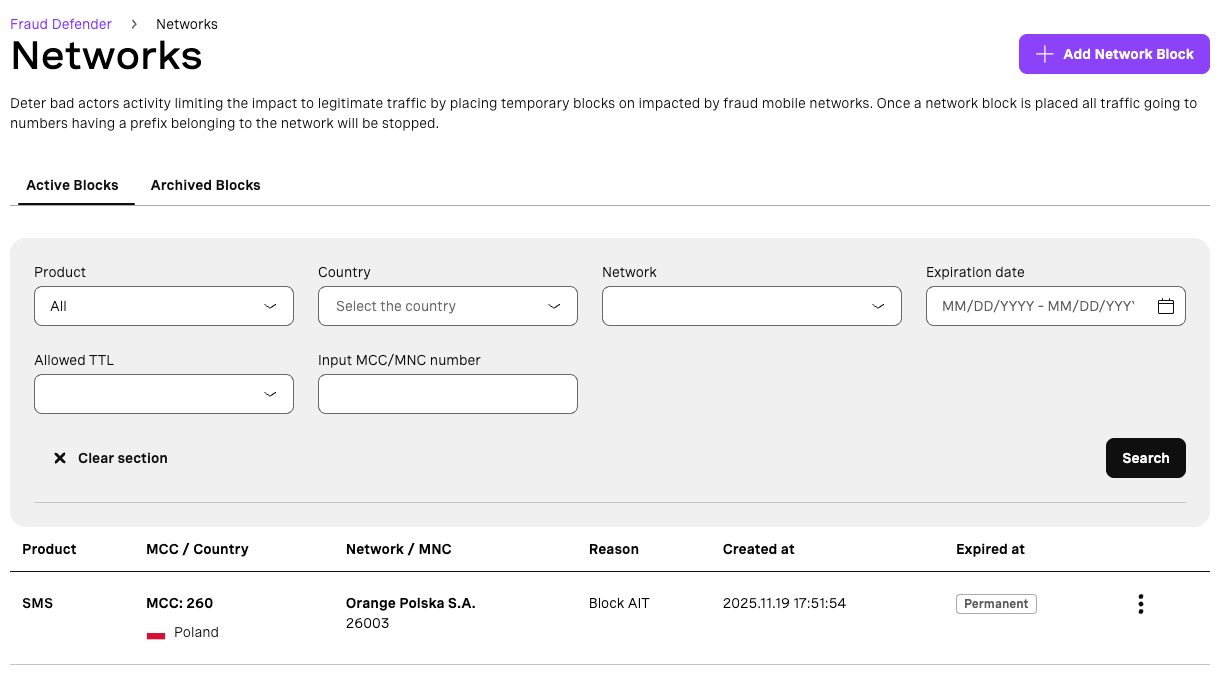
Network Blocks
Fraud Defender Network Blocks is an Advanced package protection. You can reach an expert to know more and request an upgrade.
Fraud Defender Network Blocks allow you to place temporary blocks on mobile country networks. If you suffer a fraudulent traffic spike on a certain network you can place a temporary or permanent block to deter bad actors from injecting traffic.
How to create a network block
- Find the Network block tile in the Fraud Defender dashboard and click the “Review” button.
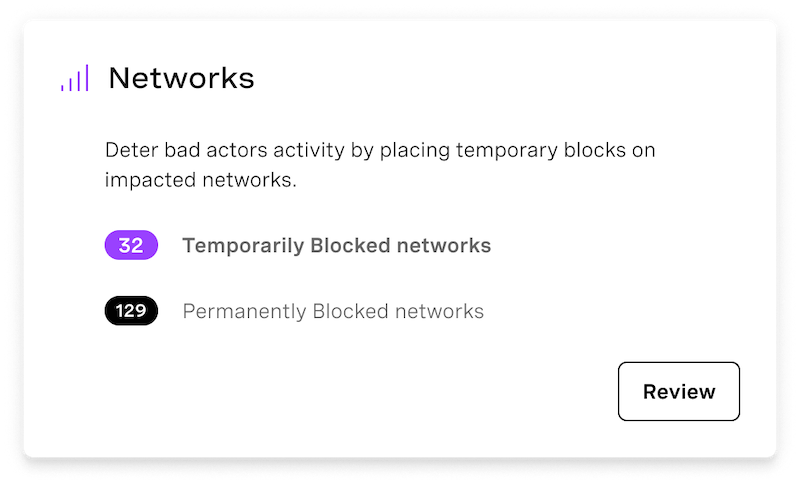
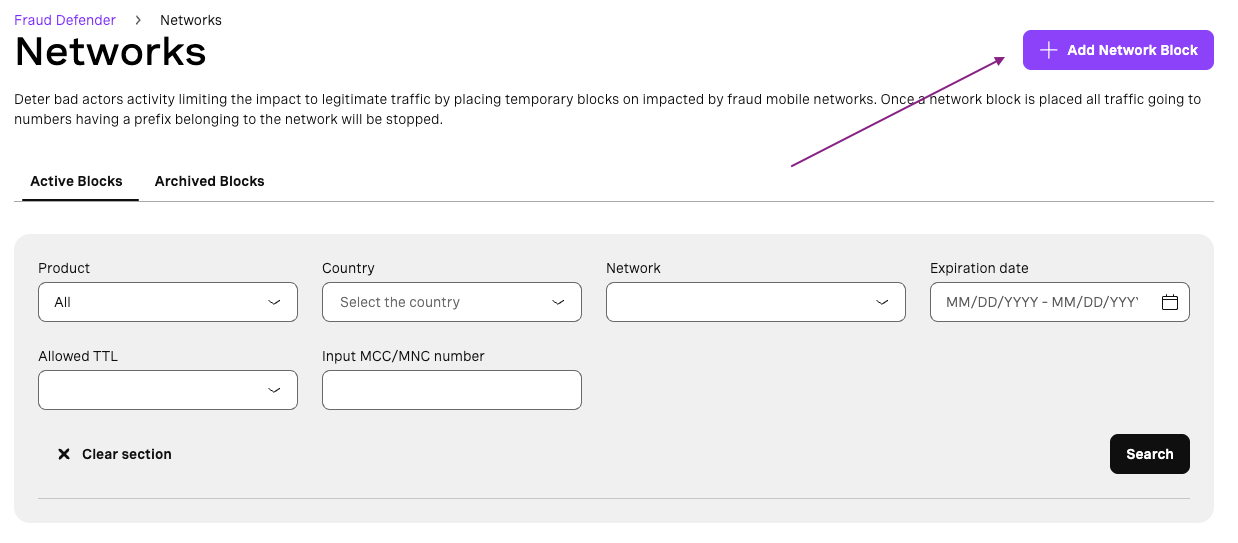
- Click the “Add Network Block” button.
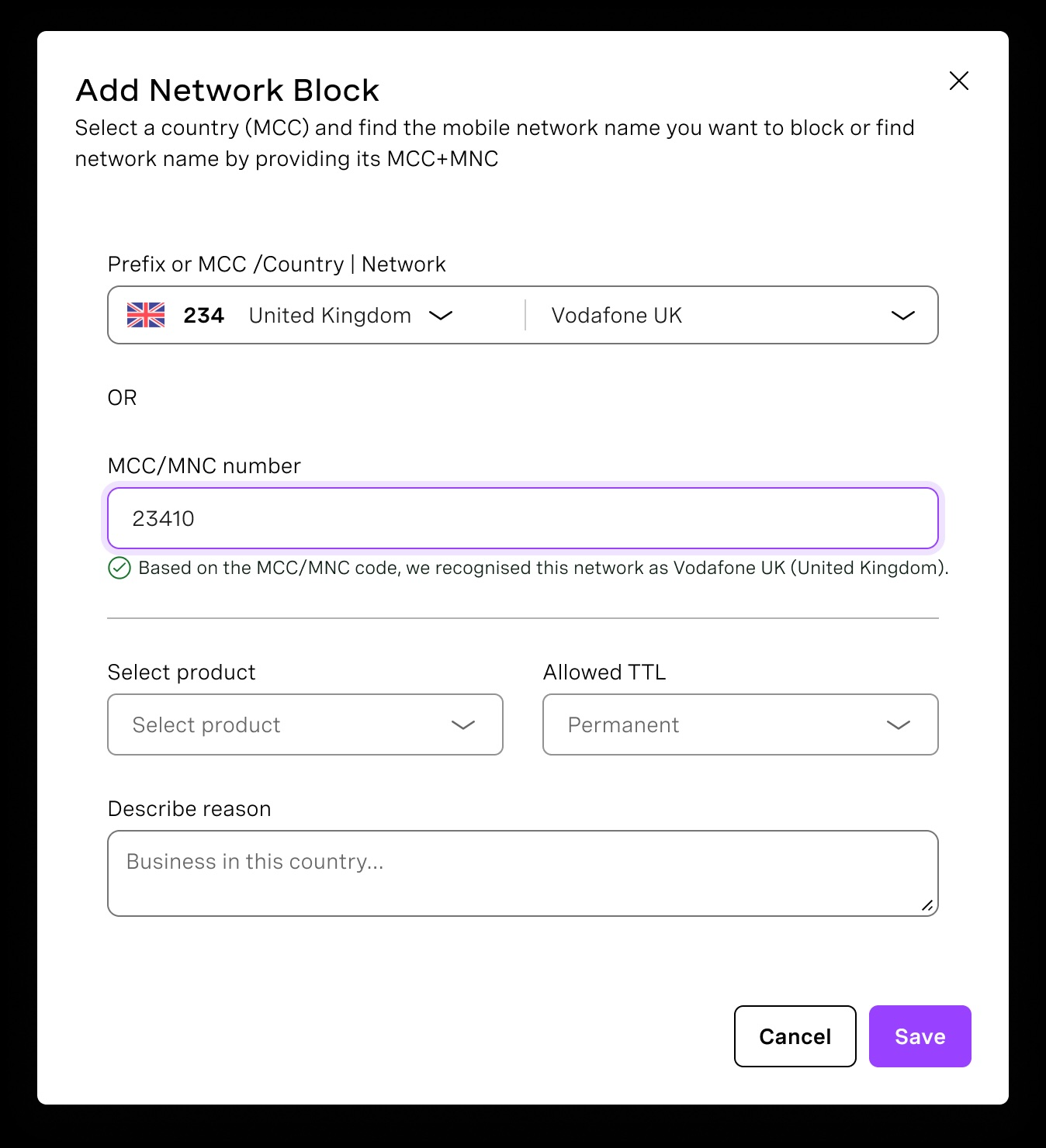
- In the modal, you will be able to select a country, see the list of networks and choose the one you want to block. You can also manually input a network identifier (MCC+MNC). Then, select which product you want to create the block (Voice or SMS). In the “Allowed TTL” field, you can select how long the block will be active. Once the expiration date is reached, the block will be automatically archived.
- Once you click the “Save” button, the block will be listed in the “Active Blocks” tab. Once a block expires, it will be listed on the “Archived Blocks” tab.
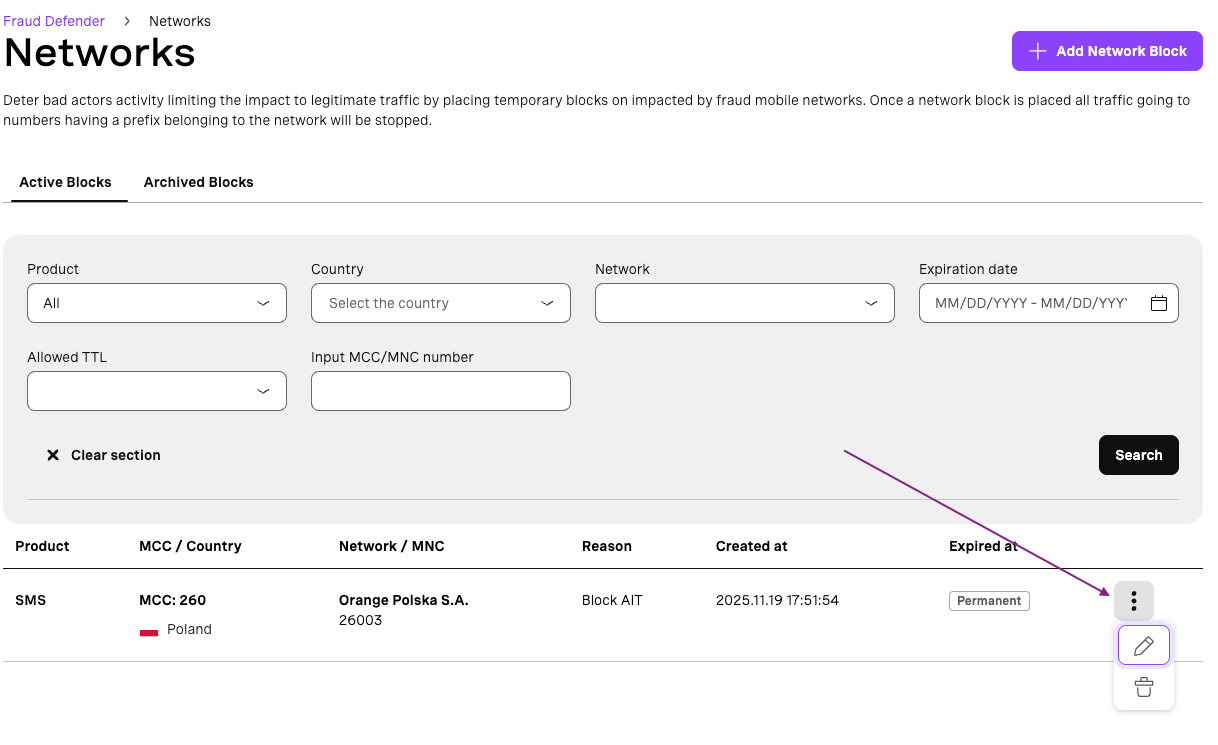
- From the block list, you can click on the pencil icon to edit the block reason, and on the basket icon to manually archive the block.