Share:
)
Julia is committed to empowering fellow developers by creating tutorials, guides, and practical resources. With a background in outreach and education, she aims to make technology more accessible and enhance the overall developer experience. You can often find her at local community events.
Native VERA 1.1 Release: Meeting Controls and Screen Sharing
Time to read: 5 minutes
VERA (Vonage Example Reference Application) is our collection of open-source video conferencing apps that demonstrate best practices for building production-ready video applications with the Vonage Video API. These reference applications serve as starting points for developers, showcasing real-world implementations across Android, iOS, and Web platforms.
Native VERA 1.1 is here, bringing new features to Vonage's video reference applications for Android and iOS. This release adds more control over meeting experiences through advanced settings, participant management capabilities, iOS screen sharing, and enhanced audio quality.
These enhancements address common challenges developers face when building production video applications:
Users need intuitive ways to manage participants, control audio, and customize their video layout. Unmanaged audio in meetings leads to participant frustration, lost productivity, and professional meetings derailed by background noise or unmuted participants. Features like pin participant, mute participant, and speaking-while-muted detection provide a polished, production-ready experience that users expect from modern video conferencing apps.
With screen sharing now available on iOS (and previously on Android), developers can offer consistent collaboration features across all platforms, making Native VERA a complete reference implementation for video collaboration.
Poor audio quality in meetings can lead to miscommunication, repeated questions, and meeting fatigue—especially for distributed teams. Improved captions UI makes your application more inclusive for users who are deaf or hard of hearing, while noise suppression ensures clear communication for all participants regardless of their environment, whether working from a busy coffee shop or a home office with background activity.
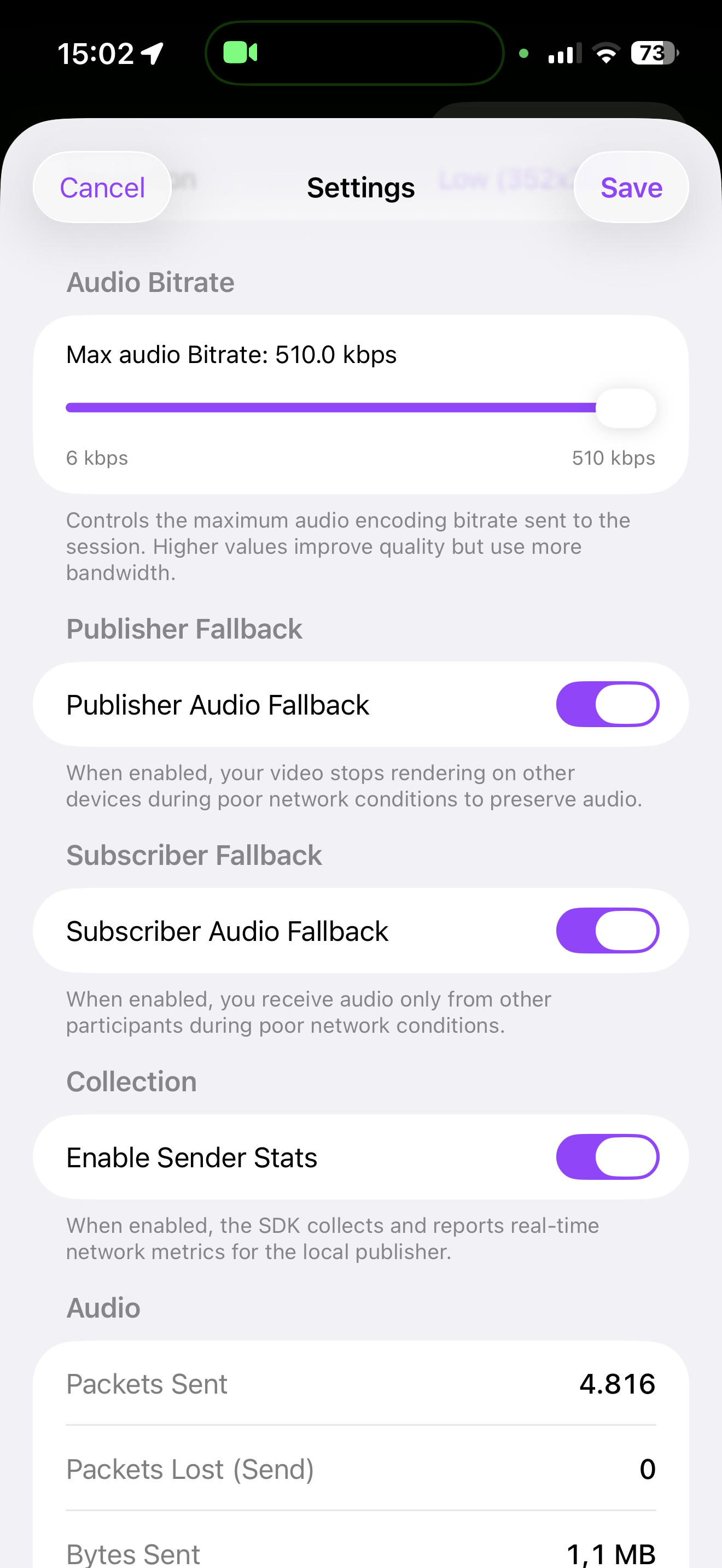
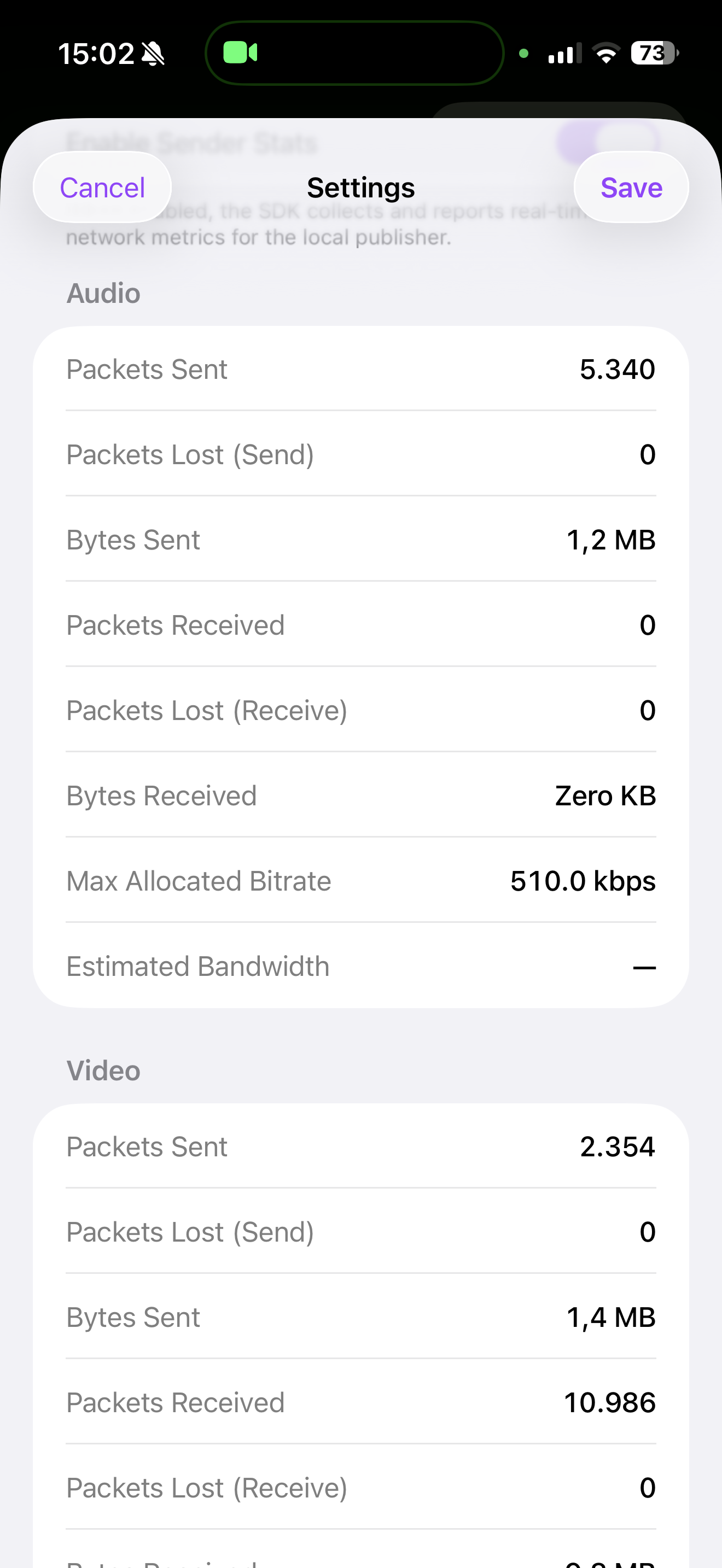
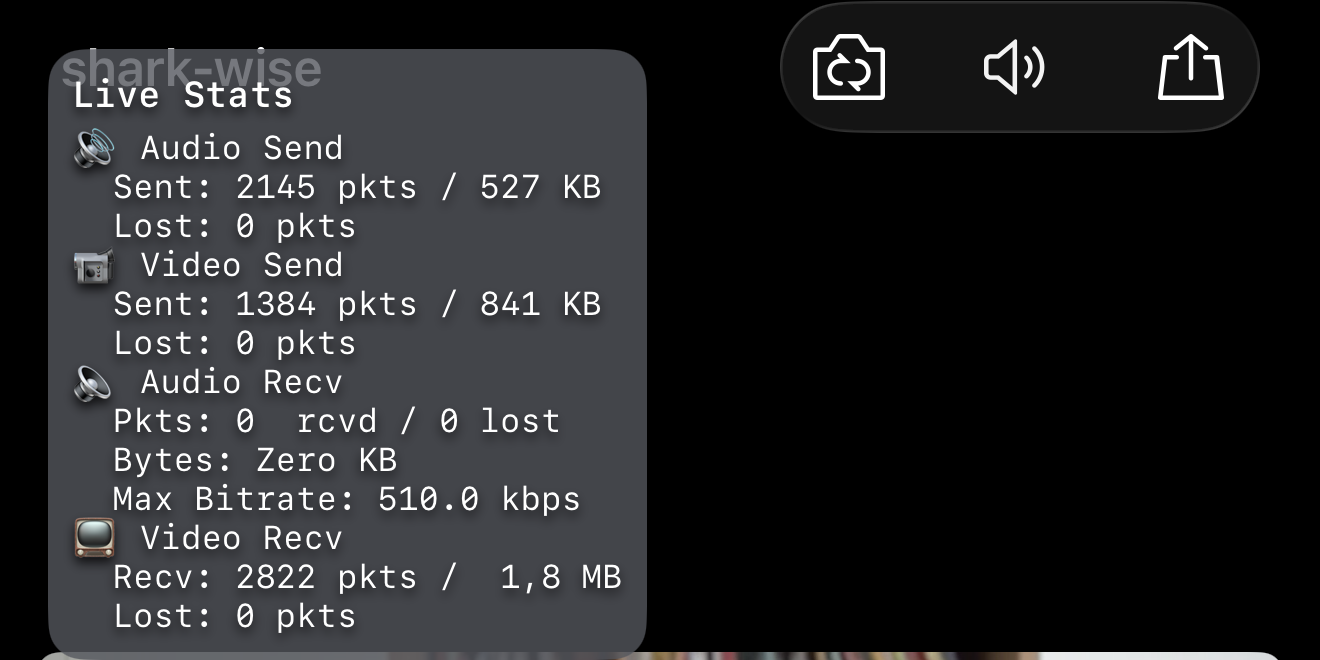
The comprehensive Settings screen provides visibility into call quality metrics, SDK configuration, and real-time statistics, helping you quickly identify and resolve issues during development and in production.
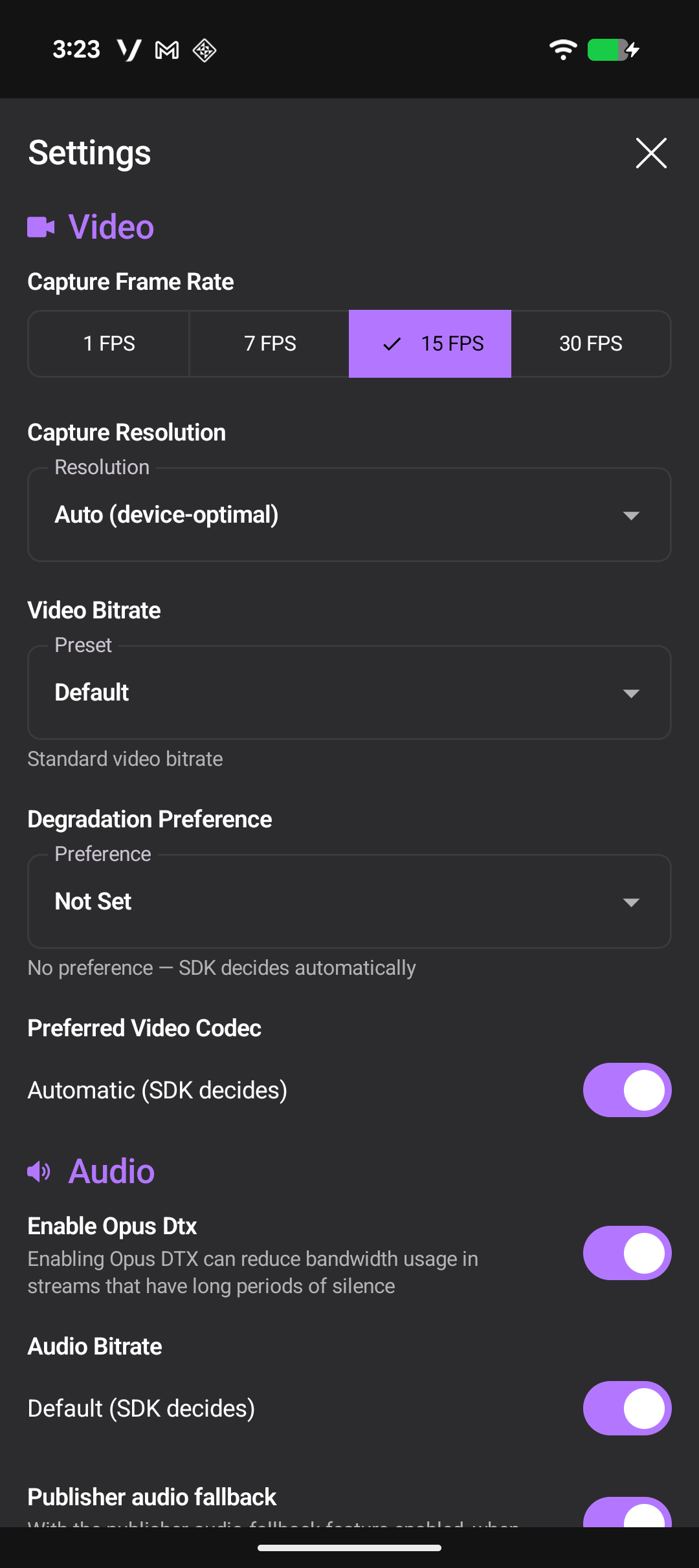
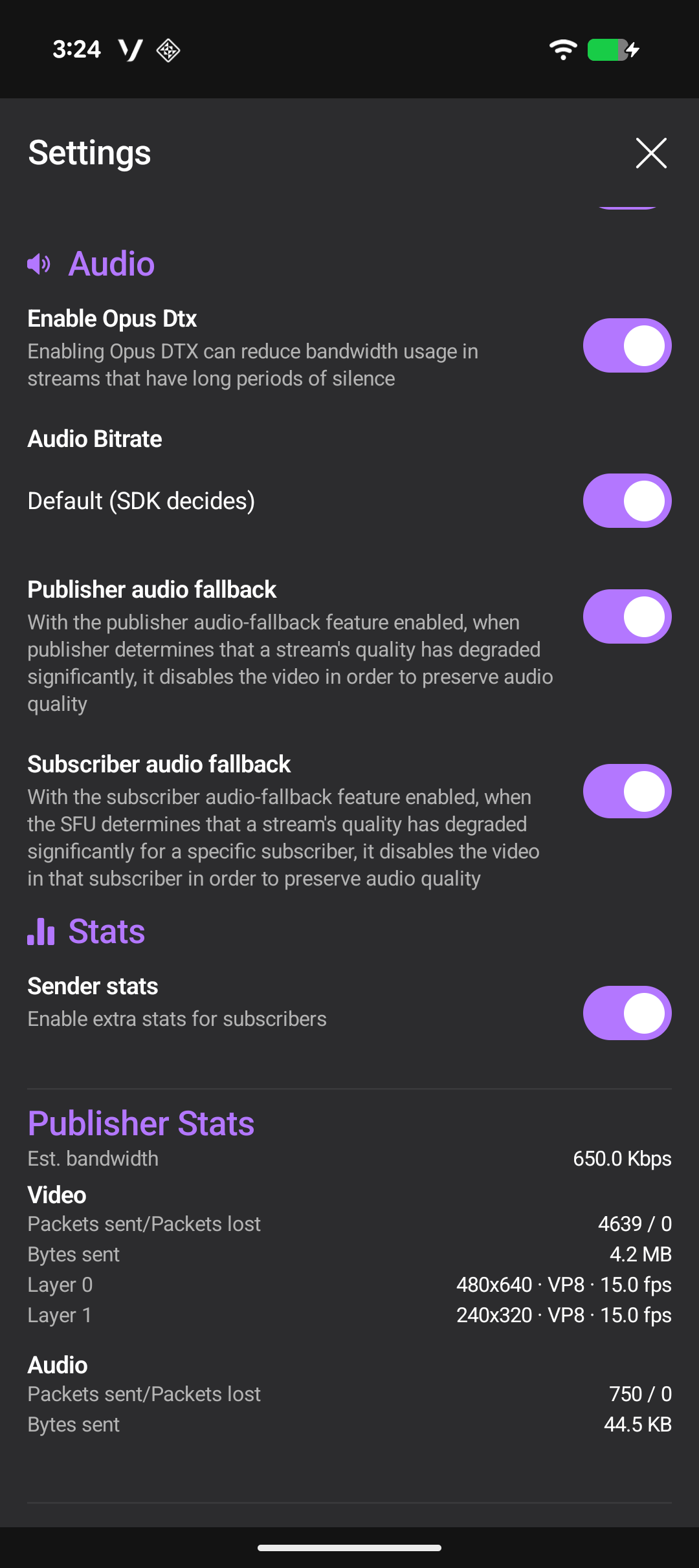
The new Settings screen gives you complete control over your video call configuration. Access advanced settings and monitor real-time connection statistics all in one place. This dashboard helps developers fine-tune call quality and troubleshoot issues on the fly.
|
|
Take control of your video layout with the new pin participant feature. Pin any participant's video tile to keep them prominently displayed, ensuring important speakers stay visible throughout your meeting. This is especially useful for presentations, panel discussions, or when focusing on specific meeting participants.
Meeting hosts can now mute individual participants directly from the interface, giving you better control over meeting audio quality. This feature is essential for managing large meetings and preventing audio disruptions.
The speaking-while-muted detector automatically detects when you attempt to speak while your microphone is muted and notifies you immediately.
Ensure your audio setup is working correctly before joining important calls. The new test speakers functionality lets you play a sample sound to verify your speaker configuration and audio output devices are working properly.
We've enhanced the captions experience with a redesigned UI that displays multiple caption lines simultaneously. The new implementation provides better readability, improved styling, and enhanced spacing, making it easier for participants to follow conversations in real-time and improving accessibility for all users.
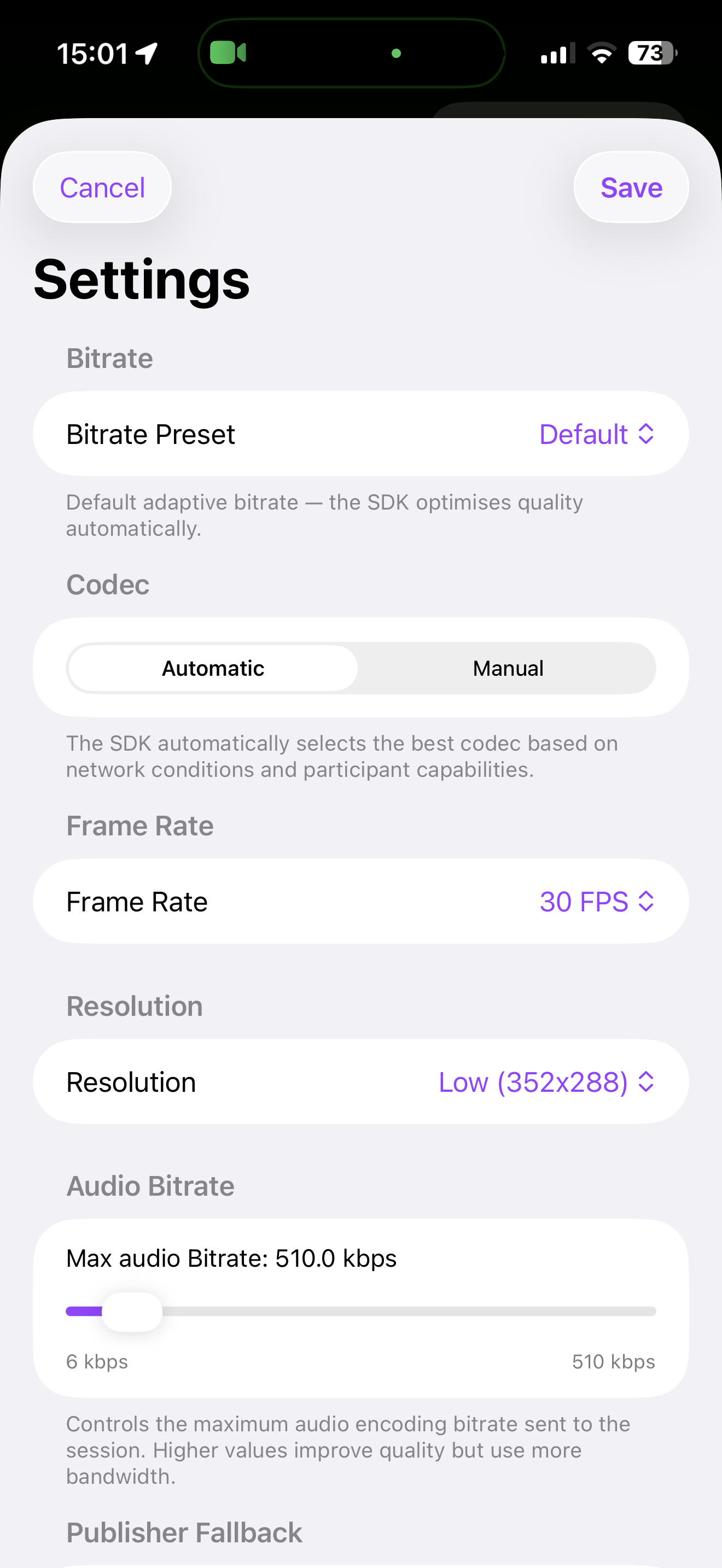
Like Android, iOS now features a comprehensive Settings screen where you can configure video call settings, adjust quality parameters, and monitor real-time connection statistics. This gives iOS developers the same powerful debugging and optimization capabilities available on Android.
|
|
|
| ||
Native VERA 1.1 introduces Screen Sharing for iOS using Apple's ReplayKit framework, enabling participants to broadcast their device screen directly into a Vonage video call.
|
|
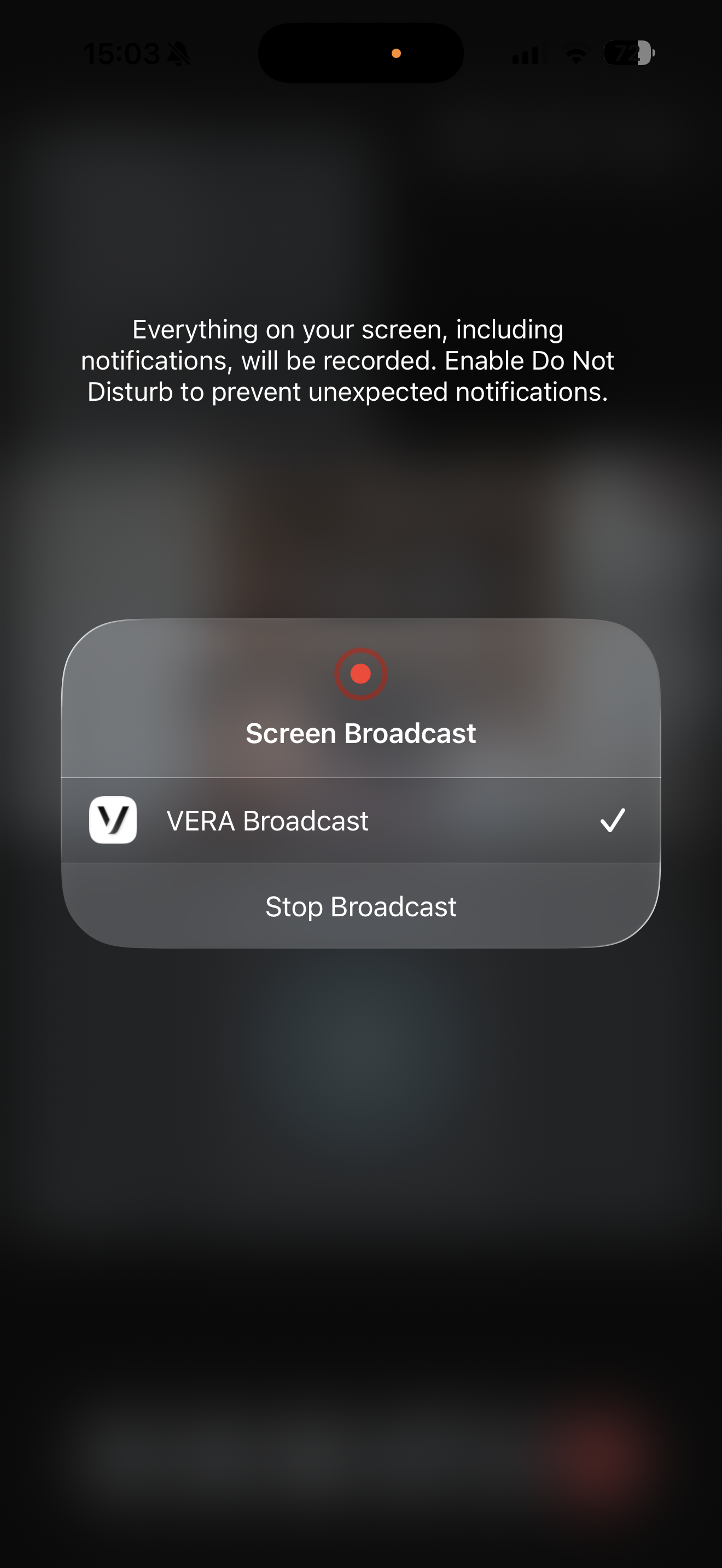
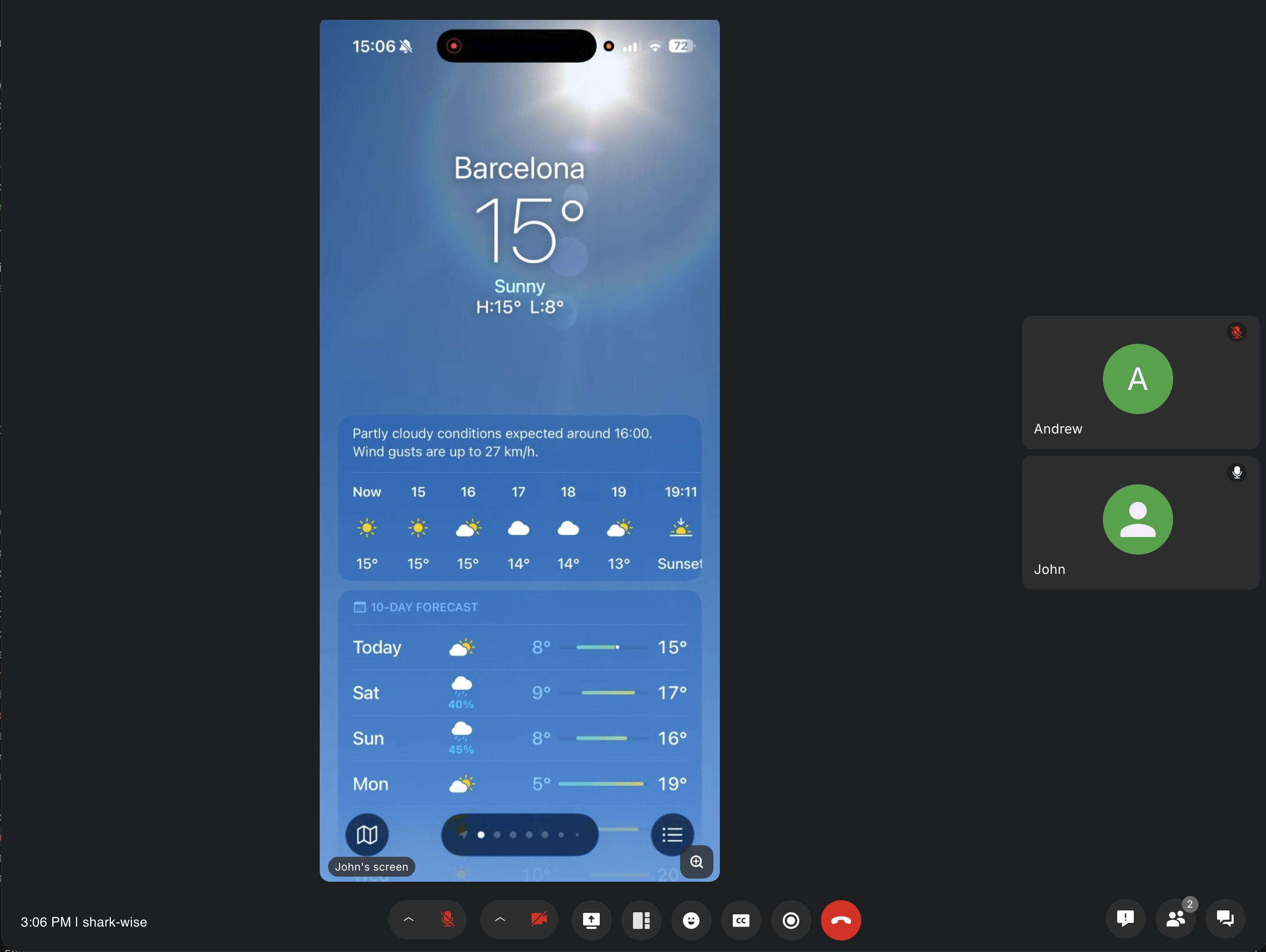
The screen sharing feature is built with three coordinated modules:
VERAScreenShare: UI components and credential storageVERAVonageScreenSharePlugin: Vonage plugin that manages credentials during the call lifecycleBroadcastExtension: ReplayKit Broadcast Upload Extension that captures and publishes the screen
The implementation is memory-optimized, with the broadcast extension running in a separate process with a 50 MB memory ceiling. The credential flow ensures secure session management, with credentials stored in a shared App Group and automatically cleared when the call ends.
Improve call quality with noise-suppression technology that reduces background noise for clearer audio. Whether you're calling from a busy coffee shop or a home office with background activity, noise suppression ensures your voice comes through clearly.
Native VERA is open source and available on GitHub:
Android: vonage-video-android-app
iOS: vonage-video-ios-app
Web (React): vonage-video-react-app
All three reference apps share the same backend infrastructure, demonstrating consistent best practices across platforms.
To get started:
Follow the backend setup instructions in the vonage-video-react-app repository
Configure your backend API URL in the app configuration
Enable the features you need through the configuration files
For detailed setup instructions and configuration options, see the README files in each repository.
Native VERA 1.1 represents a significant step forward in providing developers with production-ready reference implementations for video applications. With advanced meeting controls like pin participant, mute participant, and speaking-while-muted detection on Android, plus screen sharing and noise suppression on iOS, you now have all the tools you need to build polished, professional video conferencing experiences.
Have a question or want to share what you're building?
Subscribe to the Developer Newsletter
Follow us on X (formerly Twitter) for updates
Prefer video? Watch tutorials on our YouTube channel
Connect with us on the Vonage Developer page on LinkedIn
Help us improve our developer experience by filling out our Voice of the Developer Feedback
Stay connected and keep up with the latest developer news, tips, and events.
Share:
Julia is committed to empowering fellow developers by creating tutorials, guides, and practical resources. With a background in outreach and education, she aims to make technology more accessible and enhance the overall developer experience. You can often find her at local community events.