
Introducing Version 1.6 of the Vonage Video Reference App
Time to read: 3 minutes
Version 1.6.0 of the Vonage Video Reference Application for React (Web VERA) is here!
This release significantly expands media controls and observability, introduces enterprise-grade Okta authentication, adds automatic recording recovery after server migration, and completes Japanese localization support. These enhancements are complemented by a broad set of stability and security improvements.
The Advanced Settings dialog now features dedicated Camera and Screen Sharing sections, giving users independent control over each surface. You can configure screen sharing with its own resolution, frame rate, bitrate, codec priority, and scalable video options. Changes to screen-share codec and scalability take effect the next time screen sharing starts.
Additional controls round out the experience: content-type optimization helps the encoder tune itself for motion or detail, local camera mirroring lets users flip their self-view, and a new overlay toggle displays the current resolution and frame rate directly on the video tile. This overlay helps you quickly validate quality settings during development.
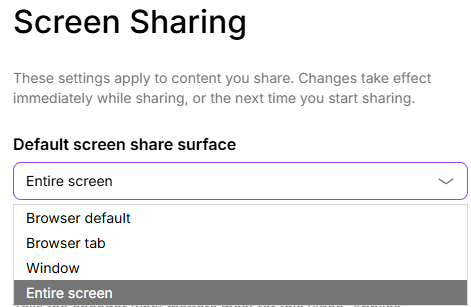
Users can now specify a preferred surface type in their settings: entire screen, window, or browser tab. This preference pre-selects the appropriate option when the browser’s native sharing picker opens. This reduces friction for users who consistently share the same surface type and demonstrates how to guide the browser’s getDisplayMedia API toward a default selection.
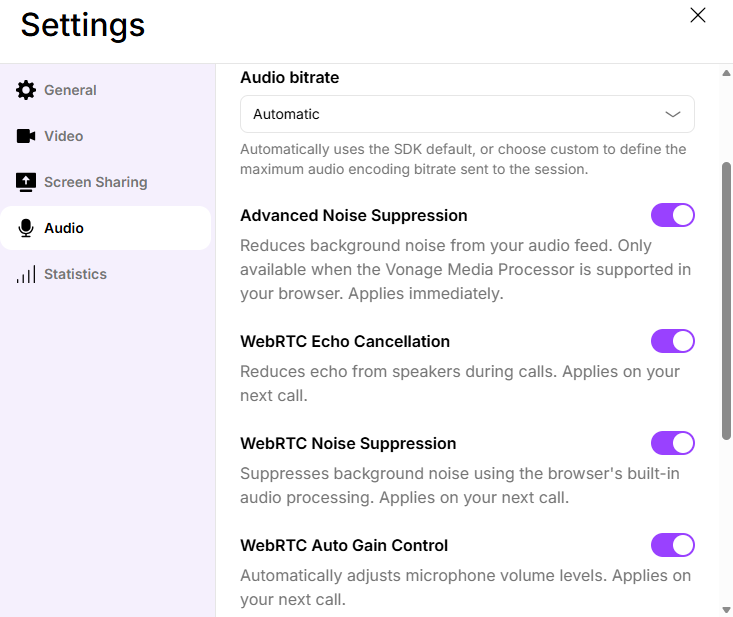
The Audio settings section now exposes the underlying WebRTC processing pipeline. Developers can toggle WebRTC echo cancellation, noise suppression, and automatic gain control independently, alongside Vonage’s Advanced Noise Suppression. This granularity makes it straightforward to test and compare audio-processing configurations, which is especially valuable when integrating VERA as a reference for production audio tuning.
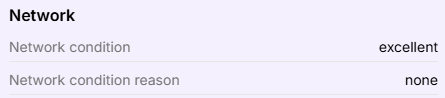
We added network-condition statistics alongside the existing publisher and subscriber media statistics panel. Call quality data is now presented in a single, unified view, making it easier to correlate network conditions with media performance during development or live debugging.
VERA now handles server rotation gracefully. When a session migrates to a new server, recording is automatically restarted without re-prompting participants who have already given consent. This reduces interruption for users and eliminates the need to re-accept consent dialogs mid-call.
This feature requires platform support and properly configured session and archive webhooks. Note that captions are not automatically restarted following migration. See the Session Migration guide for setup details.
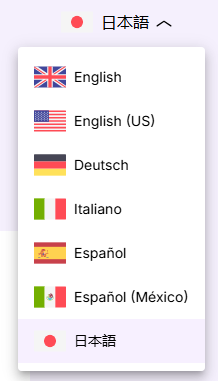
Japanese is now available as a UI language, bringing the total number of supported locales to seven. This release also completes previously missing German, Spanish, Mexican Spanish, and Italian translations, normalizes regional browser language codes, and restores localized screen-share participant names. Together, these improvements make VERA a more accurate reference for teams building globally accessible video products.
Version 1.6 also includes numerous fixes; for the full list, please consult: v1.6.0 release notes.
Ready to try the latest version?
For full setup instructions, see the Getting Started guide.
You can also review the complete list of changes in the v1.6.0 release notes on the Vonage Developer Portal.
Web VERA continues to evolve as a production-ready reference for building video applications with the Vonage Video API. Version 1.6 raises the bar on media control granularity, observability, and security while making the app more accessible to a global audience and more resilient to infrastructure events like server migration.
Want to learn, stay connected, or share what you're building?
Keep learning
Explore use cases and structured learning paths in the Vonage Learning Center
Watch tutorials on our Vonage Developer YouTube Channel
Stay connected
Subscribe to the Vonage Developer Newsletter
Follow us on X for updates
Connect with us on LinkedIn
Help us improve our developer experience by filling out our Voice of the Developer Feedback