Share:
)
Alberto is a Senior Software Engineer at Vonage, with deep experience in the Video product across the Ecosystem, Platform Quality, and Video API teams. He thrives at the intersection of front-end craft and back-end logic. Having lived in Barcelona, Sydney, and San Francisco, he brings over a decade of building and shaping the visible side of real-time platforms and a growing focus on agentic AI product development.
Improve Video App Reliability With the Vonage Video API
Time to read: 10 minutes
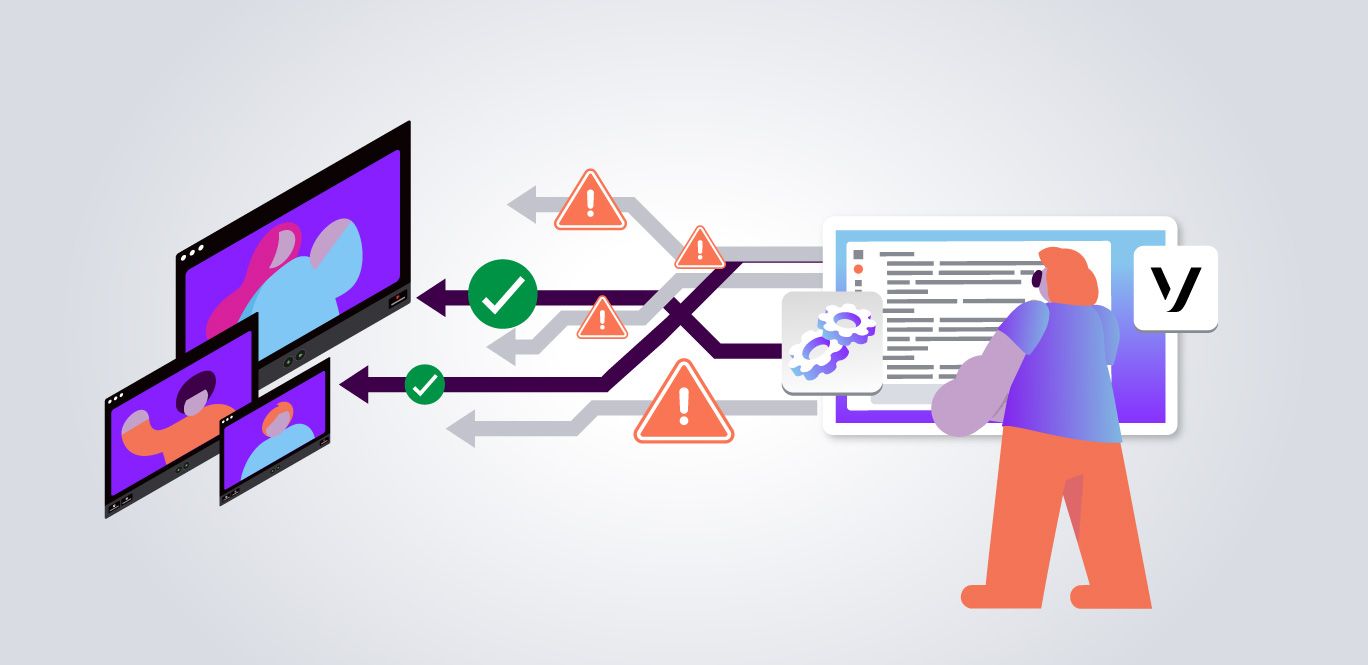
Network interruptions, device changes, and media negotiation failures can affect any real-time video application. A reliable application should treat these conditions as expected failures and have a clear recovery strategy for each one.
This article covers practical retry and recovery patterns for the Vonage Video API Web SDK. You’ll learn how to handle failures when connecting to a session, publishing media, subscribing to streams, and recovering from audio acquisition problems.
The key principle throughout is simple: retry only when the operation is safe to retry, clean up resources when necessary, and prevent multiple recovery attempts from running at the same time.
A connection attempt can fail because of temporary network or signaling conditions. When your application decides to retry a connection, make sure the previous connection attempt has been cleaned up first.
Call session.disconnect() before starting another session.connect() attempt. This ensures that your application does not continue retrying against stale session state.
Rather than embedding retry logic directly into every API operation, you can use a reusable retry helper.
const delay = (ms) =>
  new Promise((resolve) => setTimeout(resolve, ms));

async function retryOperation({
  operation,
  shouldRetry,
  maxAttempts = 3,
  getDelay,
}) {
  let lastError;

  for (let attempt = 1; attempt <= maxAttempts; attempt += 1) {
    try {
      return await operation(attempt);
    } catch (error) {
      lastError = error;

      const isLastAttempt = attempt === maxAttempts;

      if (isLastAttempt || !shouldRetry(error)) {
        throw error;
      }

      await delay(getDelay(attempt));
    }
  }

  throw lastError;
} The shouldRetry function decides whether an error is safe to try again. Return true only for errors your application has identified as temporary or recoverable. The getDelay function controls how long to wait before each new attempt, so you can adjust the retry timing without changing the retry logic itself. The maxAttempts value controls the total number of attempts.
This approach returns a successful result as soon as an operation succeeds and stops retrying when the error is not safe to retry, or the maximum number of attempts is reached.
You can then use the helper to manage connection attempts:
function connectSession(session, token) {
  return new Promise((resolve, reject) => {
    session.connect(token, (error) => {
      if (error) {
        reject(error);
        return;
      }

      resolve();
    });
  });
}

async function connectWithRetry(session, token) {
  return retryOperation({
    operation: async () => {
      await session.disconnect();
      await connectSession(session, token);
    },
    shouldRetry: () => true,
    maxAttempts: 3,
    getDelay: (attempt) => 3000 * attempt,
  });
} This example uses a maximum of three attempts with linear backoff. The delays are:
3 seconds before the second attempt
6 seconds before the third attempt
If your application requires a different recovery policy, make the retry configuration configurable rather than modifying the retry implementation itself.
Please observe the number of attempts and the time between them are recommendations. You can always tune them to get the expected performance on your end.
Understand SDK and Application-Level Retries
The SDK may already perform internal recovery during some stages of connection. Application-level retry logic should therefore be treated as an additional recovery layer.
Before relying on a particular retry behavior, confirm the current SDK behavior in the relevant Vonage Video API documentation.
Publishing media involves more than one stage. Separating those stages helps you decide whether your application should retry, request user action, or recreate the publisher.
A publishing workflow can include two distinct operations:
OT.initPublisher()initializes access to media devices and creates a publisher.
session.publish(publisher)publishes that media to the session.
Problems during initialization may require a different recovery strategy from problems that occur while publishing an already initialized publisher.
For example, a camera permission problem usually requires user action. A temporary network failure may be a candidate for retry.
Avoid treating every publishing error the same way.
Publishing errors can have different causes. Some may result from temporary network or media negotiation conditions, while others require user action or changes to the application.
The following errors are candidates for retry:
Error | Description |
OT_TIMEOUT (1500) | ICE/SDP negotiation timed out |
OT_ICE_WORKFLOW_FAILED | ICE workflow failure |
OT_CREATE_PEER_CONNECTION_FAILED | Peer connection setup failure |
OT_MEDIA_ERR_ABORTED | Media operation was aborted |
OT_MEDIA_ERR_NETWORK | Media network error |
OT_MEDIA_ERR_DECODE | Media decode error |
OT_MEDIA_ERR_SRC_NOT_SUPPORTED | Media source is not supported |
OT_SET_REMOTE_DESCRIPTION_FAILED | SDP remote description failure |
OT_UNEXPECTED_SERVER_RESPONSE | Unexpected server response that may be temporary |
Errors that require user action or application recovery should not be retried automatically:
Error | Recommended Action |
OT_NOT_CONNECTED | Make sure the session is fully connected before publishing |
OT_PERMISSION_DENIED | Ask the user to grant camera or microphone permission |
Use an explicit list of errors that your application considers safe to retry:
const RETRYABLE_PUBLISH_ERRORS = new Set([
  'OT_TIMEOUT',
  'OT_ICE_WORKFLOW_FAILED',
  'OT_CREATE_PEER_CONNECTION_FAILED',
  'OT_MEDIA_ERR_ABORTED',
  'OT_MEDIA_ERR_NETWORK',
  'OT_MEDIA_ERR_DECODE',
  'OT_MEDIA_ERR_SRC_NOT_SUPPORTED',
  'OT_SET_REMOTE_DESCRIPTION_FAILED',
  'OT_UNEXPECTED_SERVER_RESPONSE',
]);

function isRetryablePublishError(error) {
  return RETRYABLE_PUBLISH_ERRORS.has(error.name);
} Using an explicit allowlist is safer than retrying every error that is not known to be non-retryable. Unknown errors should be logged and investigated rather than automatically retried.
Before publishing, verify that these error names and retry recommendations match the version of the Vonage Video API JavaScript SDK used by your application.
The following example separates the publish operation from the retry policy:
function publishToSession(session, publisher) {
  return new Promise((resolve, reject) => {
    session.publish(publisher, (error) => {
      if (error) {
        reject(error);
        return;
      }

      resolve();
    });
  });
}

async function publishWithRetry({
  session,
  publisher,
  maxAttempts = 3,
}) {
  return retryOperation({
    operation: async () => {
      await publishToSession(session, publisher);
    },
    shouldRetry: isRetryablePublishError,
    maxAttempts,
    getDelay: (attempt) => 2000 + ((attempt - 1) * 1000),
  });
}
Here, shouldRetry uses isRetryablePublishError to retry only errors in the explicit allowlist. The getDelay function waits longer between later attempts, starting at 2 seconds. Change maxAttempts or the delay values to match your application's recovery requirements.
The result is that transient publishing failures can be retried without automatically repeating errors that require user action or application changes.
This example makes the retry policy easier to change without modifying the publishing operation itself.
It also makes the distinction between attempts and retries explicit. In this example, maxAttempts: 3 means the application makes at most three total attempts.
Do not allow multiple session.publish() operations to run at the same time for the same publishing workflow.
A simple state guard can prevent concurrent recovery attempts:
let isPublishing = false;

async function publishSafely(options) {
  if (isPublishing) {
    return;
  }

  isPublishing = true;

  try {
    await publishWithRetry(options);
  } finally {
    isPublishing = false;
  }
} The isPublishing guard prevents a second publishing workflow from starting while one is already running. If publishing is already in progress, the function returns immediately. The finally block resets the guard whether publishing succeeds or fails, allowing a later publishing attempt to run.
This simple guard is useful for a single publishing workflow. In a larger application with multiple publishers, use separate state for each publisher rather than one shared variable.
In a larger application, consider managing this state in a dedicated publisher lifecycle component rather than relying on a single global variable.
A publisher that cannot be reused should be cleaned up before your application creates a replacement.
However, avoid silently replacing a publisher inside an event handler without updating the rest of the application state.
Instead, centralize publisher creation and configuration.
function createConfiguredPublisher(
  container,
  publisherOptions,
  registerHandlers
) {
  const publisher = OT.initPublisher(
    container,
    publisherOptions
  );

  registerHandlers(publisher);

  return publisher;
} This pattern ensures that every new publisher receives the same event handlers and configuration.
For example, if you recreate a publisher, remember to register handlers for events such as:
destroyed
mediaStopped
audioAcquisitionProblem
audioAcquisitionProblemResolved
A newly created publisher is a new object and does not automatically inherit listeners attached to the previous publisher.
On supported environments, a media track can stop while publishing. Treat this as a recovery event, but make sure that only one recovery workflow runs at a time.
function registerMediaStoppedHandler({
  publisher,
  session,
  recover,
}) {
  let isRecovering = false;

  publisher.on('mediaStopped', async () => {
    if (isRecovering) {
      return;
    }

    isRecovering = true;

    try {
      try {
        session.unpublish(publisher);
      } catch (error) {
        console.warn(
          'Unable to unpublish the publisher:',
          error
        );
      }

      await delay(2000);
      await recover();
    } finally {
      isRecovering = false;
    }
  });
} Logging unexpected errors is preferable to silently swallowing them. Your application can then distinguish between expected lifecycle conditions and genuine recovery failures.
The exact recovery workflow should account for whether the existing publisher can still be reused or whether a new publisher must be created.
Use a clear decision process for publishing failures:
Condition | Recommended Action |
User denies device permission | Request user action; do not repeatedly retry automatically |
Publisher initialization fails because of a permanent configuration problem | Fix the configuration before retrying |
A documented transient network failure occurs | Retry using a limited retry policy |
Publisher is destroyed | Create and configure a new publisher |
Multiple publish attempts are requested | Serialize the operations |
An unknown error occurs | Log and investigate rather than retrying automatically |
This approach avoids assuming that all errors have the same cause.
A subscription can fail because of temporary network or media negotiation conditions.
If your application decides that a subscription error is safe to retry, first verify that the stream is still available.
A stream may disappear between the failed attempt and the retry.
If the application has received a streamDestroyed event, do not retry the subscription for the old stream. Wait for the appropriate stream lifecycle event and subscribe to the available stream instead.
function subscribeToStream(
  session,
  stream,
  element,
  options
) {
  return new Promise((resolve, reject) => {
    const subscriber = session.subscribe(
      stream,
      element,
      options,
      (error) => {
        if (error) {
          reject(error);
          return;
        }

        resolve(subscriber);
      }
    );
  });
} You can then add retry logic around the subscription:
async function subscribeWithRetry({
  session,
  stream,
  element,
  options,
  shouldRetry,
  maxAttempts = 3,
}) {
  return retryOperation({
    operation: async () => {
      const streamStillExists = session.streams.get(stream.id);

      if (!streamStillExists) {
        throw new Error('Stream is no longer available');
      }

      return subscribeToStream(
        session,
        stream,
        element,
        options
      );
    },
    shouldRetry,
    maxAttempts,
    getDelay: (attempt) => 3000 * attempt,
  });
} Only configure shouldRetry to return true for errors that have been verified as safe to retry.
When many clients experience the same temporary failure, retrying at exactly the same time can create another burst of requests.
Adding a small amount of jitter can spread retry attempts:
function getSubscriptionRetryDelay(attempt) {
  const baseDelay = 3000  attempt;
  const jitter = Math.random()  500;

  return baseDelay + jitter;
} Use a retry policy that matches your application’s requirements and expected user experience.
Please observe that we recommend 3 seconds as a base duration between retries; however, you can always modify it to adjust your use case. Please do not set it too short to avoid stress/congested scenarios.
Publishing successfully does not guarantee that audio will continue flowing throughout the session.
The SDK can provide events that indicate an audio acquisition problem and, in some cases, that the problem has been resolved.
If your application receives an audioAcquisitionProblem event, inspect the event details and use the documented recovery strategy for the reported cause.
For a condition identified through statistics, your application may choose to wait briefly before taking action.
const RECOVERY_TIMEOUT_MS = 3000;

let recoveryTimeoutId = null;

publisher.on('audioAcquisitionProblem', ({ method }) => {
  if (method !== 'getStats') {
          // This indicates a non-transient error. You may want to recreate the
    // publisher.
    return;
  }

  if (recoveryTimeoutId !== null) {
    return;
  }

  recoveryTimeoutId = setTimeout(() => {
    recoveryTimeoutId = null;

    // Select an appropriate recovery action for your application.
    // For example, prompt the user to choose another audio device
    // or recreate the publisher.
  }, RECOVERY_TIMEOUT_MS);
}); Do not assume that an alternative device ID is always available. If your application plans to switch audio devices, explain how it selects that device and what happens when no replacement is available.
If the problem resolves before the recovery timeout expires, cancel the pending recovery action.
publisher.on(
  'audioAcquisitionProblemResolved',
  () => {
    if (recoveryTimeoutId !== null) {
      clearTimeout(recoveryTimeoutId);
      recoveryTimeoutId = null;
    }
  }
);
Do not treat every event method other than getStats as the same failure.
Instead, explicitly handle documented event values:
publisher.on('audioAcquisitionProblem', ({ method }) => {
  if (method === 'getStats') {
    // Handle a potentially temporary problem.
    return;
  }

  if (method === 'trackEndedEvent') {
    // Handle an ended track using the documented
    // publisher recovery workflow.
    return;
  }

  console.warn(
    'Received an unknown audio acquisition problem method:',
    method
  );
}); This prevents unexpected values from automatically triggering destructive recovery behavior.
The following settings provide a starting point. Adjust them for your application’s requirements.
Parameter | Recommended Starting Value | Notes |
Maximum connection attempts | 3 | Limits the amount of time spent retrying |
Connection retry delay | Linear backoff | Increase the delay between attempts |
Maximum publish attempts | 3 | Retry only verified transient errors |
Publish retry delay | 2 seconds, then increasing | Avoid immediate repeated attempts |
Subscription retry delay | At least 3 seconds | Verify that the stream still exists first |
Retry jitter | Optional | Helps distribute simultaneous retries |
Unknown errors | Do not retry automatically | Log and investigate the failure |
Reliable recovery is not just about calling an operation again.
A complete recovery workflow should answer these questions:
Is the failure temporary?
Is it safe to retry?
Does the previous object need to be cleaned up?
Has the session or stream state changed?
Could another recovery attempt already be running?
Does the application need user input?
What should happen after all attempts fail?
Centralizing retry behavior makes these decisions easier to apply consistently.
It also follows good software design principles by separating:
the operation being performed
the retry policy
error classification
publisher lifecycle management
This reduces duplication and makes it easier to extend the recovery strategy as your application changes.
The Vonage Video API team continues to improve resilience and recovery behavior in the SDK. Future SDK releases will introduce more built-in resilience, reducing the amount of recovery logic that applications need to manage themselves.
As SDK-level resilience features evolve, review your application-level retry logic to make sure it complements the SDK rather than duplicating behavior unnecessarily.
You can also examine the Vonage Video React application for an example of a production-oriented application structure. Review the implementation carefully and adapt the recovery patterns to your application’s current SDK version and requirements.
Reliable video applications should expect temporary failures and handle them with deliberate recovery strategies.
The most important patterns are:
clean up session state before retrying a connection
distinguish between errors that require user action and errors that may be retried
use explicit allowlists for retryable errors
prevent concurrent publishing and recovery operations
verify that a stream still exists before retrying a subscription
manage publisher cleanup and recreation through a consistent lifecycle
monitor audio acquisition problems and use the appropriate recovery strategy
Before adding automatic retries, verify the behavior of the specific SDK version your application uses. A retry policy should be based on documented behavior and tested against realistic network and device failures.
Want to learn, stay connected, or share what you're building?
Keep learning
Explore use cases and structured learning paths in the Vonage Learning Center
Watch tutorials on our Vonage Developer YouTube Channel
Stay connected
Subscribe to the Vonage Developer Newsletter
Follow us on X for updates
Connect with us on LinkedIn
Help us improve our developer experience by filling out our Voice of the Developer Feedback
Share:
Alberto is a Senior Software Engineer at Vonage, with deep experience in the Video product across the Ecosystem, Platform Quality, and Video API teams. He thrives at the intersection of front-end craft and back-end logic. Having lived in Barcelona, Sydney, and San Francisco, he brings over a decade of building and shaping the visible side of real-time platforms and a growing focus on agentic AI product development.