Network Volume Alerts for SMS
Overview
Network Volume Alerts will be raised once an unusually high volume of SMS traffic is detected at the network level, compared to your historical average over the last 12 hours.
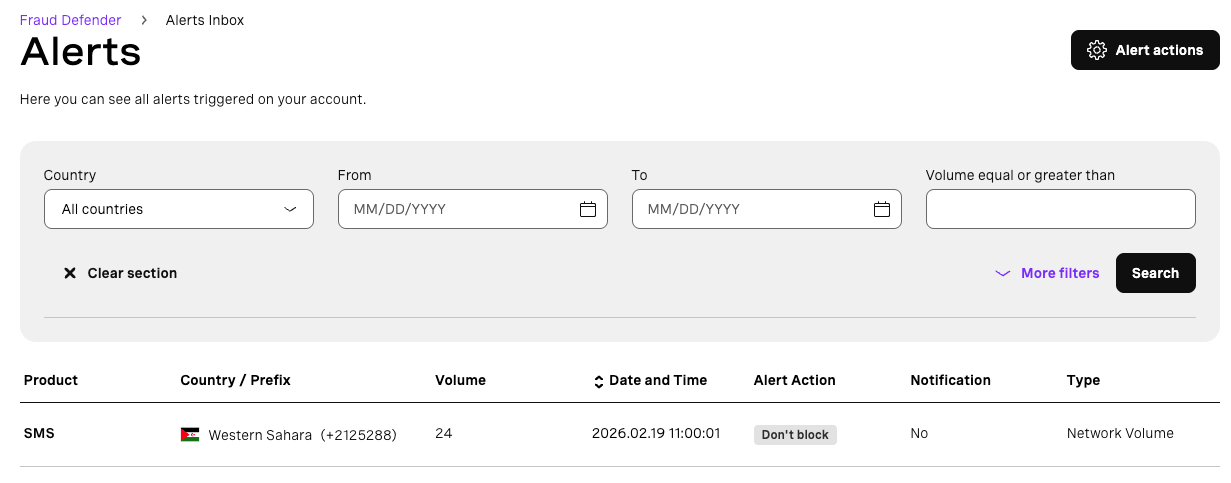
Through alert actions you can automatically apply network blocks once a Network Volume Alert is generated. You can manage network blocks here.
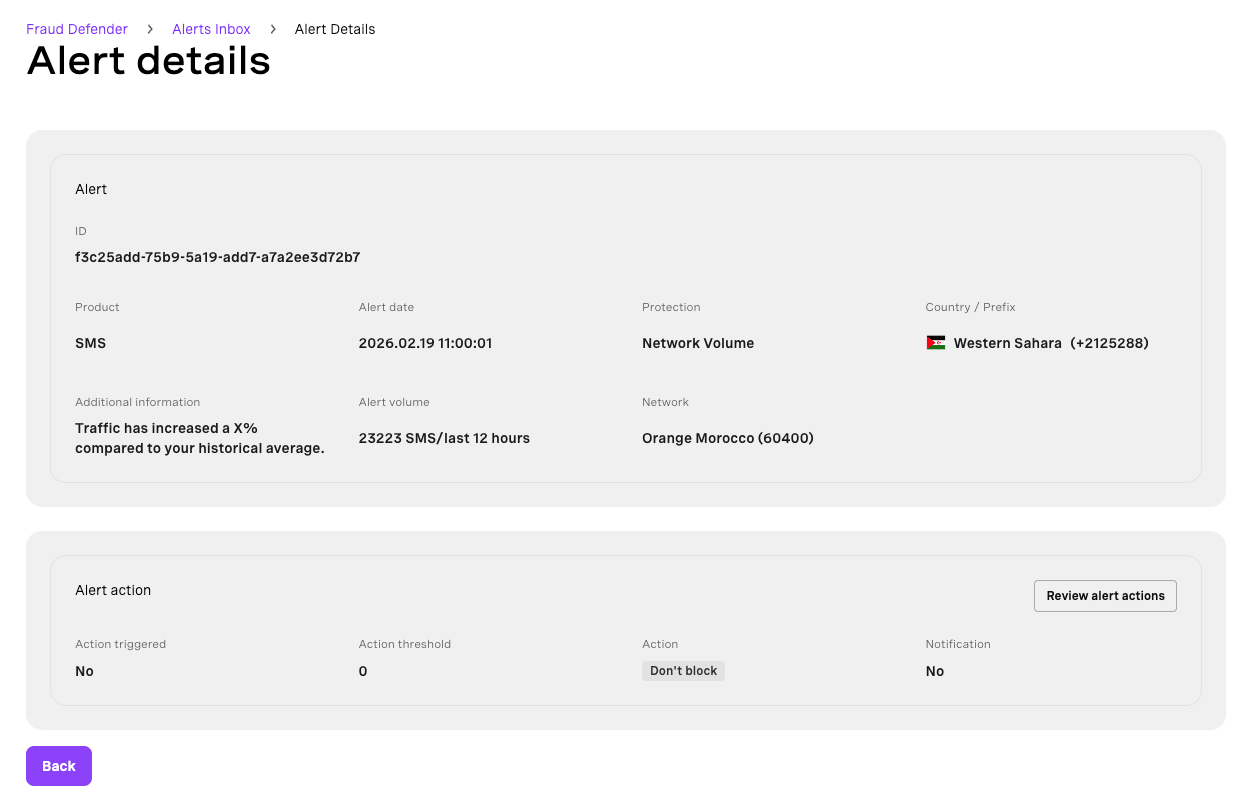
When you click on the alert details, you will see the following information:
| Field | Value |
|---|---|
| Alert ID | Unique identifier for the alert |
| Product | SMS (alerts are for SMS only) |
| Alert Date | YYYY.MM.DD HH:MM:SS |
| Protection (Alert Type) | Network Volume |
| Country | Impacted country name and prefix |
| Additional Information | How much your traffic has increased compared to historical average |
| Alert Volume | Number of SMS in the last 12 hours |
| Network | Network name (PLMN) |
Alert Actions
Use Alert Actions to set up automatic network blocking logic and to send email notifications once a Network Volume Alert is generated.
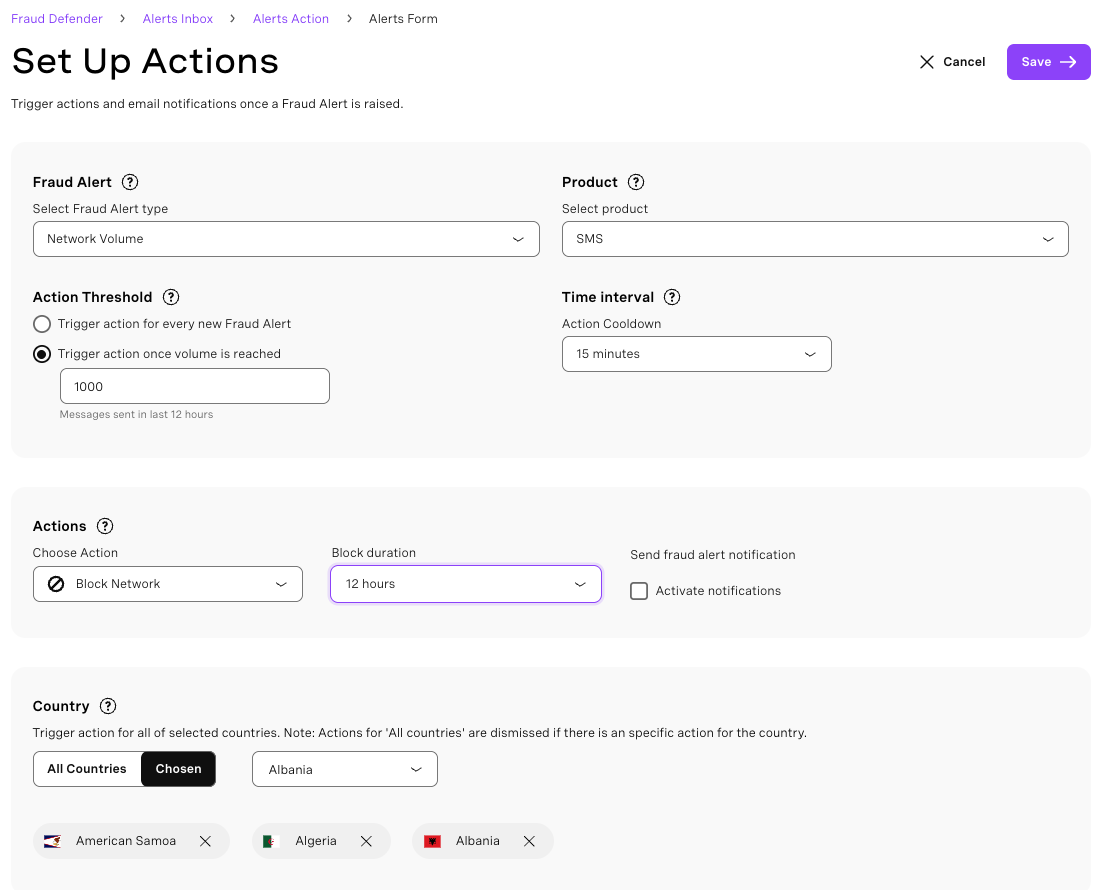
Product
Network Volume Alerts apply to SMS only.
Action Threshold
Define when the action should be triggered.
- Trigger action for every new Fraud Alert: The action is executed immediately for each detected alert.
- Trigger action once volume is reached: The action is triggered only when the selected volume threshold is met.
Time Interval
Limit notification frequency by setting a time interval.
Repeated alerts for the same network will not trigger additional actions unless the time interval has elapsed.
Actions
Choose what happens once the alert conditions are met.
- Choose Action
- Block: Automatically block the network that caused the alert.
- Don't Block: Network causing the alert won't be blocked.
- Review: Allows you to create a network block from alert details.
- Block Duration
- Define how long the block remains active.
- A permanent blocks traffic until manually removed.
- Send Fraud Alert Notification — Enable this option to receive notifications when the action is triggered.
Country Scope
Define where the action applies.
- All Countries — The action applies to all countries.
- Chosen — Apply the action only to selected countries.